

Pass Google Business verification with a video-first checklist. Film one continuous 30 second take, fix flagged issues, and know when to hire help.
Why website design matters for local service businesses
TL;DR:
- Great website design builds trust and creates a positive first impression quickly.
- Clear, mobile-friendly layouts and effective calls-to-action significantly increase lead conversions.
- Prioritizing mobile usability and ongoing testing can dramatically reduce lead loss and boost sales.
Visitors land on your website and form an opinion before they read a single word. That judgment happens in roughly 50 milliseconds, and for local service businesses, that snap decision often determines whether a potential customer picks up the phone or clicks away to a competitor. Many owners pour budget into Google Ads and SEO while treating their website like a digital business card, assuming the content does the heavy lifting. It does not. A well-designed website acts as a first impression and trust signal that directly influences whether visitors stay or contact you. This article breaks down exactly why design is the invisible engine behind every lead your online presence generates.
Table of Contents
Table of Contents
- Your website: The first and lasting impression
- Conversion and credibility: Design’s direct business impact
- Mobile experience: Winning local leads where it counts
- Applying best practices: Turning visits into business outcomes
- Our take: Why design is the silent sales team for local service owners
- Ready for a website that wins more local customers?
- Frequently asked questions
Key Takeaways
| Point | Details |
|---|---|
| First impressions count | A website’s design is the first thing local customers notice and a key trust signal. |
| Design drives leads | Clear UX, visible contact info, and mobile readiness directly improve conversion rates. |
| Mobile users dominate | Sites that are fast and simple on phones capture more local business. |
| Results over appearance | Choose web design partners who focus on measurable business outcomes, not just visual style. |
Your website: The first and lasting impression
Think of your website as a digital handshake. When a homeowner searches for a plumber at 9 p.m. or a landscaper before a big event, they are making rapid decisions based on what they see before they read. A cluttered layout, hard-to-read fonts, or stock photos that look generic all communicate the same thing: this business might not take quality seriously. That perception forms fast and sticks.
Local service businesses operate in high-trust industries. A pest control company entering someone’s home, a med spa offering cosmetic treatments, or a disaster restoration crew walking through water damage all need to earn confidence before the first phone call. Your website is where that trust either begins or breaks down entirely.
What makes a first impression work in your favor?
- Visual clarity: Clean layouts with clear spacing signal professionalism. Visitors should never have to search for what you do or where you serve.
- Consistent branding: Matching colors, fonts, and logo placement across every page tell visitors your business is organized and dependable.
- Real photography: Authentic images of your team, trucks, or completed work build genuine credibility that stock photos simply cannot replicate.
- Easy navigation: If a visitor cannot find your services or contact info within two clicks, most will leave without trying harder.
- Fast load time: A site that loads slowly feels unreliable, even if your actual service is excellent.
“A well-designed website acts as a first impression and trust signal for local service businesses, which can influence whether visitors stay or contact you.” — Forbes Advisor
Here is what often surprises business owners: a poorly designed website does not just fail to impress. It actively damages your reputation. If someone finds you through a referral or a Google search, they visit your site to confirm that referral was worth acting on. A dated or confusing design creates doubt, even when the review that sent them there was glowing. You can lose warm leads simply because your website fails to back up the trust someone else built for you.
The good news is that strong design does not require a complete overhaul every few years. Many service businesses improve their online results dramatically just by cleaning up their homepage, making their phone number large and clickable, and updating their images. These are practical website design tips that move the needle without massive investment.
Repeat business and word-of-mouth referrals are the lifeblood of local service companies, and design plays a role there too. When existing customers send their neighbors or family members to your site, that site either confirms or undercuts what they said about you. A polished, current-looking website validates the recommendation. A sloppy one creates hesitation, even when someone came ready to hire you.
Understanding the full website design process helps you see design not as decoration but as a structured business tool with measurable impact at every stage of the customer journey.
Conversion and credibility: Design’s direct business impact
Trust alone does not pay the bills. Conversions do. A conversion for most local service businesses means a phone call, a form submission, a booking request, or a quote inquiry. Getting someone to your site is only half the job. Design is what makes them take action once they are there.
Here is a number worth remembering: a well-designed UI can boost conversions by up to 200%, and enhanced user experience can push that improvement to 400%. For a plumbing company averaging ten leads per week, that could mean the difference between surviving and scaling.
What drives conversions in a service business website?
- Prominent phone numbers: Your number should appear in the header, on every page, and ideally be a tap-to-call button on mobile devices.
- Clear calls to action: Buttons that say “Get a free quote” or “Schedule service today” guide visitors toward the next step instead of leaving them to guess.
- Simple form design: Long, complicated forms kill conversions. Requesting just a name, phone number, and service type is often enough to capture a lead.
- Social proof placement: Reviews, star ratings, and certifications placed near action buttons reinforce the decision to contact you.
- Minimal distractions: Every element on a page should either inform the visitor or push them toward contacting you. Anything else is noise.
The comparison below shows how design decisions directly affect outcomes:
| Element | Poorly designed site | Well-designed site |
|---|---|---|
| Phone number | Buried in footer only | Visible header, tap-to-call enabled |
| Call to action | Generic “Contact us” link | Bold button: “Get your free estimate” |
| Navigation | Confusing menus, too many options | Three to four clear service categories |
| Mobile experience | Pinch and zoom required | Fully responsive, thumb-friendly layout |
| Load time | Five or more seconds | Under two seconds |
| Trust signals | None visible | Reviews and certifications above the fold |
Consider a real scenario: an HVAC company redesigns its website with a simplified homepage, a visible call button in the header, and a two-field quote form. Without changing their ad spend or SEO strategy at all, they start seeing more form completions simply because the path from arrival to action became shorter and clearer. That is the power of design working as a business tool.
Owners who want to boost trust and leads through their websites often find that small structural changes produce measurable results faster than any content update would. Layout, button placement, and visual hierarchy are quiet forces that shape behavior every time someone visits.
A thorough website optimization guide can walk you through the specific changes that make the biggest impact on service inquiry rates and help you prioritize what to fix first.
Pro Tip: Run a five-second test. Show your homepage to someone who has never seen your business before and ask them to tell you what your company does and how to contact you. If they struggle, your design is losing leads.
Mobile experience: Winning local leads where it counts
If you want to know where your future customers are right now, the answer is almost certainly on their phones. Local service discovery happens on mobile devices at a rate that continues to climb every year. Someone smells gas, notices a pest problem, or needs a moving company with three weeks’ notice, and their first move is a quick search on their phone. What your site delivers in that moment determines whether you get the call.

Mobile usability and fast, easy paths to action directly affect whether local customers who find you online become leads. That is not a suggestion. It is the practical reality of how local search behavior works in 2026.
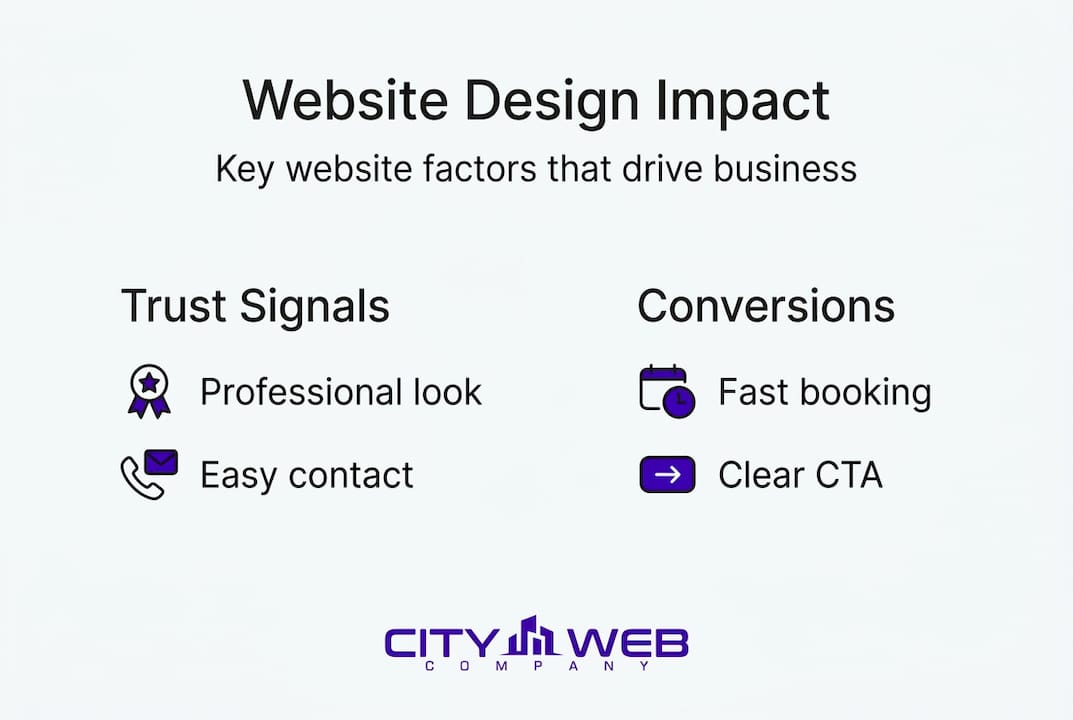

The numbers are stark. When a mobile site loads slowly or forces users to pinch, scroll sideways, or search for your phone number, visitors leave fast. Research from Google consistently shows that a site that is not mobile-friendly causes visitors to be five times more likely to abandon it. For a service business spending money on ads or SEO to drive traffic, that abandonment means real dollars wasted on visitors who never converted.
Mobile usability checklist for local service businesses:
- Thumb-friendly buttons: Action buttons should be large enough to tap easily without zooming in. A minimum size of 44 pixels by 44 pixels is a good baseline.
- Visible phone number: Your number should be at the top of the screen and formatted as a tap-to-call link so visitors can reach you with a single tap.
- Fast load speed: Pages should load in under three seconds on a 4G connection. Compress images and minimize unnecessary scripts to hit this target.
- Simplified navigation: Mobile menus should collapse into a clean hamburger icon and expand to show only your most important pages.
- Single-column layout: Content stacked vertically is easier to read and scroll than side-by-side layouts that shrink awkwardly on small screens.
- Local information above the fold: Your city or service area, hours, and contact method should appear without any scrolling required.
Here is the edge case that often surprises business owners: a service business can have a beautiful, well-organized desktop website and still lose mobile leads by the dozens every week. Desktop and mobile are different experiences, and Google evaluates them differently too. A site that looks great on a laptop can be completely broken on an iPhone. If you have never actually tested your website on multiple phone models, there is a good chance you are losing leads you do not even know about.
Web design for digital presence means thinking mobile-first, not mobile-second. Design the phone experience as the primary version, then expand from there.
Pro Tip: Use Google’s free PageSpeed Insights tool to test your mobile load speed and get specific recommendations for improvements. Fix the top three issues it flags and retest. Most service business sites see meaningful speed gains from just those changes.
Google’s guidance on mobile site performance explicitly connects phone calls, booking requests, and directions to mobile design quality. Making those actions effortless is not optional if you want your website to function as a lead generator.
The data comparison below shows what mobile performance differences mean in practical terms:
| Mobile site factor | Below average | Above average |
|---|---|---|
| Load time | Over 5 seconds | Under 2.5 seconds |
| Bounce rate | 70% or higher | Under 40% |
| Tap-to-call use | Not available | Active, prominent |
| Contact form completion | Under 2% | 5% or higher |
| Website optimization focus | Desktop only | Mobile-first |
Applying best practices: Turning visits into business outcomes
Knowing what good design looks like is useful. Knowing how to apply it to your actual business situation is what generates results. This section gives you a practical framework for evaluating your current site and making decisions that directly affect your bottom line.
Start by auditing your website with a business lens, not a visual one. Ask yourself: if a stranger landed on my homepage right now, how many seconds would it take them to find my phone number? Could they request a quote or book a service in under a minute? Is it obvious what areas I serve? These are outcome-focused questions, and they reveal design gaps more clearly than asking whether the site looks nice.
Step-by-step evaluation for local service business owners:
- Test your homepage on a phone. Load your site on your own mobile device and try to contact yourself. Note every step that feels clunky or slow.
- Check your calls to action. Count how many times your page tells visitors exactly what to do next. If the answer is zero or one, you need more.
- Confirm your contact information is above the fold. Without scrolling, can a visitor see your phone number and service area? If not, move them up.
- Review your form length. If your contact form has more than five fields, consider trimming it. Each extra field reduces completion rates.
- Look at your images. Are they high quality and specific to your business? Generic stock photos reduce trust, especially in service industries where customers want to see the actual team.
- Check page speed. Use a free tool like Google PageSpeed Insights. A score below 70 on mobile means visitors are waiting too long and leaving.
When you are ready to work with a web design provider, ask specific questions that go beyond visual style. Any vendor can show you a portfolio of attractive websites. What you actually need to know is how they approach lead capture, what their process is for mobile testing, how they structure calls to action, and whether they provide reporting on form completions and click-to-call activity. Those questions separate vendors who focus on aesthetics from those who focus on business outcomes.
Google’s mobile site guidance makes this prioritization explicit: speed, navigation, and actionability on mobile are the design factors most connected to actual business results like calls and bookings. Use that framework when evaluating any vendor’s approach.
The step-by-step website guide we provide walks through this entire evaluation in sequence, making it easier to identify the highest-priority changes for your specific business type.
Request reporting before you commit to any provider. You should be able to see data on how visitors behave on your site, how often they call, and how often they complete a contact form. If a vendor cannot explain how they will measure design performance, they are likely focused on delivery rather than results. The marketing blog covers how to evaluate these metrics in practical terms for service businesses.
Pro Tip: Design every page of your website for a single primary action. On your homepage, that action is probably a phone call or quote request. On a service page, it is a booking or inquiry. Trying to do everything at once results in pages that accomplish nothing.
Our take: Why design is the silent sales team for local service owners
After working with dozens of local service businesses across industries like HVAC, pest control, moving, landscaping, and disaster restoration, we have seen the same pattern repeat itself. Owners invest in great technicians, reliable trucks, and strong word-of-mouth, but they underfund the one tool that works 24 hours a day, seven days a week: their website.
Most owners treat content and advertising as the drivers of growth and treat design as a finishing touch. But here is what we have observed directly: even a well-funded ad campaign with strong targeting will underperform if the landing page fails to convert. You pay for the click, but design determines whether that click becomes a call. That is money left on the table with every campaign.
The businesses we have seen grow fastest share a common approach. They treat their website as a live business asset, not a completed project. They update their images regularly, simplify their forms when completion rates drop, and test their mobile experience across devices. They treat design as why digital marketing matters translated into action, not just a campaign you run but a foundation you build and maintain.
The uncomfortable truth is that most service business websites are losing leads silently. There is no error message when someone leaves because your phone number is hard to find. No alert when a mobile visitor abandons a slow-loading page. That invisibility is exactly what makes design so easy to deprioritize, and so costly when ignored.
Simplicity, mobile-first thinking, and metrics-driven improvement are not design trends. They are the practices that separate service businesses growing online from those that plateau.
Ready for a website that wins more local customers?
If you recognize your own website in any of the problems described above, you are not alone. Most service businesses we speak with have solid services and poor digital representation. The gap between what you offer and how your site communicates it is exactly where leads are lost.
City Web Company specializes in innovative web design built specifically for local service businesses. We do not just build sites that look good. We build sites engineered to generate phone calls, form submissions, and booked appointments. Our approach covers mobile-first development, clear conversion paths, local SEO integration, and performance reporting so you can see exactly how your investment is performing. Explore our full range of marketing services designed for service industries like yours, and get started today with a consultation that focuses on what your website should be doing for your business right now.
Frequently asked questions
What website design features matter most for local service businesses?
Clear calls to action, mobile-friendly layouts, visible contact info, and simple navigation are the features with the most direct impact on lead generation. Mobile usability and fast paths to action are especially critical for customers searching on their phones.
How does website design affect customer trust?
Professional, consistent design signals credibility within the first few seconds of a visit, making customers far more likely to stay and engage. A well-designed website functions as a trust signal before a visitor reads a single word of your content.
Why is mobile usability critical for local businesses?
Most local customers search for and contact service businesses from their phones, and sites that aren’t mobile-friendly see visitors up to five times more likely to leave before taking any action.
Can website design really boost sales or bookings?
Yes, and the improvement can be significant. A well-designed UI can boost conversions by up to 200%, and improving overall user experience design can push that number to 400% according to research from Forrester.
Recommended
These articles were popular with other readers too: