Learn how search engine algorithms rank local service businesses and get actionable strategies to improve visibility, generate more leads, and outrank competitors.
Website Design Process: Step-by-Step Guide for Local Businesses
TL;DR:
- Effective websites for local service businesses focus on strategy, clear messaging, and trust signals.
- Key features include visible contact info, strong CTAs, galleries, reviews, and local SEO.
- Post-launch 90-day optimization using real data boosts leads and conversion rates significantly.
If your phone isn’t ringing the way it should, your website might be the reason. Local service businesses like HVAC companies, plumbers, and landscapers lose jobs every week to competitors with better websites, not because those competitors are more skilled, but because their sites show up first and convert visitors into calls. 73% of small businesses have websites, yet a professional redesign can yield 25 to 60% more leads within 90 days. The gap between a site that generates leads and one that just exists comes down to process. This guide walks you through a proven, step-by-step website design process built specifically for local service businesses, so you can stop losing work to competitors and start winning more of it.
Table of Contents
Table of Contents
- What you need before starting the website design process
- Step-by-step website design process for service businesses
- Critical design features for local service business websites
- Testing, launch, and 90-day optimization for results
- Our take: why most local business websites underperform (and how to fix it)
- Ready to boost leads? Next steps for your business website
- Frequently asked questions
Key Takeaways
| Point | Details |
|---|---|
| Start with strategy | Define your target customer and goals before design or development. |
| Use a proven process | Follow sequential steps—planning, design, development, testing, and optimization—for best results. |
| Focus on local features | Local SEO, fast contact, and proof points drive conversions for service businesses. |
| Optimize after launch | Continuous improvement in the first 90 days maximizes your website’s lead generation potential. |
What you need before starting the website design process
Before a single pixel gets placed or a page gets built, you need a foundation. Skipping this step is the single most expensive mistake local service businesses make. Most owners jump straight to picking colors and fonts, then wonder why their shiny new site still doesn’t bring in calls.
Strategy always comes first, not visuals. That means getting crystal clear on who your ideal customer is, what services you offer, and which local areas you serve. An HVAC company targeting homeowners in the suburbs needs a completely different message than one chasing commercial contracts downtown. Without that clarity, even a beautiful website will miss the mark.
Here’s what you need to gather before your project kicks off:
- Business goals: What do you want the site to do? Generate quote requests, drive phone calls, or book appointments?
- Target customer profile: Age, location, problem they need solved, and what makes them choose one contractor over another.
- Service list with descriptions: Every service you offer, written in plain language your customers actually use.
- Local service areas: The cities, neighborhoods, or zip codes you want to rank for.
- Logo and brand colors: High-resolution files, not screenshots from your Facebook page.
- Professional photos: Job site images, team photos, and before-and-after project galleries.
- Credentials and certifications: Licenses, insurance info, manufacturer certifications, and any awards.
- Customer testimonials: At least five to ten reviews you can display on the site.
- Login credentials: Access to your domain registrar, hosting account, and Google Business Profile.
| Asset | Why it matters | Where to get it |
|---|---|---|
| Professional photos | Builds trust instantly | Hire a photographer or use a quality smartphone |
| Before-and-after galleries | Proves your work quality | Pull from completed jobs |
| Google reviews | Social proof for new visitors | Export from Google Business Profile |
| Certifications and licenses | Removes doubt and builds credibility | Scan physical documents |
| Competitor research | Shows gaps you can fill | Manual search + tools like SEMrush |
Pro Tip: Gather recent before-and-after project photos before your project starts. They are one of the most powerful trust signals on any local service website, and waiting until after launch delays your results by weeks.
Using our website optimization guide can also help you identify gaps in your current setup before you begin a redesign. The more prepared you are at the start, the faster and cheaper the entire process becomes.
Step-by-step website design process for service businesses
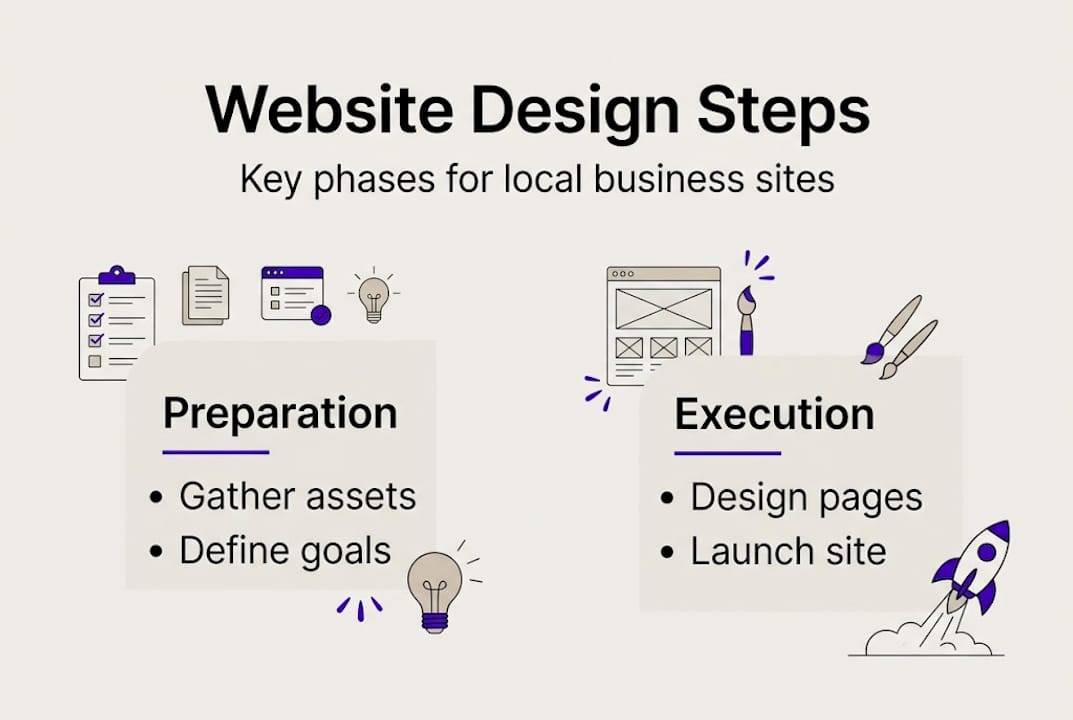
With your materials and strategy set, here’s the practical step-by-step process for getting a conversion-focused business website. A complete website design process for small businesses typically involves six to ten phases, and skipping any one of them creates problems you’ll pay to fix later.
- Strategy session: Define your goals, target customer, services, and local areas. This shapes every decision that follows.
- Sitemap planning: Map out every page your site needs. For most service businesses, this includes a homepage, individual service pages, a service area page, an about page, and a contact page.
- Wireframing: Create a basic layout for each page before any design work begins. Think of it as a blueprint before construction.
- Design mockups: Apply your brand colors, fonts, and imagery to the wireframes. This is where the site starts looking like something real.
- Development: A developer builds the site on a platform like WordPress or a similar CMS (content management system), making it functional and responsive on mobile devices.
- Content writing: Write or finalize the copy for every page, optimized for both your customers and search engines.
- SEO setup: Add title tags, meta descriptions, local schema markup, and Google Analytics before the site goes live. Check out our service-based SEO guide for a deeper breakdown of what this involves.
- Testing: Check every link, form, button, and page on both desktop and mobile before launch.
- Launch: Take the site live and submit it to Google Search Console for indexing.
- 90-day optimization sprint: Track results, fix issues, and improve pages based on real visitor data.
Not every team works the same way. Here’s how the three most common workflows compare:
| Workflow | Best for | Pros | Cons |
|---|---|---|---|
| Waterfall | Fixed budgets, clear scope | Predictable budget, structured timeline | Less flexibility for changes |
| Agile | Evolving projects | Iterative feedback, adaptable | Can extend timelines and costs |
| Hybrid | Most local businesses | Predictability plus room for feedback | Requires clear communication |
Pro Tip: Most local service businesses do best with a hybrid workflow. You get the budget predictability of waterfall with enough flexibility to make adjustments once you see early designs. It keeps projects on track without locking you into decisions that no longer make sense.
For more detail on what makes a site actually convert visitors, our website design tips cover the specific elements that drive quote requests and phone calls for service businesses.
Critical design features for local service business websites
Following the right process is essential, but so are the critical features that actually make your site convert visitors into customers. A generic template might look fine, but it almost never includes the trust signals and local focus that service business customers need before they pick up the phone.
Here are the features every local service business website must have:
- Prominent phone number and click-to-call button: Visible on every page, especially on mobile. If someone has to hunt for your number, they’ll call your competitor.
- Same-day or emergency CTA buttons: For HVAC and plumbing businesses especially, urgency-driven calls to action like “Call now for same-day service” dramatically increase conversions.
- Before-and-after project galleries: Showing real work builds instant credibility. A homeowner deciding between two plumbers will almost always choose the one with visible proof of quality.
- Review widgets: Pulling in live Google or Facebook reviews keeps social proof current and trustworthy.
- Local SEO optimization: Every service page should target a specific city or neighborhood. Our guide on local SEO for service businesses explains how to structure these pages for maximum visibility.
- Transparent pricing or price ranges: Customers who can’t find a ballpark figure often leave without contacting you.
- Trust badges: Licenses, insurance, manufacturer certifications, and Better Business Bureau accreditation remove doubt fast.
“Professional redesigns yield 25 to 67% more leads, with inbound leads rising up to 67% and average conversion rates sitting at 2.35% across industries. Before-and-after galleries and strong CTAs are among the top trust-building features that overcome visitor skepticism.”
Low-cost templates fall short because they’re built for everyone, which means they’re optimized for no one. They lack the local focus, clear service structure, and trust signals that turn a curious visitor into a paying customer. Building citations across local directories also strengthens your credibility online, which supports both your SEO and your reputation.
Use our website optimization checklist to audit your current site against these features and identify exactly what’s holding your lead volume back.
Testing, launch, and 90-day optimization for results
Even the best-designed website needs thorough testing and improvement after launch to ensure it actually works for your business. Skipping this phase is like finishing a renovation and never checking if the plumbing works.
Here’s a pre-launch testing checklist to run through before you go live:
- Mobile responsiveness: Open every page on at least three different mobile devices. Buttons should be easy to tap, text should be readable, and nothing should overflow the screen.
- Page load speed: Use Google PageSpeed Insights to check your score. Aim for under three seconds on mobile.
- CTA functionality: Click every button. Make sure quote request buttons, phone links, and chat widgets all work correctly.
- Contact form testing: Submit a test form from every contact form on the site. Confirm you receive the notification.
- Broken link check: Use a tool like Screaming Frog to scan for any broken internal or external links.
- Cross-browser testing: View the site in Chrome, Safari, Firefox, and Edge to catch any display issues.
- Analytics and tracking setup: Confirm Google Analytics, Google Search Console, and call tracking are all firing before launch.
A soft launch, where you share the site with a small group before announcing it publicly, gives you a final chance to catch issues without embarrassing yourself in front of your whole customer base.


Once you’re live, the work isn’t over. In fact, unclear messaging and poor speed cause most post-launch failures, not design flaws. A 90-day optimization sprint fixes this by using real visitor data to make targeted improvements.
Load speed matters more than most people realize. A one-second load time generates three to five times more conversions than a site that takes five or more seconds to load. That’s not a small difference. It’s the gap between a phone that rings and one that doesn’t.
During your 90-day sprint, focus on:
- Reviewing which pages get traffic and which get ignored.
- A/B testing different headlines and CTA button text.
- Improving pages that get visits but no conversions.
- Adding content to service area pages that aren’t ranking yet.
Pro Tip: Set up call tracking and form tracking from day one. If you don’t know which pages are generating quote requests, you’re flying blind. Tools like CallRail make this straightforward and affordable for small businesses.
Our SEO best practices guide and our resource on growing website leads give you a roadmap for what to prioritize during those first 90 days after launch.
Our take: why most local business websites underperform (and how to fix it)
We’ve worked with hundreds of local service businesses, and the pattern is almost always the same. The owner spent real money on a website that looks decent, but it doesn’t generate calls. They blame the designer. The designer blames the market. Nobody talks about the real problem.
Most local business websites fail because of unclear messaging and slow load speed, not design aesthetics. A site can look polished and still lose customers if the homepage doesn’t answer three questions in the first five seconds: What do you do? Where do you do it? How do I contact you?
“The prettiest website in your market means nothing if a visitor can’t figure out what you offer and how to reach you before they get frustrated and leave.”
Conventional wisdom in web design obsesses over fonts, color palettes, and animations. We’ve seen HVAC companies spend thousands on visual effects while their homepage headline reads something like “Welcome to our company.” That’s not a value statement. It’s a wasted opportunity.
What actually works is strategy first, always. Lead with your service, your city, and your strongest trust signal in the first headline. Then get out of the way and let a clear CTA do the work. Local proof, like real reviews from real neighbors, closes the deal faster than any design element ever will.
Ongoing improvement matters just as much as the launch. The businesses that win in local search aren’t the ones with the most expensive sites. They’re the ones that keep refining, testing, and improving based on what their visitors actually do. Our conversion-focused design tips give you a practical framework for doing exactly that.
Ready to boost leads? Next steps for your business website
Once you understand what makes a website turn visitors into customers, here’s how you can take action right away. Following a proven process, from strategy through a 90-day optimization sprint, is what separates local businesses that grow from those that stagnate.
City Web Company specializes in building websites that actually generate leads for HVAC companies, plumbers, landscapers, and other local service businesses. Our web design and development services are built around the exact process outlined in this article, not generic templates that ignore your local market. Pair that with our local SEO services and you get a site that ranks and converts. If you want to understand how all the pieces fit together, our guide on digital marketing for leads is the right next step. Let’s build something that works.
Frequently asked questions
How long does it take to design a small business website?
Most small service business websites take 6 to 14 weeks from strategy to launch, depending on the complexity of the site and how quickly you can provide content and feedback.
What website features are most important for HVAC and plumbing businesses?
The most critical features include fast load speed, local SEO optimization, visible contact information, live review widgets, and before-and-after project galleries that prove your work quality to skeptical visitors.
Should I use a template or custom website for my business?
Templates can work for very basic needs, but custom sites produce up to three times more leads than templates according to case studies, primarily because they’re built around your specific services, local market, and customer trust signals.
What is a 90-day website optimization sprint?
It’s a focused period after launch where you use real visitor data to improve messaging, fix technical issues, and boost conversion rates. A post-launch sprint is where most of the meaningful lead increases actually happen.
Recommended
These articles were popular with other readers too: