
Use website DNI, connect call reports to Google Ads and your Google Business Profile, then tie calls to booked jobs. City Web Company can handle setup.
How to Optimize Service Pages for More Local Leads
Service page optimization is the process of improving your service pages to rank higher in search results and convert more visitors into paying customers. For local service businesses, whether you run an HVAC company, a landscaping crew, or a pest control operation, your service pages are your most valuable digital assets. Knowing how to optimize service pages means targeting the right keywords, structuring content to answer real questions, and building trust through proof points and clear calls-to-action. City Web Company works with local service providers daily and sees firsthand how well-built service pages drive qualified leads. The gap between a page that ranks and one that converts comes down to a handful of repeatable best practices.
Table of Contents
What are the critical components of a well-optimized service page?
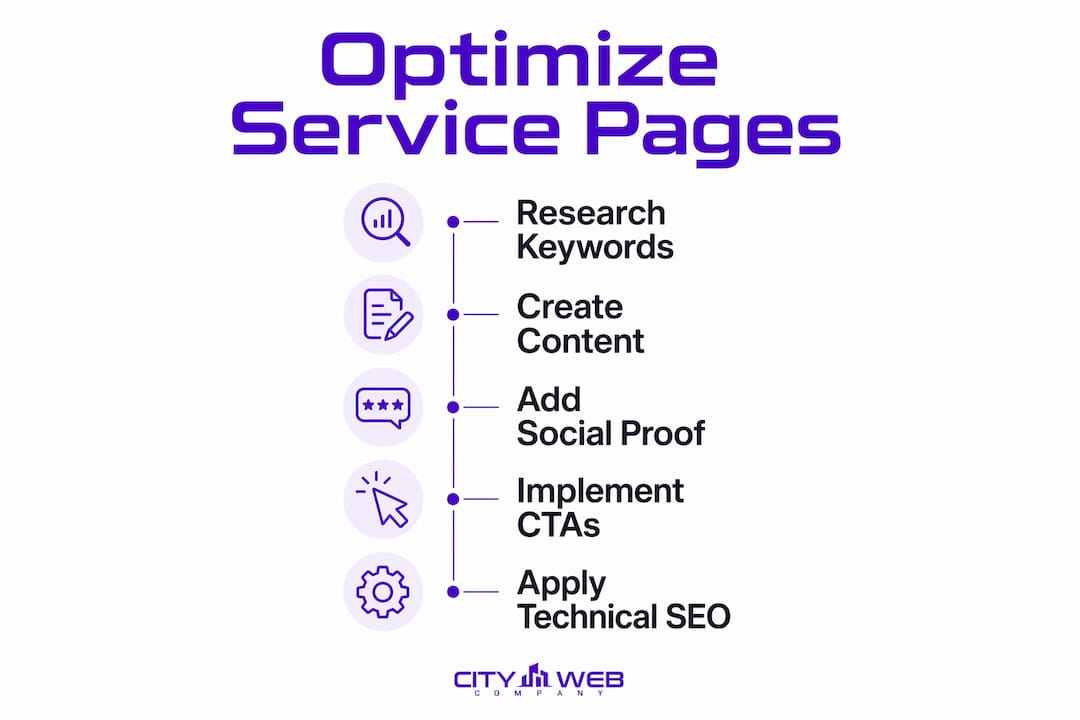
A well-optimized service page combines keyword targeting, content depth, social proof, and technical SEO into one cohesive experience. Each element plays a specific role. Miss one, and the page either fails to rank or fails to convert.

Keyword targeting that matches real intent
Your page must target high-intent, long-tail keyword clusters rather than broad head terms like “plumber” or “landscaping.” A phrase like “emergency water heater repair in Denver” tells Google exactly what the visitor needs and signals they are ready to hire. Broad terms attract researchers. Specific terms attract buyers.
Content that answers what, how, and why
Google’s helpful content guidelines reward pages that fully explain a service, not just name it. Your page should answer what the service is, how you deliver it, and why a visitor should choose you over anyone else. A plumber’s drain cleaning page, for example, should explain the process, the tools used, and the outcome the customer can expect.
Social proof placed inside the conversion path
Testimonials, case studies, and client logos belong on the service page itself, not buried on a separate reviews page. A visitor deciding whether to call you should not have to navigate away to find proof. Place a short testimonial directly above or below your primary call-to-action button.
Strong, specific calls-to-action
Every service page needs one primary CTA that matches visitor intent. “Get a Free Estimate” outperforms “Contact Us” because it names the benefit. Place the CTA above the fold, repeat it mid-page, and include it again at the bottom.
Here is a quick checklist of the core components every service page needs:
- Primary keyword in the H1 headline, first paragraph, and meta title
- Benefit-driven headline that states the outcome, not just the service name
- Content depth covering what, how, and why (800–1,500 words is the typical range for top-ranking pages)
- Social proof (testimonials, star ratings, case study snippets) placed near the CTA
- Clean URL that reflects the service and location (e.g., /drain-cleaning-denver)
- Meta title and description with the primary keyword and a clear value statement
- Service and LocalBusiness schema markup for local search visibility
- Mobile-friendly layout with fast load times
Pro Tip: Never hide important content inside accordion dropdowns or tabs. Hidden content may be devalued by search engines, and visitors who need to click to expand text are less likely to read it.
How do you perform keyword research for service pages?
The biggest optimization failure is targeting overly broad terms instead of specific, high-intent clusters that match real search behavior. A roofing company targeting “roofing” will lose to a competitor targeting “roof leak repair after storm in Colorado Springs.” The more specific term has less competition and a visitor who is already ready to spend money.
Follow this process to build keyword clusters that actually drive leads:
-
Start with your core service. Write down every service you offer as a plain phrase: “furnace installation,” “mold remediation,” “lawn fertilization.”
-
Add location modifiers. Attach your city, neighborhood, or service area to each phrase. “Furnace installation in Fort Collins” is a far more winnable keyword than “furnace installation.” Explore long-tail keyword strategies to build out your full location-based list.
-
Add outcome and problem modifiers. Think about what the customer is experiencing. “Emergency furnace repair” or “furnace not turning on” reflects real search behavior. These phrases signal urgency and high buying intent.
-
Group keywords into clusters, one cluster per page. Combining unrelated services on one page dilutes keyword targeting and confuses visitors. A separate page for each service variant, such as “AC installation” and “AC repair,” gives each topic room to rank on its own merits.
-
Map each keyword cluster to a search intent stage. Informational queries (“how does duct cleaning work”) belong on blog posts. Transactional queries (“duct cleaning service near me”) belong on service pages. Mixing the two on a single page weakens both.
Pro Tip: Use Google Search Console to find queries your service pages already rank for but have not yet targeted directly. These are your fastest wins.
What content structure and design improve engagement on service pages?
A strong headline immediately states the main benefit and hooks visitors before they scroll. Pair it with a relevant image and a one-sentence summary of what you do and where you do it. That combination tells Google and the visitor exactly what the page is about within the first three seconds.

Logical heading hierarchy
Use H2 headings to break the page into logical sections: the problem the visitor has, the solution you provide, your process, your proof, and your CTA. Use H3 headings for supporting details within each section. This structure makes the page scannable for visitors and crawlable for search engines.
Visual elements that support the message
Images, icons, and process diagrams reduce the cognitive load on visitors. A before-and-after photo for a restoration company or a step-by-step process graphic for a pest control company gives visitors confidence without requiring them to read every word. Always add descriptive alt text to every image for accessibility and SEO.
Proof points near decision moments
Place your strongest testimonial or case study result directly above or beside your primary CTA. A visitor who reads “We saved $800 on our energy bill after their HVAC tune-up” right before seeing “Get a Free Estimate” is far more likely to click. For guidance on making testimonials work harder, see how to use testimonials effectively.
Internal linking for topical authority
A hub-and-spoke content model strengthens your service page’s ranking potential. Link from related blog posts to the service page, and link from the service page to related content. This passes SEO value and keeps visitors engaged longer. For a deeper look at which pages on your site need this treatment most, the guide on overlooked pages that need SEO is worth reading.
The table below shows how content structure choices affect both SEO and user experience:
| Content Element | SEO Impact | User Experience Impact |
|---|---|---|
| Keyword-rich H1 headline | High: signals page topic to Google | High: tells visitors they are in the right place |
| Visible testimonials near CTA | Moderate: increases dwell time | High: builds trust at the decision point |
| Accordion-hidden content | Negative: may be devalued by Google | Negative: reduces content visibility |
| Internal links to related pages | High: builds topical authority | Moderate: helps visitors find related info |
| Descriptive image alt text | Moderate: improves image search visibility | High: supports accessibility |
Pro Tip: Successful service pages speak human-to-human and reduce visitor friction. Write your page copy the way you would explain your service to a neighbor, not the way a legal document reads.
How do you implement technical SEO for service pages?
Technical SEO for service pages is not optional. A page with great content but poor technical execution will still lose rankings to a technically sound competitor. Follow these steps to cover the fundamentals:
-
Write a clean, descriptive URL. Use the format /service-name-city (e.g., /roof-repair-denver). Avoid generic URLs like /page-2 or /services/item. The URL itself is a ranking signal.
-
Optimize your meta title. Include the primary keyword near the front, keep it under 60 characters, and add a location or benefit. Example: “Roof Repair in Denver | Fast, Licensed Contractors.”
-
Write a meta description that sells the click. High impressions but low click-through rates signal that your meta description is not compelling enough. Write 150–160 characters that state the benefit and include a soft CTA like “Get a free estimate today.”
-
Add Service and LocalBusiness JSON-LD schema. Service schema defines serviceType, provider, and areaServed, which helps Google understand your page for local pack inclusion. Use Google’s Rich Results Test to verify your markup is valid.
-
Compress images before uploading. Large image files are one of the most common causes of slow load times. Use a tool like TinyPNG or Squoosh to reduce file sizes without visible quality loss.
-
Enable browser caching and use a content delivery network. These two technical steps reduce load times for returning visitors and for visitors located far from your server. Poor mobile design and slow loading drive potential customers away before they ever read your content.
-
Track performance in Google Search Console. Monitor impressions, clicks, and average position for each service page. A page with rising impressions but flat clicks needs a better meta title or description. A page with good clicks but no conversions needs a stronger CTA or more proof.
For a full technical checklist built specifically for local service businesses, the home services SEO checklist covers every step in detail.
What common mistakes cause service pages to underperform?
Most underperforming service pages share the same handful of problems. Identifying which one applies to your page is the first step toward fixing it.
- Keyword stuffing. Repeating a keyword phrase in every sentence does not help rankings. Google’s algorithms recognize unnatural repetition and may penalize the page. Write for the reader first.
- Weak or missing CTAs. A page without a clear next step leaves visitors with no direction. Every service page needs at least one specific, benefit-driven CTA above the fold.
- Thin content. Pages under 400 words rarely rank for competitive service terms. Top-ranking pages provide more technical detail, unique processes, and proof than thin content pages. Aim for depth, not word count padding.
- No internal links. A service page that exists in isolation on your site misses the SEO benefit of your broader content. Link to it from blog posts, your homepage, and related service pages.
- Ignoring mobile design. More than half of local service searches happen on mobile devices. A page that looks fine on desktop but breaks on a phone loses those visitors immediately.
- Stale content. Service pages are not set-and-forget assets. Update them when you add new service areas, earn new certifications, or gather fresh testimonials.
Pro Tip: Run a gap analysis against the top three pages ranking for your target keyword. Compare their content depth, number of images, and proof points against yours. The gaps you find are your optimization priorities.
For a broader look at SEO for service businesses, City Web Company has a dedicated resource that covers both on-page and off-page factors.
Key Takeaways
Optimizing service pages requires combining targeted keyword clusters, structured content, technical SEO, and visible social proof to rank well and convert local visitors into leads.
| Point | Details |
|---|---|
| Target long-tail, local keywords | Use specific phrases like “furnace repair in Denver” rather than broad terms to attract buyers. |
| One service per page | Dedicated pages for each service improve keyword focus and reduce visitor confusion. |
| Place proof near the CTA | Testimonials and case study results directly beside your call-to-action increase conversion rates. |
| Implement schema markup | Service and LocalBusiness JSON-LD schema improves local pack visibility and search engine understanding. |
| Update pages regularly | Fresh testimonials, new service areas, and updated content keep pages competitive over time. |
What I’ve learned from watching service pages succeed and fail
The pattern I see most often is this: a local business owner builds a service page, puts the company name in the headline, lists the services they offer, and wonders why it does not rank. The page is written for the business, not for the person searching. That is the root cause of most underperforming service pages.
The pages that consistently rank and convert do something different. They open with the visitor’s problem, not the company’s name. A roofing page that starts with “Roof leaks in Colorado Springs get worse fast” speaks directly to the person searching at 10 PM after a rainstorm. That page earns the click, the read, and the call.
The second thing I have seen make a real difference is niche specificity in keyword targeting. A pest control company that builds separate pages for “ant control,” “rodent removal,” and “termite inspection” will outrank a competitor with one generic “pest control services” page every time. Each dedicated page can rank for its own keyword cluster, earn its own backlinks, and speak directly to a specific visitor need.
The third lesson is that optimization is never finished. The service pages I have seen perform best over the long term are the ones that get reviewed quarterly. New testimonials get added. Service areas get updated. Meta descriptions get rewritten after a Search Console review shows low click-through rates. Treat your service pages like a living part of your business, not a one-time project.
The businesses that win online are not the ones with the fanciest websites. They are the ones who take the time to understand what their customers are searching for and then build pages that answer those questions better than anyone else.
— Matt
How City Web Company helps local businesses get more from their service pages
Local service businesses that want real results from their websites need more than a good-looking page. They need pages built around the right keywords, structured to convert, and maintained over time.
City Web Company specializes in digital marketing for local service businesses, including SEO, local SEO, content development, and website design built specifically to generate leads. The team works with HVAC companies, plumbers, landscapers, pest control operators, and dozens of other service industries to build and improve service pages that rank and convert. If your service pages are not bringing in the leads your business deserves, explore the full range of digital marketing services City Web Company offers and see what a focused optimization strategy can do for your business.
FAQ
What is service page optimization?
Service page optimization is the process of improving a service page’s content, structure, and technical setup to rank higher in search results and convert more visitors into leads. It covers keyword targeting, content depth, schema markup, and calls-to-action.
How long should a service page be?
Service pages typically range from 800 to 1,500 words, with top-ranking pages providing more technical detail, unique process descriptions, and proof points than shorter pages. Quality and depth matter more than hitting a specific word count.
Should each service have its own page?
Yes. One service per page is best practice because combining unrelated services dilutes keyword targeting and confuses visitors. Dedicated pages allow each service to rank for its own keyword cluster.
What schema markup should I use on service pages?
Use Service and LocalBusiness JSON-LD schema. Service schema defines the serviceType, provider, and areaServed, which supports local pack inclusion and helps search engines understand your page’s purpose.
How do I know if my service page meta description needs improvement?
Check Google Search Console for pages with high impressions but low click-through rates. High impressions with low clicks indicate the meta title or description is not compelling enough to earn the click.
Recommended
These articles were popular with other readers too: