Most plumbing businesses treat digital marketing like a lottery. They spend money on ads, post…
Why Invest in Google Ads for Local Services
A plumber hoping to stand out in Denver or a therapist aiming to reach more clients in Austin knows the competition for local leads never sleeps. Being visible when customers search is essential, yet relying on word of mouth alone keeps growth unpredictable. With Google Ads, service businesses gain powerful tools for claiming local visibility, targeting their ideal customers at the moment of need, and controlling costs. Discover how performance-based marketing can connect you with high-intent buyers and drive measurable results.
Table of Contents
Table of Contents
- Google Ads Defined for Service Businesses
- Most Effective Google Ad Types and Features
- How Targeting and AI Boost Results
- Cost, ROI, and Budget Realities Explained
- Avoiding Common Pitfalls and Maximizing Value
Key Takeaways
| Point | Details |
|---|---|
| Effective Ad Formats | Utilize Search Ads for immediate needs, Local Services Ads for trust-driven bookings, Display Ads for brand awareness, and Video Ads for visual demonstrations. |
| Precision Targeting | Leverage location, keywords, and audience targeting to ensure ads reach high-intent customers, maximizing the potential for conversions. |
| Smart Budget Control | Set daily budget caps to manage spending and minimize waste, while allowing for adequate funding during the learning phase to optimize ad performance. |
| Conversion Tracking Essential | Implement conversion tracking from the start to evaluate which ads and keywords drive paying customers, crucial for campaign success. |
Google Ads Defined for Service Businesses
Google Ads is a paid advertising platform where service businesses bid to display ads to potential customers searching for their services on Google. When someone searches for “plumber near me” or “emergency dental care,” your ad can appear at the top of the search results. You only pay when someone clicks your ad, making it a performance-based marketing channel called pay-per-click (PPC).
For service businesses, Google Ads works differently than it does for retail companies. You are not selling products sitting on a shelf. You’re selling your expertise, availability, and ability to solve specific customer problems. A locksmith needs to reach someone locked out of their home right now. A therapist needs to connect with someone seeking mental health support. A contractor needs to appear when someone is planning a renovation. Google Ads matches your business with these high-intent customers at the exact moment they need you.
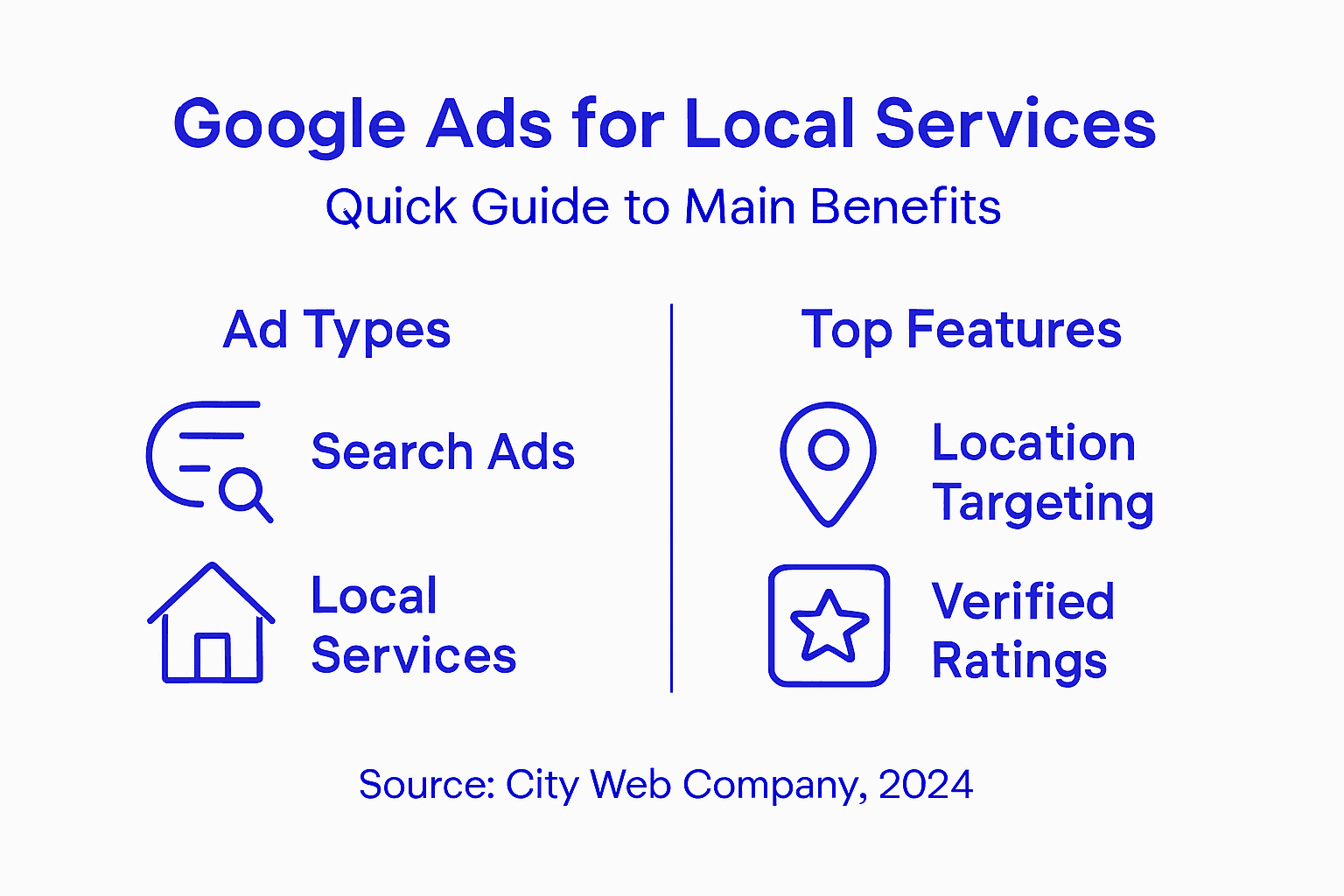
The platform offers several ad formats tailored to service businesses. Search ads appear as text listings when customers use Google search. Google Local Services ads showcase your company name, ratings, and pricing directly in search results with a “Google Guaranteed” badge. Display ads show visual banners across websites your potential customers visit. Each format serves a different purpose in your marketing strategy, but all share one key advantage: targeting people actively looking for what you offer.
One critical feature for service businesses is location targeting. You control exactly where your ads appear geographically. A home cleaning service in Denver can ensure their ads only show to people in Denver and surrounding areas. This eliminates wasted ad spending on clicks from people too far away to use your services. Location targeting also helps you compete against larger national chains by dominating your local market.
Google Ads for local businesses functions as a lead generation engine specifically designed for service industries. Instead of hoping customers find you through word of mouth, you place your business directly in front of ready-to-buy customers. You control your daily budget, meaning a small plumbing company can compete effectively against larger competitors by making smart targeting decisions.
Pro tip: Start by targeting high-intent keywords specific to your service area (like “emergency plumber in [your city]” rather than just “plumber”) because searchers using location-specific keywords are closer to making a purchase decision.
Most Effective Google Ad Types and Features
Search Ads remain the most direct way to reach customers actively hunting for your services. When a homeowner types “roof repair near me,” your text ad appears at the top of Google search results. These ads cost nothing to display. You only pay when someone clicks to visit your website or calls your business. Search ads work because they target intent. The person searching is already looking for exactly what you offer.
Google Local Services Ads (LSAs) operate differently from search ads and often deliver better results for service businesses. These ads feature your company name, customer ratings, and the Google Guarantee badge right in the search results. Local Services Ads use a pay-per-lead model instead of pay-per-click, meaning you only pay when a customer actually contacts you through the platform. This eliminates wasted spending on clicks from people who never call or message.

LSAs also display your verified business credentials and customer reviews prominently. Potential customers see your rating and number of completed jobs before clicking. This trust factor makes LSAs highly effective for converting searchers into leads. A plumbing company with a 4.8-star rating will win more business than one with no visible credentials.
Display Ads reach potential customers as they browse websites related to home services, health, legal advice, and more. A display ad for a contractor might appear on a home improvement blog or design website. These ads work for brand awareness and reaching people who may not be actively searching yet but will remember your name when they need your service.
Google also offers Video Ads on YouTube, allowing you to showcase your work visually. A roofing company can show before-and-after transformations. A landscaper can display completed outdoor designs. Video ads build credibility and help customers understand exactly what you deliver.
Pro tip: Start with Local Services Ads if you offer plumbing, electrical, HVAC, or legal services, since LSAs typically generate higher-quality leads at lower costs than standard search ads in these categories.
Here’s a breakdown comparing the main Google Ads formats for service businesses:
| Ad Format | How It Works | Best Use Case | Payment Model |
|---|---|---|---|
| Search Ads | Text ads appear on search | Immediate service need | Pay per click |
| Local Services Ads | Business info + badge in search | Trust-driven bookings | Pay per lead |
| Display Ads | Banner ads on relevant sites | Brand awareness | Pay per click |
| Video Ads | Video showcase on YouTube | Visual demonstration | Pay per view/click |
How Targeting and AI Boost Results
Precision targeting is where Google Ads truly separates winners from wasters of money. Instead of hoping your ads reach the right people, you control exactly who sees them based on location, search keywords, demographics, and behavior. A dental practice in Austin can show ads only to people within 10 miles searching for “teeth cleaning” or “emergency dentist.” This eliminates showing ads to people in other cities or those searching for unrelated services.
Google’s Smart Bidding uses artificial intelligence to optimize your ad spending in real time. Rather than manually adjusting bids each day, AI analyzes thousands of signals to determine the best price for each potential customer. If a search happens on a mobile phone at 9 p.m. on a Thursday, the AI recognizes this person is more likely to convert and bids accordingly. For a small service business without a dedicated marketing team, this automation saves countless hours while improving results.
AI also powers keyword expansion and negative keywords. The system learns which searches lead to actual customers and which ones waste your budget. Over time, Google identifies patterns that your human team might miss. A locksmith service learns that “locked out” searches convert, but “lock installation” searches don’t. AI automatically adjusts which keywords trigger your ads.
Audience targeting reaches customers based on their past behavior and interests. Google tracks people who visited contractor websites, read about home renovation, or searched for related services. You can show ads specifically to these warm audiences rather than cold prospects. Someone actively researching a bathroom remodel is far more likely to hire a contractor than someone randomly browsing the internet.
AI tools streamline marketing decisions by automating tasks that previously required manual analysis. You spend less time managing campaigns and more time actually serving customers. The system tests different ad headlines, landing pages, and bid amounts simultaneously, determining what works fastest.
Geographic targeting combined with AI creates powerful local dominance. A service business can capture market share by being the first ad someone sees in their specific area at the exact moment they search for that service.
Pro tip: Set up conversion tracking immediately so AI has data to learn from, as Google’s machine learning performs significantly better with 15+ conversions per week to optimize against.
Cost, ROI, and Budget Realities Explained
Google Ads costs vary dramatically by industry and location. The average cost per click for service businesses sits around $6.56, but this number masks huge variation. A plumber in a competitive metro area might pay $12 per click, while the same plumber in a smaller town pays $3. Your actual costs depend on competition, seasonality, and how well you target.
You control spending through daily budget caps. Set a $20 daily budget, and Google stops showing your ads once you hit $20 in clicks that day. This budget safety means you never overspend or get surprised by unexpected charges. Small service businesses often start with $300 to $500 monthly budgets and scale up once they see positive returns.
Return on investment depends entirely on your conversion rate and profit margin. Average conversion rates range from 3 to 5 percent in service industries, meaning roughly 3 to 5 customers contact you for every 100 clicks purchased. If you pay $6.56 per click and convert 1 in 20 visitors, each customer costs $131 in advertising. If your service generates $500+ profit per customer, the math works. If profit is $100 per customer, it does not.
Local Services Ads offer better budget certainty. Instead of paying per click, you pay only when a customer actually contacts you through the platform. A plumber might pay $25 per lead instead of risking $6.56 on clicks that may not convert. This eliminates wasted budget on people who click but never call.
Tracking actual ROI requires measuring what happens after someone clicks your ad. How many clicks turned into phone calls? How many calls became paying customers? Without this data, you are flying blind. A properly set up campaign tracks these numbers automatically, showing you exactly which ads generate profitable customers.
Most service businesses see positive ROI within 2 to 3 months once campaigns are optimized and conversion tracking works correctly. Initial months often produce higher costs as the system learns. Patience during this learning phase separates successful campaigns from abandoned ones.
Pro tip: Allocate at least $30 to $50 daily for your first month to give the AI enough data to optimize effectively, then adjust based on actual results and lead quality.
For making informed budget decisions, compare these key Google Ads cost and ROI factors:
| Metric | Typical Range | Drives Cost Variation | Impact on ROI |
|---|---|---|---|
| Cost per Click | $3 to $12 | Industry, location, competition | Higher costs demand conversion |
| Conversion Rate | 3% to 5% | Ad relevance, landing page quality | Determines lead cost |
| Cost per Lead (LSA) | $15 to $40 | Service type, market demand | More predictable budgeting |
| Time to Positive ROI | 2 to 3 months | Learning phase, tracking setup | Patience yields results |
Avoiding Common Pitfalls and Maximizing Value
The biggest mistake service businesses make is launching Google Ads without conversion tracking. You spend money on clicks but never know which ads actually generate paying customers. It’s like fishing without checking your nets. Set up conversion tracking before running your first ad. Track phone calls, form submissions, and online bookings so you can measure what actually works.
Many businesses also bid on keywords that waste budget. Generic keywords like “plumber” attract clicks from people across the country. A local plumber in Denver wastes money on clicks from California. Use location modifiers and specific service terms instead. “Emergency plumber Denver” costs more per click but delivers customers who can actually use your service and are ready to hire.
Negative keywords prevent budget waste on irrelevant searches. Add terms like “free,” “DIY,” or “job” as negative keywords so your ads don’t appear for people searching “free plumbing tips” or “plumber job listings.” These clicks never convert but drain your budget quickly.
Landing page quality directly impacts your results. Sending someone to your homepage when they clicked an ad about “emergency HVAC repair” frustrates users and increases bounce rates. Create specific landing pages matching each ad’s promise. Someone clicking an emergency service ad should land on a page about emergency services, not a generic homepage.
Ignoring mobile optimization costs money. Over 60 percent of service searches happen on mobile phones. If your website loads slowly or doesn’t display properly on phones, people bounce immediately. Track ROI from your paid campaigns to identify which devices generate actual customers, then optimize accordingly.
Underestimating your budget during the learning phase kills campaigns before they succeed. Google’s AI needs roughly 15 conversions weekly to optimize effectively. Start with sufficient budget to allow this learning period, or the system never reaches peak performance and you abandon a campaign that could have worked.
Pro tip: Review your campaign data weekly and pause underperforming keywords immediately rather than hoping they improve, as quick adjustments prevent budget waste and allow money to flow toward winning keywords.
Maximize Your Local Service Leads with Expert Google Ads Management
Many service businesses struggle to convert clicks into paying customers due to unclear targeting, lack of conversion tracking, and inefficient ad spend. This article highlights how Google Ads, especially Local Services Ads and smart AI bidding, can connect you with high-intent, local customers exactly when they need your services. If you want to stop wasting budget on generic keywords and start generating real leads that grow your revenue, mastering paid advertising strategies is critical.
At City Web Company, we specialize in crafting tailored PPC campaigns designed for local service providers. By combining precise keyword targeting, location control, and performance-driven conversion tracking, we unlock the full potential of Google Ads for your business. Our proven approach saves you time, reduces wasted spend, and helps you dominate your local market with trust-building ads.
Ready to turn your Google Ads investment into measurable new customers? Discover how our PPC & Paid Ad Strategies and Digital Advertising Tips & Strategies can power up your lead generation.
Take control of your local advertising now. Connect with our experts at City Web Company by visiting https://citywebcompany.com/contact and start building campaigns that deliver the results your business deserves.
Frequently Asked Questions
What are Google Ads and how do they work for service businesses?
Google Ads is a paid advertising platform where service businesses display ads to potential customers searching for their services. Businesses bid to have their ads appear at the top of Google search results, paying only when someone clicks on their ad.
How do Local Services Ads differ from regular Google Search Ads?
Local Services Ads (LSAs) feature your company name, ratings, and a Google Guarantee badge, showing potential customers verifiable information. Unlike Search Ads, LSAs follow a pay-per-lead model, meaning you only pay when a customer actually contacts you through the ad.
What benefits do Google Ads provide for local service businesses?
Google Ads allow service businesses to reach high-intent customers exactly when they need services, control their advertising budget, and target specific geographic locations, leading to more effective lead generation compared to traditional advertising methods.
How can I optimize my Google Ads campaigns for better results?
To optimize your campaigns, use specific location-based keywords, set up conversion tracking, utilize negative keywords to prevent budget waste, and create targeted landing pages that match your ad content, enhancing user experience and increasing conversion rates.
Recommended
- Google Ads for Local Businesses: The Ultimate Guide to Getting More Customers – City Web Company | Digital Marketing Agency
- How to Advertise Locally on Google: A Complete Guide for Businesses – City Web Company | Digital Marketing Agency
- Google Local Service Ads: Get More Leads, Not Just Clicks – City Web Company | Digital Marketing Agency
- Step by Step Google Ads Setup for Local Lead Generation
These articles were popular with other readers too: