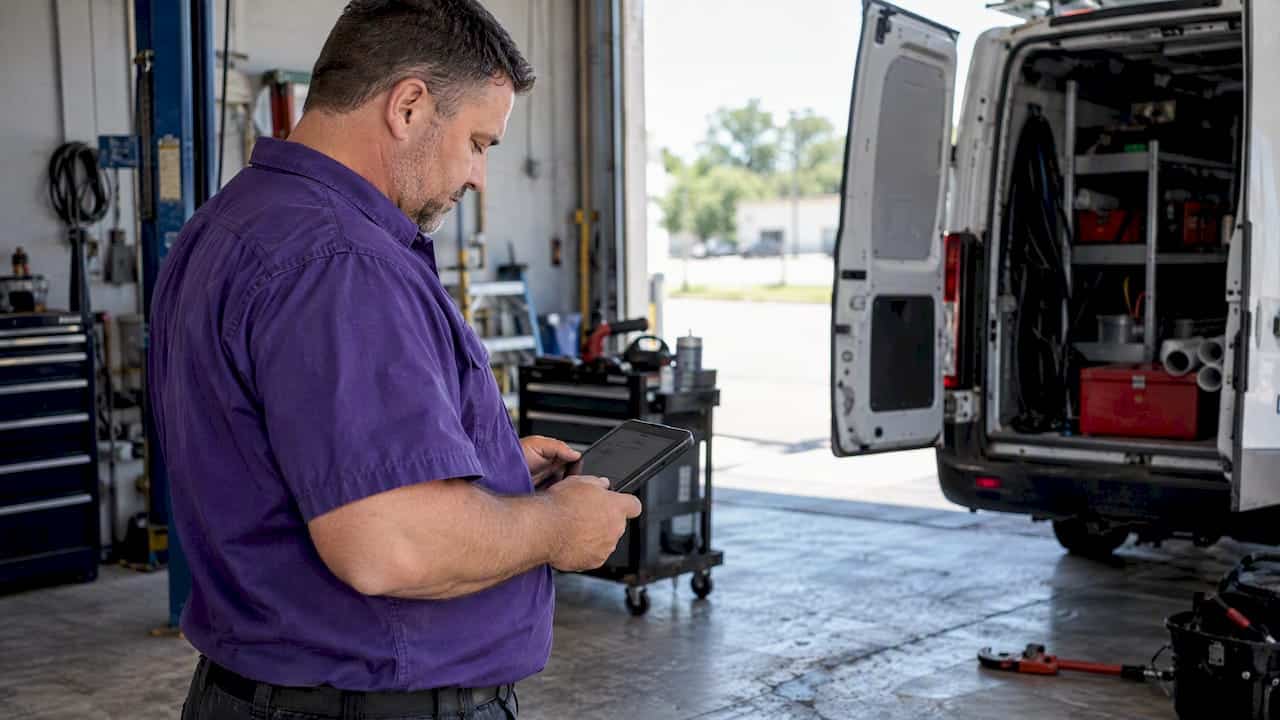

See how plumbers can turn Facebook scrollers into booked jobs with clear offers, local targeting, a 30 day test budget, fast follow up, and a path to scale.
Step by Step Social Media Ads for Local Service Businesses
Step by step social media ads is the process of systematically building, launching, and refining paid social campaigns to generate leads and grow your local service business. Strong creative execution determines campaign success more than targeting or budget alone. A documented paid social strategy aligned with your business goals separates real marketing performance from random activity. Local service businesses that follow a structured process get more from every dollar they spend on social advertising.
Table of Contents
What prerequisites and tools do you need before creating social media ads?
Every effective paid social campaign starts with the right accounts, tracking, and assets in place. Skipping this setup phase is the single fastest way to waste your first month of ad spend.
Accounts and pages you need
You need three things before you open Meta Ads Manager: a Facebook Business Page, a Meta Business Suite account, and an ad account with a payment method attached. The Business Page acts as the public face of your ads. Meta Business Suite is the management hub where you control permissions, assets, and billing. Without all three connected, you cannot publish a live campaign.
Tracking: the step most local businesses skip
Installing Meta Pixel and the Meta Conversions API is foundational to measuring results. Missing these tools means you cannot track which ads generate phone calls, form fills, or booked appointments. The Pixel fires from your website when a visitor takes action. The Conversions API sends data directly from your server, filling gaps that browser privacy settings create. Together, they give you a complete picture of what your ads actually produce.
Creative assets and campaign objectives
Gather your creative assets before you touch Ads Manager. You need high-quality photos or short videos of your work, a clear headline, and a written offer. Decide your campaign objective in advance. For most local service businesses, the right objectives are leads, traffic, or calls. Choosing the wrong objective, such as brand awareness when you need phone calls, trains the algorithm to show your ad to the wrong people.
The table below summarizes every prerequisite you need before building your first campaign.
| Asset or Tool | What It Does | Required? |
|---|---|---|
| Facebook Business Page | Public profile linked to your ads | Yes |
| Meta Business Suite account | Central hub for ad account management | Yes |
| Ad account with payment method | Enables campaign creation and billing | Yes |
| Meta Pixel | Tracks website visitor actions | Yes |
| Meta Conversions API | Server-side tracking for accurate data | Yes |
| Creative assets (photos/video) | Visual content for your ads | Yes |
| Campaign objective defined | Tells the algorithm what result to chase | Yes |
| Landing page or contact form | Destination for ad clicks | Yes |
Pro Tip: Map your budget, audience, and creative assets on paper before you open Ads Manager. Advertisers who plan first spend less time fixing mistakes inside the platform.
How do you build your social media ad campaign step by step within Ads Manager?
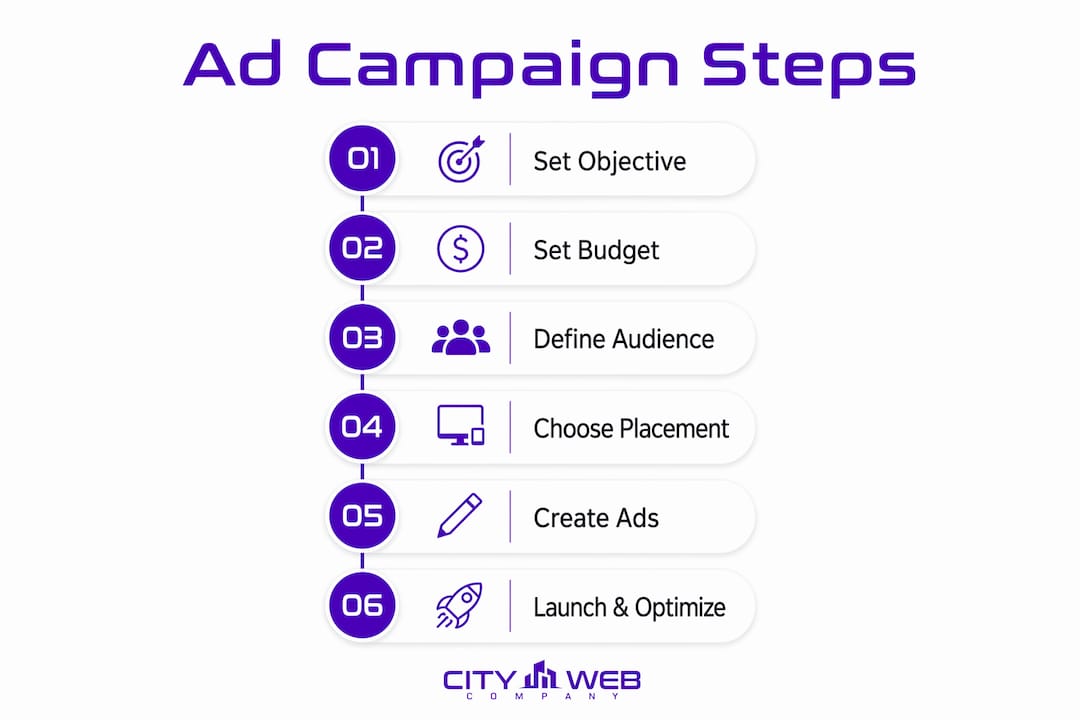
Building a campaign inside Meta Ads Manager follows a three-level structure: campaign, ad set, and ad. Each level controls a different variable. The campaign sets the objective. The ad set controls the audience, budget, and placement. The ad contains your creative. Getting each level right is what makes the whole system work.

Step 1: Set your campaign objective
Open Ads Manager and click “Create.” Select the objective that matches your business goal. A plumber running a leak repair promotion should choose “Leads.” A landscaper promoting a spring cleanup package might choose “Traffic” if the landing page is built to convert. The objective you pick tells Meta’s algorithm which users to prioritize, so this decision shapes everything that follows.
Step 2: Set your campaign budget
Small businesses with ad spend under $5,000 per month benefit from starting with a $20 per day budget. That amount gives the algorithm enough daily data to learn who responds to your ad. Setting your budget too low starves the algorithm and produces unreliable results. Use Campaign Budget Optimization so Meta distributes spend across your ad sets automatically.
Step 3: Build your ad set with precise audience targeting
Precise audience targeting balances size and relevance. For a local service business, start with a geographic radius around your service area, typically 10–25 miles from your city center. Layer in age ranges and interests that match your customer profile. A pest control company might target homeowners aged 30–65 within a 15-mile radius. Avoid making your audience so narrow that Meta cannot find enough people to serve your ad efficiently.
Step 4: Choose your placements
Meta offers automatic placements across Facebook, Instagram, Messenger, and the Audience Network. For most local service businesses starting out, automatic placements work well because they let the algorithm find the cheapest, most effective spots. As you gather data, you can narrow placements to the specific surfaces where your audience converts best.
Step 5: Create at least two ads per ad set
Industry best practice requires a minimum of two ads per ad set for A/B testing and algorithmic optimization. Running a single ad gives you no comparison point. With two ads, Meta tests both and shifts spend toward the better performer. Create one ad with a photo and one with a short video, or test two different headlines against the same image.
Step 6: Write your ad using the Hook-Body-Close framework
The Hook-Body-Close framework is the most reliable structure for local service ad copy. The hook stops the scroll in the first line. The body explains the offer and why it matters to the reader. The close tells the reader exactly what to do next. A roofing company might write: “Is your roof leaking after last week’s storm? [Hook] We fix storm damage fast with no upfront cost. [Body] Call us today for a free inspection. [Close]” Every word earns its place.
Pro Tip: Your ad’s first three seconds decide whether someone keeps scrolling. Open with a visual or headline that speaks directly to a problem your customer already has.
Pair your ad creative with a landing page that matches the offer exactly. If your ad promises a free estimate, the landing page must lead with that same promise. Mismatched messaging kills conversions before they start.
How and when should you launch, monitor, and optimize your social media ads?
Launching your campaign is not the finish line. The real work starts after you hit “Publish.” Most local service business owners make changes too fast and never let the data mature.
What to expect in the first week
Meta’s algorithm enters a learning phase after you launch. During this period, performance fluctuates as the system tests different users and placements. Campaign success requires patience because early data needs time to stabilize before you draw conclusions. Resist the urge to pause or edit your campaign in the first 48–72 hours. Changes reset the learning phase and cost you time.
The three metrics that matter most
Focus on three numbers when you review your campaign:
- Click-through rate (CTR): A low CTR means your creative is not compelling enough to stop the scroll. Rewrite your hook or swap your visual.
- Conversion rate: A low conversion rate with a healthy CTR points to a landing page problem, not an ad problem. Fix the page before touching the ad.
- Return on ad spend (ROAS): This tells you how much revenue you generate for every dollar spent. A local service business should track this against the average job value, not just clicks.
How to identify and fix common performance problems
Landing page mismatch is the most common reason a campaign with good CTR still fails to convert. Check that your ad headline and landing page headline say the same thing. If your ad says “Free Roof Inspection,” your landing page should open with those exact words. Anything less creates doubt and the visitor leaves.
Refresh your creative every four to six weeks. Ad fatigue sets in when the same audience sees the same image repeatedly. Swap the visual, rewrite the hook, or change the offer to reset engagement.
Scaling what works
Once a campaign exits the learning phase and shows a positive ROAS, increase the daily budget by no more than 20% at a time. Larger jumps restart the learning phase. Consistent, incremental increases let the algorithm adjust without losing the performance patterns it has already learned. A structured social media advertising workflow makes this scaling process repeatable and less prone to error.
Pro Tip: Set automated rules inside Ads Manager to pause ads when cost per lead exceeds your target. This protects your budget while you sleep.
What are the common pitfalls in social media advertising and how can you avoid them?
Most beginner mistakes in social media advertising are predictable. Knowing them in advance saves you weeks of wasted spend.
-
Skipping tracking setup. Running ads without Meta Pixel and the Conversions API means you are flying blind. You cannot tell which ad generated a call or a form fill. Install both before your first campaign goes live.
-
Running only one ad per ad set. Neglecting multiple creatives per ad set is one of the most common beginner mistakes. A single ad gives the algorithm nothing to test. Always run at least two ads per ad set so Meta can identify the stronger performer.
-
Misaligning the ad and the landing page. Your ad makes a promise. Your landing page must keep it. If the ad promotes a “$99 AC tune-up” and the landing page shows a generic HVAC services menu, visitors leave. Match the headline, offer, and call to action on both.
-
Targeting errors at both extremes. An audience that is too broad wastes spend on people outside your service area. An audience that is too narrow gives Meta too little room to find buyers. For most local service businesses, a geographic radius with one or two interest layers hits the right balance.
-
Impatience with early data. Pausing or rewriting a campaign after two days is one of the fastest ways to guarantee poor results. The algorithm needs time to learn. Give each campaign at least seven days of uninterrupted data before making any changes. Decisions made on thin data produce thin results.
Pairing your paid ads with a broader organic growth marketing strategy reduces your dependence on paid traffic alone and builds long-term visibility for your business.
Key Takeaways
A structured, step by step approach to social media advertising produces better results than any single tactic because it aligns your objective, audience, creative, and tracking before a dollar is spent.
| Point | Details |
|---|---|
| Set up tracking first | Install Meta Pixel and Conversions API before launching any campaign. |
| Start with $20 per day | This budget gives the algorithm enough data to learn and optimize effectively. |
| Run at least two ads per ad set | Two creatives enable A/B testing and let Meta shift spend to the better performer. |
| Match ad and landing page | The offer in your ad must match the headline and call to action on your landing page. |
| Wait before optimizing | Give each campaign at least seven days of data before making changes or pausing. |
What I have learned running social media ads for local service businesses
The biggest mistake I see local service business owners make is treating ad creation as the hard part. They spend hours picking images and writing copy, then launch without a tracking pixel, a clear objective, or a landing page that matches the ad. The campaign fails, and they conclude that social media ads do not work for their industry. The ads were never the problem.
What actually moves the needle is the work you do before you open Ads Manager. Knowing your offer, your audience radius, and your daily budget in advance cuts your setup time in half and dramatically reduces early mistakes. I have seen a landscaping company generate consistent leads with a $25 per day budget simply because they matched their ad to a tight service area and a landing page that loaded fast and asked for one thing: a name and phone number.
Creative messaging also outperforms targeting sophistication more often than most business owners expect. A clear, specific headline aimed at a real problem, such as “Burst pipe at 2 AM? We answer every call,” beats a perfectly segmented audience paired with a generic “Call us today” ad. The message is what earns the click.
The discipline I push hardest is patience after launch. Seven days feels like a long time when you are watching money leave your account. But the data you collect in that window is what makes every future decision smarter. Businesses that stick to the process and scale incrementally build campaigns that compound over time. Those that chase quick fixes restart from zero every few weeks.
Start simple. One campaign, one ad set, two ads, a clear offer, and a matched landing page. That is enough to generate real leads for a local service business. Scale only what the data tells you is working.
— Matt
How City Web Company helps local service businesses run better ads
Running paid social campaigns well takes more than a good ad. It takes tracking, creative, targeting, and ongoing management working together. City Web Company specializes in local digital marketing services built specifically for service businesses like HVAC companies, plumbers, landscapers, pest control operators, and more.
City Web Company builds and manages social media ad campaigns that are tied to real business goals, not vanity metrics. The team handles everything from pixel installation and creative production to audience targeting and budget scaling. For businesses that want their ads to work alongside their search presence, City Web Company also offers paid media management that integrates social ads with local SEO for a complete lead generation approach.
FAQ
What are social media ads for local businesses?
Social media ads are paid placements on platforms like Facebook and Instagram that target specific audiences by location, age, and interest. Local service businesses use them to generate calls, form fills, and booked appointments within their service area.
How much should a small business spend on social media ads?
A $20 per day starting budget gives Meta’s algorithm enough data to learn and optimize your campaign effectively. Businesses spending under $5,000 per month benefit most from this structured starting point before scaling.
How many ads should I run per ad set?
Run at least two ads per ad set. This minimum allows A/B testing and gives the algorithm the data it needs to shift spend toward the better-performing creative.
Why is my social media ad getting clicks but no leads?
A high click-through rate with low conversions almost always points to a landing page problem. Check that your landing page headline matches your ad offer and that the page has a single, clear call to action.
How long should I wait before changing a social media ad campaign?
Wait at least seven days before making changes to a new campaign. Early data is unreliable, and editing a campaign resets Meta’s learning phase, which delays optimization and wastes spend.
Recommended
These articles were popular with other readers too: