
Use website DNI, connect call reports to Google Ads and your Google Business Profile, then tie calls to booked jobs. City Web Company can handle setup.
How to Rank in Google Maps: A Geo-Grid Testing Playbook
Google Maps ranks businesses on three factors: relevance, distance, and prominence. You control relevance and prominence directly through your Google Business Profile; distance is a fixed constraint you measure, not fight. The fastest path to a better map pack position starts today with four moves:
- Verify your Google Business Profile if you haven’t already
- Fix any mismatched name, address, or phone number (NAP) across directories
- Choose one accurate primary category, not a vague or aspirational one
- Ask your recent happy customers for reviews regularly
Pro Tip: Whitespark’s local search ranking factors report puts primary category selection and review signals near the top of what actually moves map pack position. Start there before touching anything else.
Table of Contents
Key Takeaways
Ranking in Google Maps comes down to optimizing relevance and prominence while measuring distance honestly with geo-grid testing instead of single manual checks.
| Point | Details |
|---|---|
| Three ranking factors | Relevance, distance, and prominence determine your position; you control the first and third directly. |
| Category selection matters most | One accurate primary category beats a vague or stuffed one for relevance signals. |
| Review velocity beats total count | Recent reviews in the last 90 days influence prominence more than an old stockpile. |
| Measure with geo-grids, not single checks | A 5×5 or 7×7 grid reveals true visibility that one incognito search or Search Console averages hide. |
| City Web Company runs the full loop | Audits, prioritized fixes, and geo-grid before/after testing turn optimization into provable results. |
Table of Contents
- What Relevance, Distance, and Prominence Actually Mean for Your Business
- Your Google Business Profile Optimization Checklist
- How Do You Check Your Google Maps Ranking Correctly?
- Diagnosing Why You’re Not Ranking
- KPIs and a One-Variable Test to Prove It Worked
- How City Web Company Runs This Process for Clients
- What Actually Moves the Needle (and What Doesn’t)
- Get Your Google Maps Visibility Measured, Not Guessed At
- Sources
- FAQ
What Relevance, Distance, and Prominence Actually Mean for Your Business
Relevance measures how well your profile matches a search query. Google reads your primary category, secondary categories, service list, and business description to decide if you’re a plumber or a “home services company” that vaguely does plumbing. Vague listings lose to specific ones almost every time.
Distance is the straight line between the searcher (or the area they searched) and your listed address. It’s the one factor you cannot optimize your way around. A locksmith three miles from the searcher usually loses to one three blocks away, no matter how many five star reviews the farther one has. What you can do is win the searches you’re geographically positioned to win and stop chasing the ones you’re not.
Prominence covers everything that signals your business matters. That includes:
- Review count, average rating, and how recently reviews came in
- Citations and mentions on other local sites
- Links from locally relevant sources like news outlets or chambers of commerce
- General web presence, including how complete and active your profile looks
Recency carries real weight here. A business with 40 reviews from two years ago and none since often loses ground to a competitor steadily adding two or three reviews a month, according to Whitespark’s ranking factors report. Momentum matters as much as volume.
Your Google Business Profile Optimization Checklist
Work through this in order. Skipping steps or doing them out of sequence is how businesses end up with duplicate listings or suspended profiles.
- Verify your profile through Google’s postcard, phone, or video verification, then audit your name, address, and phone number against your website, Yelp, Facebook, and any industry directories. Inconsistent NAP data confuses Google’s confidence in your location.
- Pick one primary category that describes exactly what you do, plus two or three accurate secondary categories. Do not stuff extra services into your business name to game search. Google has been known to suspend listings for this, and it rarely works anyway.
- Fill out every field: regular hours, special hours for holidays, a full service or product list, attributes (wheelchair accessible, women owned, and so on), and at least 10 real photos of your location, team, and work. WordStream’s guide to ranking on Google Maps treats photo volume and profile completeness as baseline table stakes, not bonus points.
- Check for duplicate listings at your address and merge or remove them. Confirm your map pin sits on the actual building, not the middle of a parking lot two doors down. Use a local area code phone number if you have one, and turn on messaging if you can staff it.
- Ask for reviews with a short, direct script: “Thanks for choosing us. If you have 60 seconds, a Google review helps other [neighborhood] homeowners find us.” Respond to every review, good or bad, within 48 hours.
Pro Tip: Add LocalBusiness structured data to your website. It won’t replace your Google Business Profile, but it gives Google a second, corroborating source for your name, address, hours, and services.
How Do You Check Your Google Maps Ranking Correctly?
A single incognito search from your office tells you almost nothing useful. It shows your rank from one point on the map, and Google Search Console’s average position metric blends results across every location and device that ever searched your terms, which Wiremo’s guide on checking Maps ranking rightly calls misleading for local businesses. You need geo-grid testing: running the same search from a grid of coordinates spread across your service area to see where you actually win and where you disappear.
Setting one up isn’t complicated:
- Center: your business address for a conservative read, or the centroid of your service area if you’re a mobile business like a mover or landscaper
- Grid size: a 7×7 grid for dense city centers, a 5×5 grid for mid-size towns and suburbs
- Frequency: weekly during active testing, monthly for ongoing monitoring
| Tool Type | Best For | Typical Cost Model |
|---|---|---|
| Free instant rank checkers | One-off spot checks, quick sanity tests | Free |
| Sheets-based grid add-ons like Local Business Rank Tracker tool | DIY scheduled tracking on a budget | Free or low-cost subscription |
| Dedicated geo-grid platforms with heatmaps | Agencies and multi-location brands needing visual reporting | Paid subscription |
Read a heatmap by looking at color clusters, not individual pins. A green cluster near your address that fades to red past a certain radius tells you distance is your ceiling. A patchy, inconsistent map with red pockets close to your business points to a relevance or prominence problem instead. Always run before and after grids at the same time of day. Rankings shift throughout the day based on business hours and competitor activity.
Diagnosing Why You’re Not Ranking
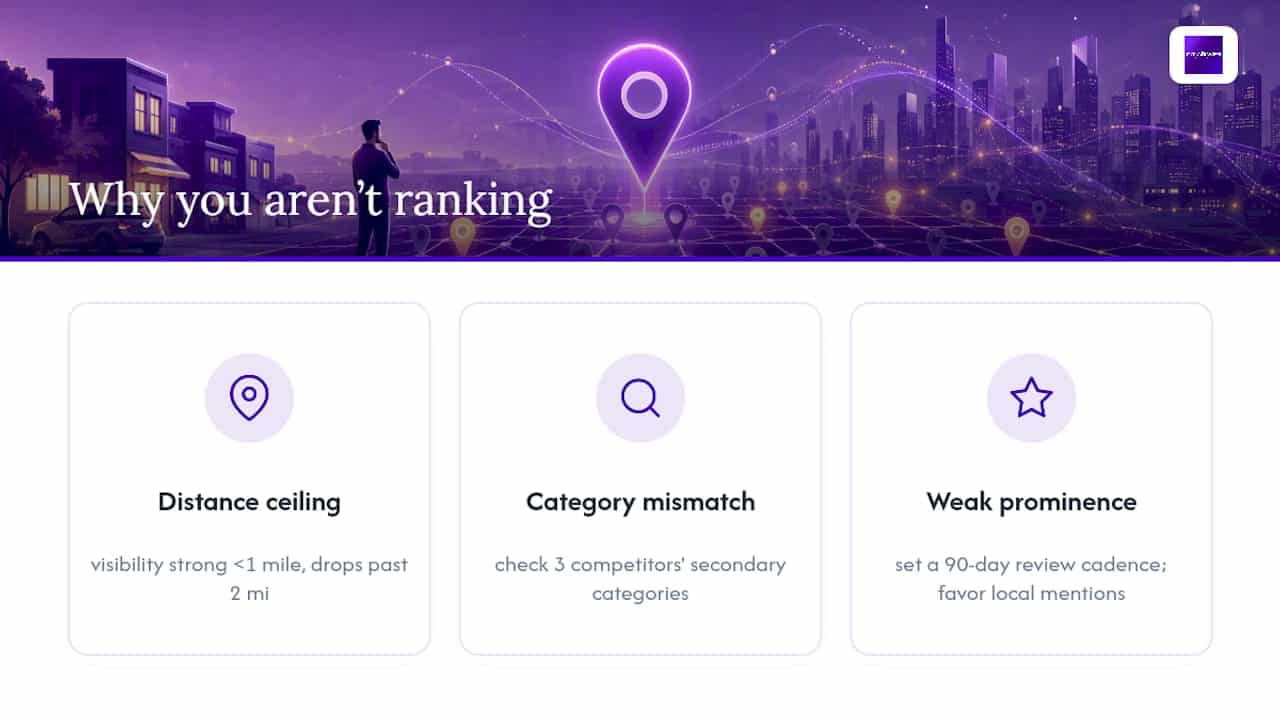
Three patterns explain most Maps visibility problems, and each has a different fix.
A distance ceiling shows up as strong green pins within a mile of your address that collapse to red past two miles. There’s no profile fix for physics. Target narrower, neighborhood-specific search terms instead of citywide ones, and build prominence signals concentrated in the priority neighborhoods you can realistically serve well.

A category mismatch looks different: your visibility is patchy even close to home. Pull up the Google Business Profiles of the three competitors beating you and check their public secondary categories. Owners frequently miss a relevant category their competitors already claimed.


Weak prominence usually traces back to review velocity, not just review count. A business with many reviews but few recent ones may lose to a competitor with fewer total reviews but consistent recent activity. Set a 90-day cadence goal, and treat local mentions, like a chamber of commerce writeup or a mention in a local news story, as more valuable for Maps than a generic industry backlink, according to research on Maps ranking factors.
Pro Tip: Search your business category plus your city, then screenshot the map pack. Do this monthly and you’ll have your own before/after archive without paying for a tool.
KPIs and a One-Variable Test to Prove It Worked
Track four numbers monthly: the share of green pins in positions 1 through 3 on your geo-grid, review velocity per 90 days, your GBP completeness percentage, and clicks or calls attributed to your profile.
To prove any change actually worked, follow this sequence:
- Run a geo-grid scan and save the heatmap as your baseline.
- Change exactly one variable, a category, your review ask cadence, or a pin correction.
- Wait a fixed window (two weeks for category changes, a full 90 days for review-driven prominence shifts).
- Run the identical grid, same coordinates, same time of day.
- Compare pin colors directly. If nothing else changed in that window, the movement is attributable.
Small profile fixes, like correcting a category or filling in missing attributes, can shift local pack positions within a few weeks. Prominence-driven gains from review building typically take a full quarter to show clearly, and distance-limited gains may never fully close without a second, closer location. Pairing this with a broader look at organic SEO’s role in long-term growth helps you set expectations correctly across both channels.
How City Web Company Runs This Process for Clients
City Web Company builds this exact sequence into every local visibility engagement: profile audit, prioritized fixes, geo-grid testing, and monthly reporting tied to real coordinates, not guesswork. Services typically include:
- Full Google Business Profile audits covering categories, completeness, and duplicate listing cleanup
- Structured review generation programs with response management
- Locally relevant content and citation building
- Geo-grid measurement before and after each round of changes, reported in plain language
The businesses that move fastest in the map pack are rarely the ones with the flashiest website. They’re the ones that fixed a wrong category, started asking for reviews consistently, and had a way to prove the change actually worked before spending another dollar on it.
A typical engagement runs audit, then fixes ranked by impact and effort, then a geo-grid baseline and follow-up scan, then a report showing exactly which pins moved. See how this plays out in practice through City Web Company’s case studies.
What Actually Moves the Needle (and What Doesn’t)
Most advice about ranking on Google Maps recycles the same list: get reviews, fill out your profile, add photos. That advice isn’t wrong, but it treats every tactic as equally important, and the data doesn’t support that. Category selection and review velocity outweigh almost everything else combined once your profile is verified and complete.
The bigger gap in conventional advice is measurement. Owners make a change, glance at their map pack position from their office desk, and declare victory or defeat, without ever accounting for the fact that rank varies by search origin. That single blind spot wastes more marketing budget than any bad tactic does, because you can’t tell a real win from noise.
If you take one thing from this playbook, prioritize this: run a geo-grid baseline before you change anything. Then change one thing. Then measure again. Everything else, the photos, the posts, the attributes, matters, but it matters less than knowing whether your work actually worked.
— Matt
Get Your Google Maps Visibility Measured, Not Guessed At
City Web Company gives local business owners something most agencies skip: proof that a change actually moved your map pack position, measured with the same geo-grid methodology described above, not a single screenshot from someone’s office.

If you’ve been guessing whether your last profile edit did anything, that ends here. City Web Company runs the full sequence for you: a Google Business Profile audit, category and review fixes prioritized by impact, and geo-grid testing before and after so you see real movement on a map, not a promise. This fits home services, med spas, HVAC companies, and any local business tired of paying for SEO with no way to check if it worked.
Start with a local SEO audit for your business and get a geo-grid baseline before your next round of changes.
Sources
- Tips to improve your local ranking on Google
- Whitespark’s Official 2026 Local Search Ranking Factors Report
- How to Check Google Maps Ranking (The Right Way) | Wiremo
- The 10 Best Ways to Rank Higher on Google Maps | WordStream
FAQ
How Do I Rank in Google Maps?
Complete and verify your Google Business Profile, choose one accurate primary category, keep your NAP consistent everywhere, and build steady, recent reviews. Measure results with a geo-grid rather than a single search.
How Can I Check My Google Maps Ranking?
Run a geo-grid scan across a 5×5 or 7×7 set of coordinates around your service area rather than relying on one incognito search or Search Console’s blended average position. Tools range from free instant checkers to Sheets-based add-ons like Local Business Rank Tracker tool.
Is a 4.5 Google Rating Good?
Star rating is generally considered strong, and consumer surveys show rising expectations for higher star thresholds, but rating alone matters less than review recency and volume relative to nearby competitors.
What’s the Highest Level on Google Maps?
Google Maps doesn’t publish a formal tier or “level” system for business ranking. The goal is one of the top three positions in the local pack, which Google determines through the relevance, distance, and prominence factors covered above.
Recommended
- Google Maps Ranking Tips for Colorado Businesses – City Web Company | Digital Marketing Agency
- The Secret to Ranking in Google’s Local 3-Pack – City Web Company | Digital Marketing Agency
- Geo-Targeted SEO – Get Found by Customers in Your City – City Web Company | Digital Marketing Agency
- Search Engine Ranking Guide for Local Service Businesses
These articles were popular with other readers too: