
Pass Google Business verification with a video-first checklist. Film one continuous 30 second take, fix flagged issues, and know when to hire help.
How to Post on Instagram From the Computer: A Simple Guide for Business Growth
Many business owners believe the real challenge with Instagram is what to post. The actual problem, however, is not the content itself, but the inefficient, mobile-only process used to publish it. This hidden bottleneck quietly undermines the quality and consistency of your marketing efforts.
The core issue is a structural one. Relying solely on a mobile phone for a professional marketing channel creates significant operational drag. The time spent transferring high-resolution photos, fumbling with small keyboards, and posting reactively instead of strategically represents a real cost in wasted payroll and missed revenue.
Table of Contents
The Inefficiency of Mobile Workflows
Consider a contractor who captures professional photos of a finished project. The process of getting those large files onto a phone, often involving clunky transfers that risk file compression, is just the first point of friction.
Crafting a thoughtful, detailed caption on a small screen is slow and prone to errors. This mobile-first habit creates several practical business problems:
- Wasted Time: The constant shuffle between computer and phone is inefficient. Those are billable hours lost to administrative friction rather than being invested in core business functions.
- Inconsistent Branding: Content rushed from a phone often lacks the polished look or consistent messaging of a planned workflow. This erodes brand perception over time.
- Missed Opportunities: A lack of a system leads to reactive posting. Content goes live when it's convenient, not when your target audience is most active, resulting in lower engagement and fewer qualified leads.
The fundamental issue is not about convenience; it is about control. A mobile-only process surrenders control over quality, timing, and brand consistency, turning a powerful marketing channel into a recurring, inefficient task.
For example, a local med spa manager trying to post about a new service from a phone might spend 30 minutes wrestling with the keyboard to detail benefits, add local hashtags, and tag partners. On a computer, that same task could be completed with precision in less than 10 minutes.
This small inefficiency, when repeated, becomes a significant operational expense. It represents the cost of wasted time and the missed revenue from a social media presence that fails to perform. Recognizing this workflow gap is the first step toward building a professional system that supports business growth.
Why a Desktop Workflow Is Essential for Quality and Consistency

Managing your business's Instagram from a phone often feels productive, but it is fundamentally a reactive approach. It encourages posting on a whim rather than as part of a deliberate strategy, which is why many marketing efforts fail to deliver results.
A desktop workflow fundamentally changes this dynamic. It shifts your process from reactive to strategic, providing the control necessary to produce consistently high-quality work. This is not just about making things easier; it is the structural change that separates random social media activity from a system designed for business growth. When you learn how to post on Instagram from the computer, you begin managing your brand with the same precision you apply to your core operations.
From Inconsistent Efforts to Strategic Execution
Imagine a local veterinarian preparing an educational post about pet dental health. Typing a detailed caption and adding specific local hashtags like #DenverVets on a small phone keyboard is inefficient and error-prone. From a desktop, the text can be composed carefully, proofread easily, and paired with professionally edited photos without concerns about file compression degrading the quality.
The primary advantage of a desktop workflow is the deliberate control it provides over quality. This control directly influences how potential customers perceive the professionalism and authority of your business.
This structured approach also establishes a foundation for consistency. It enables you to batch-create and schedule content, ensuring a steady presence even during busy periods. That consistency is what builds an engaged audience and trust over time. You can learn more about this by reading our guide on keeping one voice across every social platform.
Ultimately, a desktop workflow creates a repeatable system. It is the difference between posting an occasional photo and consistently delivering valuable content that establishes your business as a trusted local authority. For businesses looking to scale their efforts, exploring options for automating Instagram posts can lock in this consistency and free up valuable time. This system is the foundation for converting followers into customers.
Comparing Your Options for Posting From a Computer
The method you choose for your Instagram workflow is a critical decision that directly impacts your efficiency and content quality. Many business owners find themselves trapped in a reactive cycle, posting at the last minute, which almost always compromises the strategic value of the content.
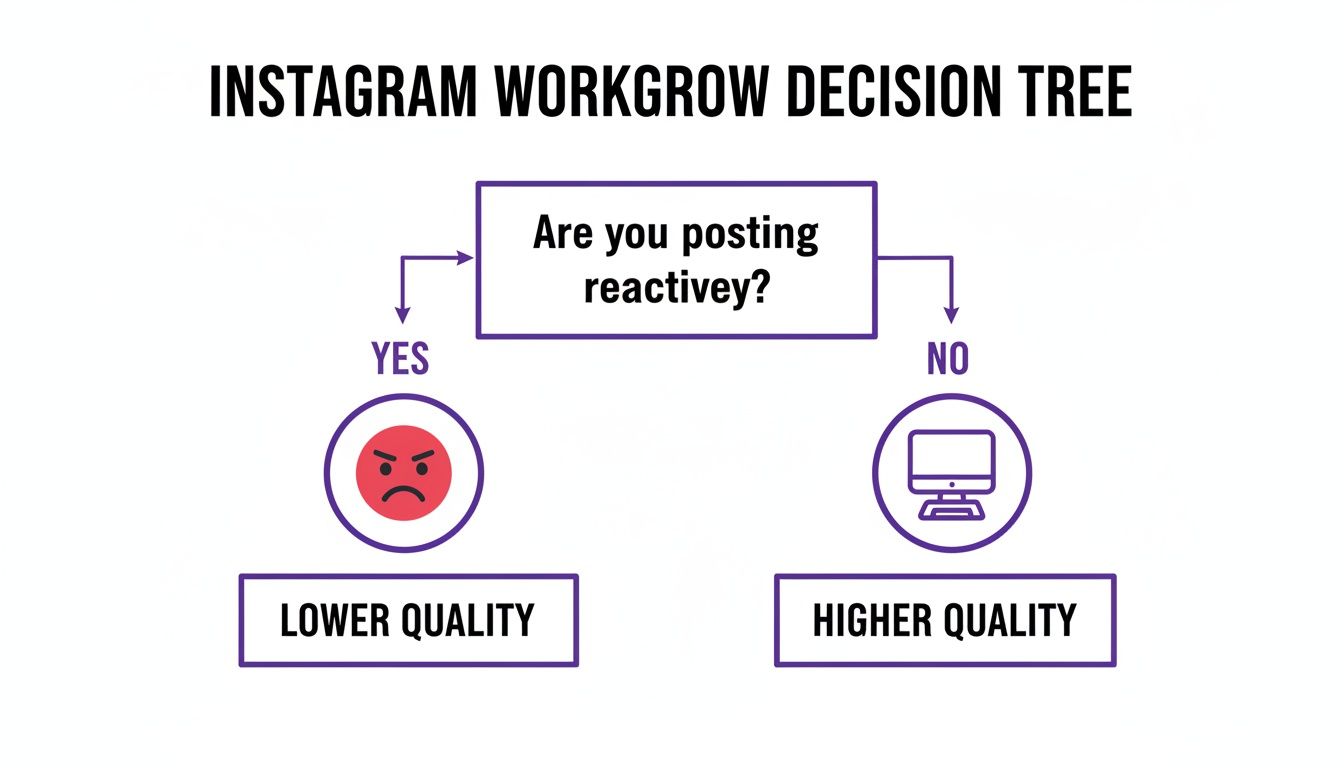

The insight here is clear: a planned, non-reactive approach yields higher-quality outcomes. Using a computer is the first step toward building that system. To help you select the right tool, here is a comparison of the main options available.
Desktop Instagram Posting Method Comparison
| Method | Best For | Supported Content | Scheduling | Key Advantage |
|---|---|---|---|---|
| Instagram.com | Solo entrepreneurs for single, on-the-fly posts. | Single photos, carousels, feed videos. | No | Simplicity with no extra software. |
| Meta Business Suite | Businesses planning content for Facebook & Instagram. | Feed posts, Stories, Reels. | Yes | Free, official scheduling and planning. |
| Browser "Inspect" | A technical workaround or quick backup. | Single photos and videos. | No | No-install method for basic posts. |
| 3rd-Party Tools | Agencies or teams needing advanced features. | All formats with advanced capabilities. | Yes | Advanced analytics and collaboration. |
Each method has a specific application. The objective is to identify the one that fits your current operational needs and helps you transition toward a more planned, strategic content approach.
The Native Instagram Website
Instagram’s website now allows direct uploads from any desktop browser. This is the simplest way to begin, requiring no additional software or complex setup.
It is ideal for a solo business owner needing to quickly publish a single, polished photo or video from their office computer. The platform supports single images, carousel posts, and standard feed videos, along with captions, hashtags, and location tags. The primary limitation is that this method does not support scheduling posts in advance or publishing complex formats like Reels and Stories.
Meta Business Suite
For any business present on both Facebook and Instagram, Meta Business Suite is the official, free, and powerful solution. It functions as a central dashboard for managing content across both platforms. To use it, your Instagram account must be a Business or Creator account linked to a Facebook Page.
Meta Business Suite is the logical next step for any business ready to move from sporadic posting to a planned content calendar. It provides essential tools for consistency and scheduling at no additional cost. Its greatest strength is the Content Planner, which offers a calendar view to schedule posts, Stories, and Reels weeks or months ahead. For more detail, you can explore how to use a computer for Instagram and gain more control.
Browser Developer Tools
This method is more of a technical workaround than a primary strategy. By using the "Inspect" or "Developer Tools" feature in a browser, you can simulate a mobile device environment, causing the mobile upload button to appear.
This can serve as a backup for a quick post if other methods are unavailable, but it is not a reliable component of a professional workflow. It lacks scheduling, has limited editing functions, and can be technically cumbersome for many users.
Third-Party Scheduling Tools
Platforms like Later, Buffer, and Planoly represent the next level of social media management. These are premium, subscription-based tools offering features that extend beyond Meta's free offerings.
They are best suited for marketing teams, agencies managing multiple clients, or businesses requiring advanced capabilities such as visual grid planning, in-depth analytics, saved hashtag libraries, and team collaboration workflows. While powerful, the monthly cost makes them a significant investment. For most local businesses, the free and robust features of Meta Business Suite are the most strategic and cost-effective choice.
A Strategic Desktop Workflow for Local Businesses
Knowing how to post from a computer is one part of the equation. Building a system that drives business results is another. A well-designed desktop workflow transforms Instagram from a content-publishing task into a reliable lead-generation asset.
The key is content batching. Instead of posting reactively, you allocate a few focused hours each month to create and schedule all content at once. This system not only saves significant time but also ensures brand consistency and continuous engagement with your audience.
An HVAC Company Workflow Example
Let's apply this to a real-world scenario. An HVAC company completes a furnace installation. Their previous mobile-only process was a bottleneck. Their new desktop workflow is a model of efficiency.
Professional Photo Editing: High-resolution photos are transferred directly from the camera to a desktop, where they are edited on a large monitor to highlight the quality of the work.
Detailed, Helpful Captions: Using a full keyboard, the office manager writes a caption explaining the benefits of the new high-efficiency unit, such as long-term energy savings.
Targeted Hashtags: A proven mix of local and industry hashtags, like #ColoradoHVAC and #DenverHeating, is easily applied to attract nearby customers.
Scheduled for Peak Impact: The final post is uploaded to Meta Business Suite and scheduled to go live during a peak engagement time. The entire process is completed without anyone needing to use a phone.
This structured process turns a simple project photo into a powerful marketing asset. It is planned, professional, and repeatable, which is the foundation of any system that delivers predictable results.
The Data Behind a Desktop Strategy
This desktop-first approach is supported by platform data. There are over 200 million business profiles on Instagram, indicating that a professional presence is essential. According to some of the latest Instagram statistics, a thoughtful strategy is more important than ever.
A desktop workflow is not just about making your life easier. It is about building a predictable system that ensures your business consistently appears as the professional, authoritative choice in your local market. Data from Metricool shows feed post impressions have increased, suggesting the algorithm is again prioritizing quality content for loyal followers.
The goal is to eliminate the daily friction and inconsistency of a mobile-only approach. By learning how to post on Instagram from the computer and implementing a batching system, you create a marketing engine that works for your business, freeing you to focus on serving your customers.
Navigating Platform Limitations and Algorithm Shifts
Transitioning to a desktop workflow offers a significant strategic advantage, but it is not a universal solution for every Instagram challenge. The platform is dynamic, and business owners must adapt to its technical limitations and evolving algorithm.
Attempting to force a tool to perform a function it was not designed for leads to frustration and wasted time.
For instance, while you can schedule Reels from a computer using Meta Business Suite, the creative tools are limited compared to the mobile app. You lose access to the extensive music library, trending filters, and popular transition effects. The same is true for Stories; interactive elements like polls and quizzes are mobile-exclusive features.
Understanding the Algorithm's New Direction
Many business owners get stuck here. They observe competitors achieving success with mobile-edited Reels while their professionally produced desktop content seems to underperform. The key is to understand what the algorithm currently rewards. It is not solely about the format, but the quality and relevance of the content.
The goal is not to abandon your phone entirely. It is about using each device for its strengths. Your desktop is for strategic planning and high-quality production. Your phone is for adding the final, native touches that drive engagement.
This hybrid approach is more critical than ever. Recent data reveals a significant shift in what is effective on Instagram. While marketers increased Reels posting frequency, average reach for those posts declined. Concurrently, standard feed post impressions grew as the algorithm began re-showing quality content to engaged users. You can explore these important Instagram statistics on Metricool.com for a deeper analysis.
A Practical, Hybrid Approach
This means your desktop-first strategy for core, evergreen content is more valuable than ever. High-resolution project photos, detailed carousels, and educational videos have significant long-term value.
Here is a practical workflow that combines the best of both worlds:
Plan and Create on Desktop: Use your computer to batch-create and schedule foundational content like high-quality project photos, before-and-afters, and team spotlights. Write your detailed, SEO-friendly captions and organize hashtag sets here.
Enhance on Mobile: For a Reel or Story, perform the heavy lifting on your desktop. Edit the primary video using professional software. Then, transfer the final clip to your phone to add trending audio or an interactive sticker just before publishing.
This hybrid model allows you to maintain a professional, consistent brand presence without sacrificing the native, engaging features the platform's algorithm favors. It is about working intelligently with the available tools, not against the platform's design.
Building an Integrated Digital Marketing System
An efficient Instagram workflow is an excellent starting point, but it remains just one component of a larger digital marketing system. A common pitfall for business owners is believing that mastering a single social media platform is the ultimate goal. The reality is that even a perfect Instagram strategy will not achieve its full potential if it operates in isolation from your other marketing efforts.
Real business growth is not derived from posting content alone. It comes from an integrated system where your social media activities feed a machine designed to attract, nurture, and convert leads into customers. The objective is to build a business asset, not just an attractive feed.
Beyond Posts and Likes
An effective digital system functions like a well-engineered machine with several critical parts working in unison.
- Local SEO and Search Box Optimization: This ensures that when a potential customer in your area searches for your services, your business is visible. It is the first step in capturing high-intent leads.
- A High-Converting Website: Your social media and SEO efforts should direct traffic to a professional website designed with a single purpose: converting visitors into leads. Without this, your marketing spend is inefficient.
- A Lead Nurturing Process: A defined process for follow-up and communication is necessary to convert initial interest into revenue.
The disconnect many businesses experience is the gap between creating content and creating customers. An integrated system bridges this gap, ensuring the visibility you build on platforms like Instagram translates directly into measurable business growth. To better understand this connection, you can read about enhancing social media marketing with web analytics.
Your Instagram should drive traffic to your website. Your website must capture leads. Your nurturing system needs to close sales. When these elements are connected and optimized, you move beyond the frustrating cycle of posting and hoping. You begin building a predictable engine for growth.
Frequently Asked Questions
As business owners adopt a desktop workflow for Instagram, a few key questions typically arise. Here are the answers to help you build an efficient system.
Can I Post Instagram Reels and Stories From My Computer?
Yes, you can, but the tool you use is critical.
Using Meta Business Suite, you can create and schedule both Reels and Stories directly from your desktop. This is the official, full-featured method provided by Meta.
The native Instagram website and the browser developer trick do not support these formats. While some third-party tools offer this functionality, their support can be inconsistent. For reliability, Meta's own platform is the recommended choice.
Is It Better to Use Meta Business Suite or a Third-Party Tool?
For most local service businesses, Meta Business Suite is the most practical choice. It is free, directly integrated with Instagram and Facebook, and provides a seamless way to schedule posts, Reels, and Stories without additional cost.
Third-party tools like Buffer or Later offer powerful features, such as deeper analytics or management of other platforms like LinkedIn. However, these capabilities come with a monthly subscription fee. Unless you require those advanced features, Meta Business Suite provides everything necessary to manage your content effectively.
Does Posting From a Computer Affect My Reach?
No. The Instagram algorithm is indifferent to whether you post from a phone or a computer. It prioritizes the quality and relevance of the content itself.
In fact, posting from a desktop can indirectly improve the factors that drive reach and engagement. It is easier to write compelling captions, research effective hashtags, and add proper alt text with a full keyboard. By making your workflow more efficient, you create more time to focus on producing high-quality content, which is what ultimately delivers results.
An efficient Instagram workflow is a strong start, but it is just one component of an integrated digital system. If you are ready to build a cohesive strategy that delivers predictable growth, the team at City Web Company can develop a plan that helps your business get found, trusted, and chosen.
Schedule your free discovery call and let’s discuss how to turn your online presence into your most effective customer acquisition tool.
These articles were popular with other readers too: