
Many business owners pour money into digital ads, only to watch the leads vanish the…
How to launch Google Ads in 2026: Boost local leads 30%
Launching Google Ads feels overwhelming when you watch your budget drain without generating quality leads. Local service business owners often struggle with broad keywords, poor targeting, and unclear goals that waste ad spend. This guide provides a clear, actionable path to confidently launch, manage, and optimize Google Ads campaigns that drive measurable local lead growth.
Table of Contents
Table of Contents
- Prerequisites And What You Need Before Starting
- Setting Up Your Google Ads Account And Campaign
- Keyword Research And Location Targeting For Local Services
- Budgeting, Bidding, And Ad Scheduling Strategies
- Creating Effective Ads And Extensions
- Monitoring, Optimization, And Conversion Tracking
- Common Mistakes And How To Troubleshoot Them
- Expected Results, Timelines, And Alternative Approaches
- Boost Your Local Business With Expert Digital Marketing Services
- Frequently Asked Questions
Key takeaways
| Point | Details |
|---|---|
| Start small | Daily budgets as low as $10-$20 let you test and optimize campaigns effectively. |
| Target precisely | Precise keyword and location targeting boosts lead relevance by up to 30%. |
| Track conversions | Conversion tracking and ongoing optimization turn data into better campaign performance. |
| Avoid common mistakes | Broad keywords and poor budget pacing waste ad spend quickly. |
| Expect gradual results | Measurable results and steady lead growth typically appear within 2 to 4 weeks. |
Prerequisites and what you need before starting
Understanding your target customers and setting clear business goals is critical before launching Google Ads. Without this foundation, campaigns drift and budgets evaporate. Define who you serve, where they live, and what problems your business solves. This clarity guides every keyword choice and targeting decision ahead.
Prepare your Google Ads account and verify your website can convert visitors into leads. Your landing page should load quickly, display your phone number prominently, and include a clear contact form. Broken pages or confusing navigation kills conversions even when ads perform well.
Clarify specific campaign goals before spending a dollar. Do you want phone calls, form submissions, or appointment bookings? Each goal shapes your bidding strategy and conversion tracking setup. Vague goals produce vague results and frustrated business owners.
Allocate an initial budget aligned with your business size and local market competition. Starting with modest daily budgets allows you to test keywords and gather performance data without financial stress. You can scale spending once campaigns prove profitable.
Set realistic expectations about how Google Ads fits your broader marketing mix. Ads drive immediate visibility while SEO builds long term organic traffic. Combining both strategies creates sustainable lead generation that weathers market changes.
Pro Tip: Document your ideal customer profile including their location, service needs, and search behavior before writing a single ad. This profile becomes your campaign compass.
Setting up your Google Ads account and campaign
Create or log into your Google Ads account at ads.google.com. Google walks you through initial account setup including billing information and basic business details. Complete this process fully to avoid campaign approval delays later.
Choosing the Search Network campaign type and local geographic settings improves local lead quality. Search Network campaigns display your ads when potential customers actively search for services you provide. This intent-driven approach delivers higher conversion rates than display advertising for most local service businesses.
Select your geographic targeting carefully using radius or specific location options. A plumber serving a 15-mile radius should set that exact boundary rather than targeting the entire metro area. Precise geography prevents wasted clicks from customers outside your service zone.

Configure language and device preferences matching your customer behavior patterns. If you serve English-speaking customers who primarily search on mobile devices, adjust settings accordingly. Most local service searches now happen on smartphones, so mobile optimization matters tremendously.
Define initial campaign settings including your bidding strategy and daily budget limits. Manual CPC bidding gives you control when starting, while automated strategies optimize once you accumulate conversion data. Start conservative and adjust based on performance.
These step-by-step Google Ads setup decisions create your campaign foundation. Rushing this phase leads to targeting mistakes that cost money and time. Review each setting twice before proceeding. Understanding the benefits of Google Ads for local services helps you make informed configuration choices.
Keyword research and location targeting for local services
Identify keywords combining your service with local area names or neighborhoods. “Emergency plumber downtown Phoenix” targets better than generic “plumber” alone. Geographic modifiers filter out irrelevant searchers and attract ready-to-buy local customers.
Use Google Ads keyword planner and competitor insights for research. The planner shows search volumes and competition levels for potential keywords. Analyze competitor ads to discover which terms they target and how they position their services.
Adding geographic modifiers to keywords and using precise location targeting can increase lead relevance by 30%. This precision reduces wasted clicks and improves your cost per lead dramatically. Every irrelevant click drains budget without producing business value.
Apply negative keywords to exclude irrelevant or broad searches. A residential plumber should add “jobs” and “careers” as negative keywords to avoid job seekers. Build your negative keyword list continuously as you identify unwanted search terms.
Set a location targeting radius matching your actual service area when you advertise locally on Google. Advertising beyond your service range frustrates customers and wastes budget. Honest geography builds trust and improves conversion rates.
| Keyword Match Type | How It Works | Best For Local Campaigns |
|---|---|---|
| Broad Match | Shows ads for related searches and variations | Initial discovery phase with careful negative keyword management |
| Phrase Match | Shows ads when searches include your exact phrase | Balancing reach with relevance for service plus location terms |
| Exact Match | Shows ads only for the exact keyword or close variants | High-value keywords where precision matters most |
Pro Tip: Start with phrase match keywords combining your service and location, then expand to broad match modifier once you build a solid negative keyword list.
Budgeting, bidding, and ad scheduling strategies
Starting with a daily budget between $10-$20 allows effective campaign testing. This modest investment lets you gather meaningful performance data without risking significant capital. You discover which keywords convert before scaling spending.
Set a reasonable daily budget to collect actionable insights. Tiny budgets under $5 daily produce too little data for optimization decisions. Massive budgets without testing burn money on unproven strategies. Find the middle ground that fits your risk tolerance.
Use automated bidding strategies to optimize for cost per click or conversions. Target CPA bidding automatically adjusts bids to achieve your desired cost per acquisition. Maximize conversions bidding spends your budget to generate the most conversions possible.
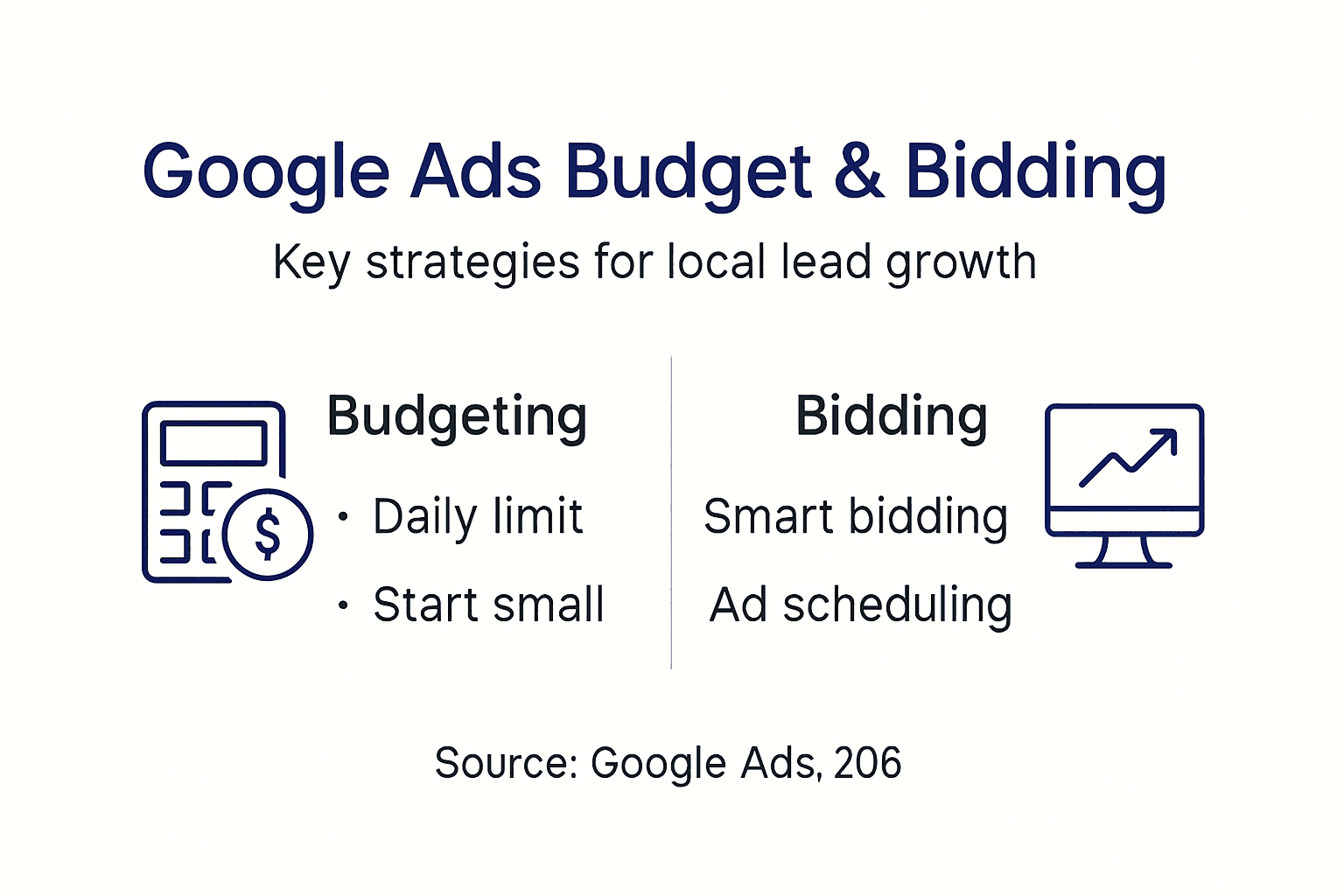

Schedule ads to run only during your business hours or peak customer search times. A local service business closed on Sundays wastes budget running Sunday ads. Match ad schedules to when you can answer phones and book appointments.
Monitor spend pacing daily to avoid premature budget depletion. Google spreads your daily budget throughout the day by default, but high competition periods can exhaust budgets early. Check pacing reports and adjust bids or schedules accordingly.
Review these budgeting and bidding tips regularly as your campaign matures. Strategies that work initially may need refinement as you collect performance data and market conditions shift.
Pro Tip: Combine ad scheduling with location targeting for maximum impact. Running ads during business hours in your service area can boost relevant leads by up to 30%.
Creating effective ads and extensions
Write clear, benefit-focused headlines incorporating local terms. “Licensed Phoenix Plumber – 24/7 Emergency Service” communicates location, credentials, and availability instantly. Generic headlines get lost among competitor ads.
Include compelling calls to action like “Call now” or “Book an appointment today.” Direct CTAs tell searchers exactly what action to take next. Passive ads without clear next steps generate fewer conversions even with high click rates.
Strong CTAs and local ad extensions significantly improve click-through rates. Extensions expand your ad real estate and provide additional ways for customers to contact you. More visibility means more opportunities to capture clicks.
Add location extensions to display your address and call extensions to allow direct dialing from ads. Mobile searchers can tap to call immediately without visiting your website. This friction reduction increases conversion rates substantially.
Keep ad copy concise and focused on the customer’s needs. Highlight the problem you solve and the benefit you deliver. Save detailed explanations for your landing page where you have more space.
Test multiple ad variations for optimization later. Write three to four different headlines and descriptions for each ad group. Google automatically shows the best performing combinations over time through responsive search ads.
Review more ad creation tips to refine your messaging. Small copy improvements compound into significant performance gains across thousands of impressions.
Monitoring, optimization, and conversion tracking
Conversion tracking enables data-driven decisions that improve Google Ads campaigns over time. Without tracking, you fly blind and cannot distinguish profitable keywords from money pits. Install conversion tracking tags on your website immediately after launching campaigns.
Set up conversion tracking to measure calls, form completions, or bookings. Each business goal needs its own conversion action configured in Google Ads. Phone call tracking requires special setup but delivers critical insights for service businesses.
Regularly analyze key metrics like click-through rate, cost per click, and conversion rate. High click-through rates with low conversions suggest landing page problems. High cost per click with good conversions may justify increased budgets.
Adjust bids and keyword selection based on performance data. Pause keywords that consume budget without generating conversions. Increase bids on high-performing keywords to capture more qualified traffic.
Pause or modify underperforming ads to improve return on investment. Test new headline combinations or description variants to boost engagement. Continuous testing separates successful campaigns from stagnant ones.
Use incremental data insights to refine your campaign weekly or biweekly. Daily changes create chaos, but monthly reviews miss optimization opportunities. Weekly check-ins strike the right balance for most local service businesses.
Explore additional Google Ads optimization tips to accelerate your learning curve. Successful advertisers constantly test and refine rather than setting campaigns and forgetting them.
Common mistakes and how to troubleshoot them
Over 60% of new campaigns fail due to broad keywords and missing negative keywords, leading to wasted ad spend. Broad keywords attract irrelevant searches that drain budgets quickly. Build comprehensive negative keyword lists from day one to protect your investment.
Avoid overly broad keywords and always use negative keywords lists. Review search terms reports weekly to identify unwanted queries triggering your ads. Add these terms to your negative keyword list immediately.
Monitor daily budget pacing to prevent early depletion of funds. Campaigns that exhaust budgets by noon miss afternoon searchers ready to buy. Adjust bid strategies or increase daily budgets to maintain consistent visibility.
Set up click fraud protection to reduce invalid clicks and wasted spend. Competitors or bots sometimes click ads maliciously. Google provides some automatic protection, but third-party tools offer additional safeguards.
Ensure conversion tracking is implemented to measure true campaign success. Many advertisers optimize for clicks rather than actual business results. Conversions reveal which keywords and ads generate real revenue.
Regularly update and audit your campaign settings to maintain performance. Markets shift, competitors adjust strategies, and customer behavior evolves. Quarterly audits catch configuration drift before it damages results.
Learn from these common Google Ads mistakes to avoid expensive learning experiences. Smart advertisers study others’ failures and apply those lessons proactively.
Expected results, timelines, and alternative approaches
Expect a 2 to 4 week window post-launch before substantial data accumulates to optimize. Initial campaigns need time to gather clicks, impressions, and conversions. Premature optimization based on tiny data samples leads to poor decisions.
Anticipate gradual lead increases as campaigns mature and improvements are made. Month one focuses on data collection and basic optimization. Month two and beyond deliver accelerating results as you refine targeting and messaging.
Consider integrating Google Ads with local SEO or Facebook Ads for broader reach. Ads provide immediate visibility while SEO builds sustainable organic traffic. Diversified traffic sources create business stability.
Setting realistic goals helps maintain budget discipline and marketing confidence. New advertisers sometimes expect instant results and abandon campaigns prematurely. Patience combined with consistent optimization produces the best outcomes.
| Strategy | Speed to Results | Monthly Cost | Long-Term Sustainability |
|---|---|---|---|
| Google Ads | 2-4 weeks | $300-$2000+ depending on market | Requires ongoing ad spend |
| Local SEO | 3-6 months | $500-$1500 | Builds compounding organic visibility |
| Combined Approach | Immediate + Growing | $800-$3500 | Best of both: instant leads plus organic growth |
Balance immediate lead generation needs with long-term visibility goals. Businesses needing leads today benefit from Google Ads’ speed. Those building sustainable growth invest in SEO simultaneously. The smartest approach combines both strategies for maximum impact.
Track your progress against realistic benchmarks rather than competitor promises. Every market differs in competition levels and customer behavior. Your results depend on your specific circumstances, not industry averages.
Boost your local business with expert digital marketing services
Launching Google Ads yourself builds valuable marketing knowledge. Professional management accelerates results and prevents costly mistakes that drain budgets unnecessarily. City Web Company specializes in maximizing ROI with Google Ads for local service businesses across industries.

Our team handles campaign setup, keyword research, ad creation, and continuous optimization so you focus on serving customers. We combine Google Ads expertise with local SEO services to build comprehensive visibility that drives sustainable lead growth. Contact City Web Company today to discuss how we can help your business capture more local customers through strategic digital marketing.
Frequently asked questions
How do I know if my Google Ads campaign is targeting the right local customers?
Use location settings and geographic keywords matching your service area exactly. Monitor conversion metrics from your target locations to validate targeting accuracy. If conversions come from outside your service zone, tighten geographic restrictions.
What is the minimum daily budget to start Google Ads for my local business?
A daily budget as low as $10 to $20 allows testing and initial optimization without major financial risk. Adjust budget based on performance and lead generation results after collecting 2 to 4 weeks of data. Successful campaigns justify increased spending.
How long before I see results from my Google Ads campaign?
It typically takes 2 to 4 weeks to gather enough data for meaningful campaign improvements. Initial lead increases often follow consistent optimization efforts. Patient advertisers who refine targeting and messaging see the best long-term results.
What are the most common Google Ads mistakes local businesses make?
Using overly broad keywords without negative keywords wastes the most budget. Poor budget pacing and lack of conversion tracking prevent data-driven optimization. These mistakes compound into failed campaigns that could have succeeded with proper setup.
Should I manage Google Ads myself or hire an agency?
Managing campaigns yourself works if you have time to learn and optimize consistently. Hiring an agency accelerates results and prevents expensive mistakes through professional expertise. Consider your available time, learning curve tolerance, and opportunity cost of DIY management.
Recommended
These articles were popular with other readers too: