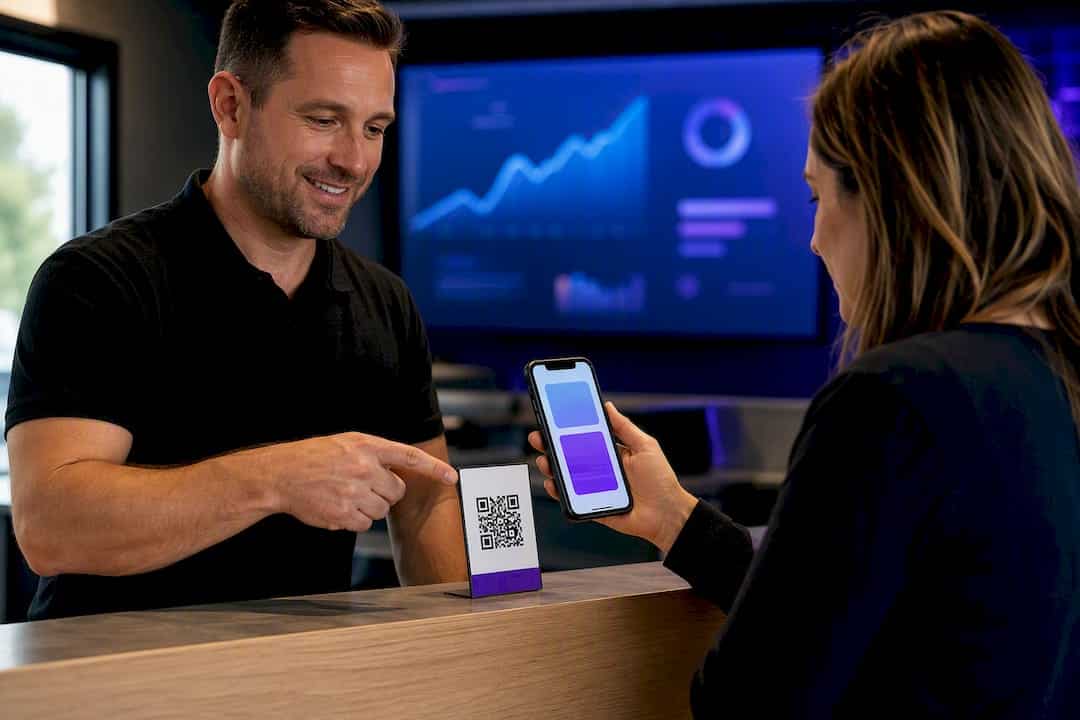
Use website DNI, connect call reports to Google Ads and your Google Business Profile, then tie calls to booked jobs. City Web Company can handle setup.
Get More Google Reviews in 7 Days Without Triggering Google s Filters
The fastest safe way to get more Google reviews is to ask every customer at the moment of peak satisfaction, using a direct Google review link or QR code, followed by one polite reminder if they don’t respond. This approach beats one-off campaigns because it removes friction, scales through automation once you set it up, and stays inside Google’s own review policy instead of gambling on shortcuts that get profiles penalized.
TL;DR:
- Asking for reviews immediately after a positive experience using a direct link or QR code results in the highest response rate and avoids policy violations.
- Placing review prompts on receipts, signage, and emails, combined with staff verbal asks, significantly increases the volume of genuine reviews.
- Automating review requests at transaction completion with minimal follow-up improves consistency without triggering spam detection.
- Avoid offering incentives, requesting only positive feedback, or asking for specific star ratings to stay compliant with Google’s review policies.
- Monitoring review volume, response times, and click-to-review conversions over 30 to 90 days helps sustain steady growth and maintain profile health.
Table of Contents
Table of Contents
- Your 7-Day Plan to Get More Google Reviews
- How to Create and Share Your Google Review Link and QR Code
- When and Where to Ask for Reviews
- Templates for Asking: SMS, Email, and In-Person Scripts
- Automating Review Requests Without Triggering Spam Filters
- What Google Forbids, and What to Say Instead
- How to Respond to Google Reviews the Right Way
- Tracking Review Velocity Without Setting Off Alarms
- What a Real 30 to 90 Day Rollout Looks Like
- Matt’s Take: Manual First, Automate Second
- Get Help Setting Up a Review System That Runs Itself
- Where to Verify the Rules and Tools Yourself
- Sources
- FAQ
Your 7-Day Plan to Get More Google Reviews
You don’t need a quarter to see movement. You need a week and a checklist you’ll actually complete.
- Day 1. Verify your Google Business Profile and copy your “Get more reviews” link from the profile dashboard.
- Day 2. Turn that link into a short, trackable URL and generate a QR code from it.
- Day 3. Place the QR code and link everywhere customers already look: receipts, invoices, email signatures, exit signage.
- Day 4. Train staff on a 15-second verbal ask, timed right after service delivery.
- Day 5. Build one SMS or email template with the link embedded.
- Day 6. Set a single automation trigger (job complete, invoice paid) and one follow-up.
- Day 7. Check your profile for unusual activity flags and confirm links are working.
How to Create and Share Your Google Review Link and QR Code
Google Business Profile builds this for you. Inside your dashboard, the “Get more reviews” tool generates both a direct link and a matching QR code that route customers straight to the review form, skipping the extra clicks that make people abandon the process halfway through.
Raw Google links are long and ugly, so run yours through a URL shortener like Bitly first. That gives you a clean link for print materials and, more importantly, click data. You’ll know exactly how many people tapped the link versus how many actually left a review, which tells you if the drop-off is in your ask or in the review form itself.
For physical placement, put the QR code where a satisfied customer already has their phone out: on the printed receipt, at the register, on the invoice, or as a table tent for restaurants. Keep the design simple. One QR code, one line of instruction, no clutter competing for attention.
Pro Tip: Pair every QR code with a verbal cue from staff. A code sitting silently on a counter gets ignored; a code someone points to while saying “we’d really appreciate a quick review” gets scanned.
Add the same link to your email signature, your automated receipt emails, and a dedicated button on your website’s contact or thank-you page.
When and Where to Ask for Reviews
Timing matters more than most business owners assume. Send the request within minutes to 24 hours of the transaction, while the experience is still fresh, and follow up once more 3 to 5 days later if there’s no response. Practitioner data on review requests shows this cadence lifts conversion without tipping into pressure.
Channel choice depends on your business model:
- SMS works best for service calls and appointments, where immediacy matters and open rates are high.
- Email scales better for retail and e-commerce, where you’re sending to larger lists at once.
- QR codes and verbal asks win for in-person, high-foot-traffic businesses like restaurants and retail counters.
A quick service call center might text soon after the transaction. A boutique retailer might rely on the receipt QR code plus a follow-up email. A law firm or consultant might send one email after the engagement closes, then stop.
One compliance note: if you’re texting customers, you need consent under the Telephone Consumer Protection Act. Collect an opt-in during checkout or intake, not after the fact.
Templates for Asking: SMS, Email, and In-Person Scripts
Keep every message short, personal, and free of pressure. Here’s the structure that works across channels:
- SMS: “Hi [First Name], thanks for choosing us! Mind leaving a quick review? [link] — [Your Name].” Under 160 characters, one link, no fluff.
- Email: One short paragraph thanking the customer, followed by a single button linking to your review page. Send within 24 hours of service completion.
- In-person script: “We’d really appreciate it if you could leave us a quick review. Here’s a QR code that takes you right there.” Pair the line with the physical code every time.
Pro Tip: Train staff to say “a quick review” instead of “a good review” or “five stars.” That small wording change keeps the ask compliant and sounds less like a sales pitch.
Never offer a discount, entry into a drawing, or any reward for leaving a review. Never ask only your happiest customers while skipping unhappy ones (that’s called gating), and never request a specific star rating. All three violate Google’s terms directly.
Automating Review Requests Without Triggering Spam Filters
The biggest single lever for consistent growth is triggering the request automatically at the moment of transaction completion, whether that’s a closed appointment, a completed order, or a paid invoice. Automated triggers with a single follow-up outperform manual, sporadic asking because they never get forgotten during a busy week.
Keep the workflow minimal:
- Trigger fires when the job, sale, or appointment closes.
- A templated message goes out with the direct review link embedded.
- One follow-up sends 3 to 5 days later if there’s no click.
- You monitor click and completion rates weekly.
Most CRM, booking, and point-of-sale platforms support this kind of trigger natively or through a connector. If your transaction volume is high, spread the sends across the day instead of firing them all at once. A sudden batch of 40 review requests hitting inboxes in the same hour looks like a campaign, and campaigns invite closer scrutiny from Google’s spam detection.
What Google Forbids, and What to Say Instead
Google’s policy is specific, and violating it risks having reviews removed or your profile restricted. The forbidden list includes offering money, discounts, or gifts for reviews, asking only satisfied customers while filtering out unhappy ones, requesting a specific star rating, and using paid or incentivized review services of any kind.
- Instead of “Leave us 5 stars,” say “Share your honest feedback.”
- Instead of “Get 10% off for a review,” say nothing about compensation at all.
- Instead of texting only customers who rated you well on a private survey, send the same link to everyone.
If Google flags your profile for suspicious review activity, reviews can disappear overnight and your star rating can reset. The fix is to stop all bulk sends immediately, audit your recent request volume, and rebuild slower. Review growth that respects Google’s published guidance rarely triggers this in the first place.
How to Respond to Google Reviews the Right Way
Respond to every review, positive or negative. It signals to future customers, and to Google’s algorithm, that someone is actually managing the profile.
- For positive reviews, thank the customer by name and mention a specific detail from their comment.
- For negative reviews, acknowledge the issue publicly, then move the conversation offline: “We’re sorry this happened. Please call us at [number] so we can make it right.”
- Triage every complaint the same way: acknowledge, investigate, resolve privately, then follow up publicly once it’s fixed.
- If a review is genuinely useful for marketing, ask the reviewer’s permission before quoting them on your website or social channels.
Consistent responses build trust signals that feed directly into local SEO performance, since Google factors review engagement into how it ranks local listings.
Tracking Review Velocity Without Setting Off Alarms
Track four numbers monthly: new reviews per month (velocity), click-to-review conversion rate, your rolling average rating, and how fast you respond to new reviews.
- Velocity: aim for steady, incremental growth rather than spikes. A low-volume business might target 2 to 4 new reviews monthly; a high-transaction business might sustain 15 or more.
- Conversion rate: track clicks on your shortened link against completed reviews to see where customers drop off.
- Rating trend: watch for sudden dips that signal a service issue, not just an isolated complaint.
- Response time: respond within 48 hours whenever possible.
Sudden large batches of reviews look unnatural to Google’s detection systems and can trigger a review, which is exactly why spreading requests across days instead of hours protects your account. This kind of steady, recent activity also matters beyond your star rating. AI-driven discovery tools now weigh review recency and specificity when deciding which businesses to recommend, so consistent velocity feeds two systems at once.
What a Real 30 to 90 Day Rollout Looks Like
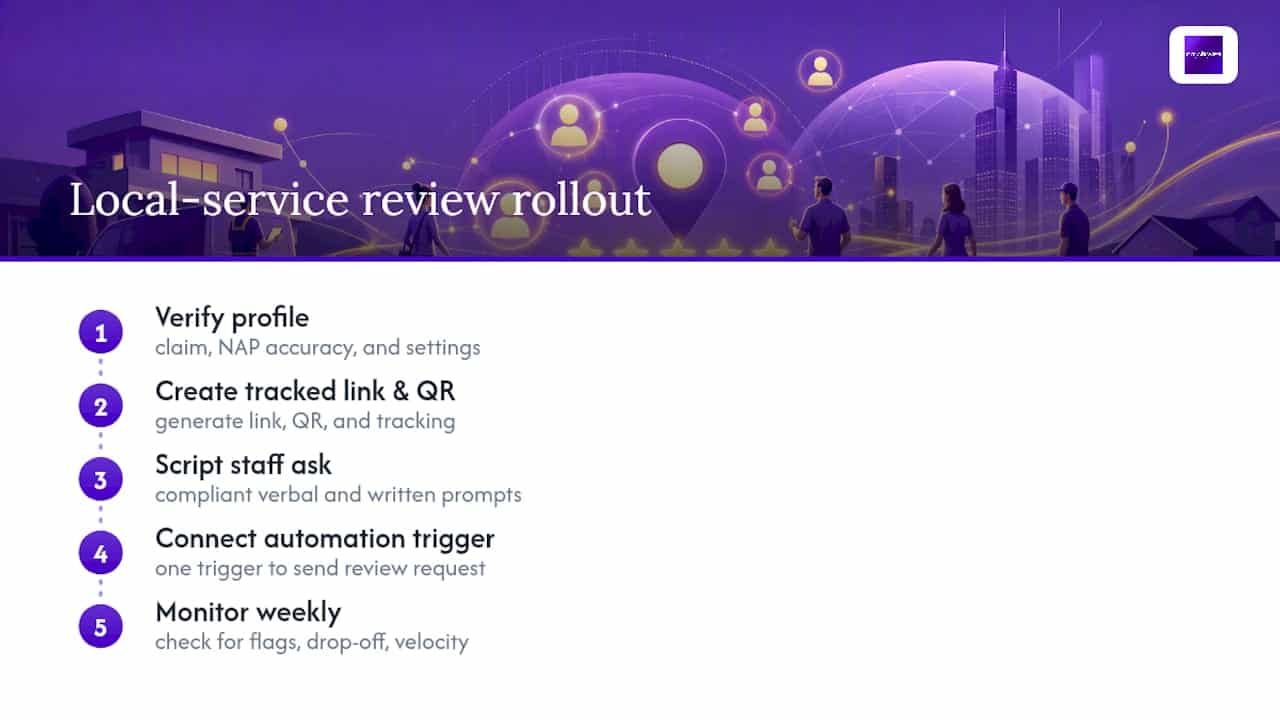
An exact workflow for local service clients includes: verifying the profile, generating the tracked link and QR code, scripting the staff ask, wiring up one automation trigger, then monitoring weekly for flags or drop-off.
Most businesses see their first new reviews within days of launch. Measurable velocity gains, meaning a visible month-over-month increase, typically show up in the 30 to 90 day range depending on transaction volume. If your team is stretched thin, you lack a CRM integration, or you’re unsure about compliance language, that’s the point where outside help earns its cost instead of adding overhead.
Matt’s Take: Manual First, Automate Second
Manual asking teaches you what actually works before you scale it. Automation multiplies whatever habit you’ve already built, good or bad, so don’t skip the manual phase to save a week. Run the 7-day checklist yourself first, then automate your single highest-value trigger. If bandwidth runs out before automation does, that’s when City Web Company is worth a call.
— Matt
Get Help Setting Up a Review System That Runs Itself
Expert services exist as alternatives to guessing your way through review growth: instead of piecing together a link, a script, and a follow-up on your own, you can get a system built by professionals who set this up daily for local service businesses.


Such services include Google Business Profile optimization, automation setup tied to your booking or invoicing tool, staff training on compliant scripts, and ongoing monitoring to help avoid profile risk from sudden review spikes. DIY works fine if you’re processing a handful of transactions a month and have someone who owns the follow-up. Once volume grows or you need a CRM connected to your review requests, the integration work adds up fast, and that’s where a dedicated team pays for itself. If you’re ready to stop managing this manually, City Web Company’s Google Business Profile optimization services are the next step, and you can see the full range of support on the comprehensive digital marketing services page.
Where to Verify the Rules and Tools Yourself
Google’s own documentation is the final word on what’s allowed. Start with Tips to get more reviews for the policy language, and the Get more reviews tool guidance for the exact steps to generate your link and QR code.
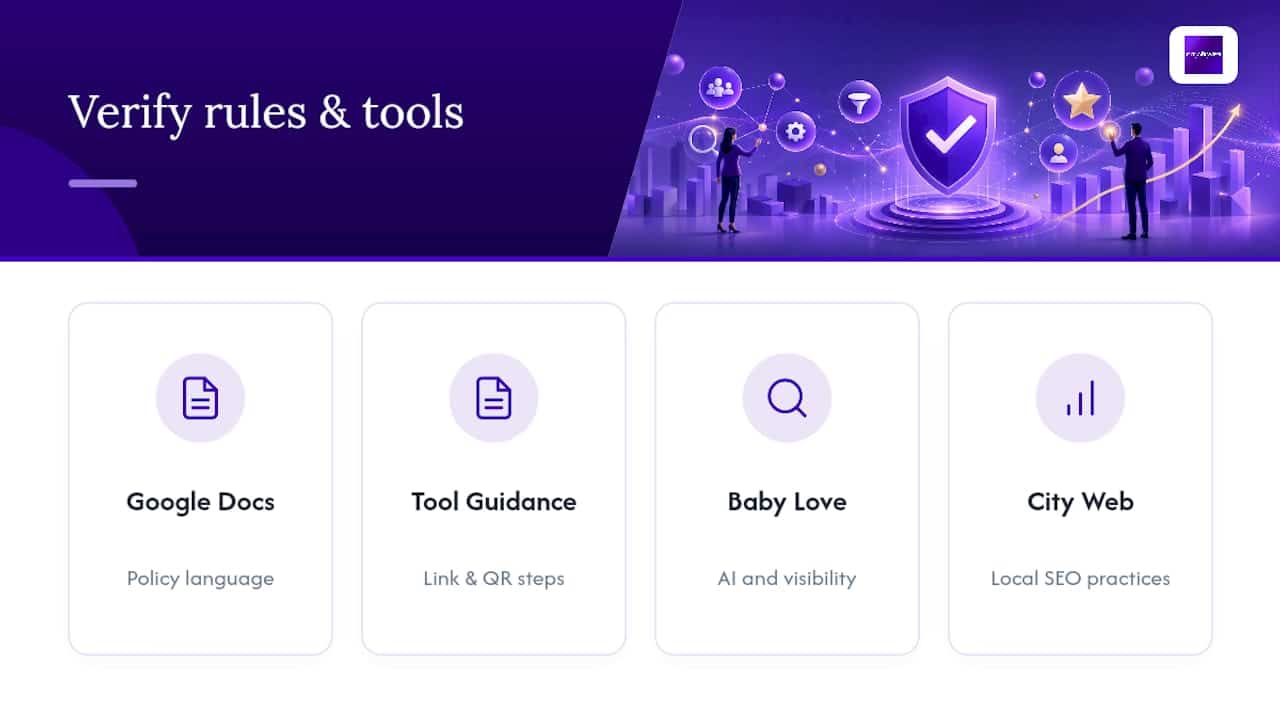
For the broader picture of how reviews interact with AI-driven search behavior, Baby Love Growth’s breakdown of AI and online visibility is worth a read, and City Web Company’s local SEO best practices guide covers how reviews fit into the bigger ranking picture.
Sources
- Tips to get more reviews – Google Business Profile Help
- How to Get More Google Reviews: 2026 Guide | Plaudit
- Customer reviews become a key battleground as AI revolutionizes product discovery
FAQ
Is It Legal to Buy Google Reviews?
No. Paying for reviews or offering incentives violates Google’s terms of service and can get reviews removed or your profile suspended entirely.
How Do You Get 1,000 Google Reviews?
There’s no shortcut to that volume. It comes from consistent, automated requests sent at every transaction over months or years, not a single push.
How Can You Increase Google Reviews for Free?
Use the free “Get more reviews” link and QR code from your Google Business Profile, ask customers in person or by email at the moment of service completion, and follow up once. No paid tool is required to start.
How Many 5-Star Reviews Does It Take to Move Your Rating?
It depends entirely on your current review count. A business with 10 reviews shifts its average with each new review far faster than one with many reviews, so early consistent reviews matter most.
Should You Remove Fake Google Reviews?
Yes. You can flag suspicious or fake reviews for removal directly through your Google Business Profile, and Google investigates flagged reviews against its own policy standards.
Recommended
These articles were popular with other readers too: