
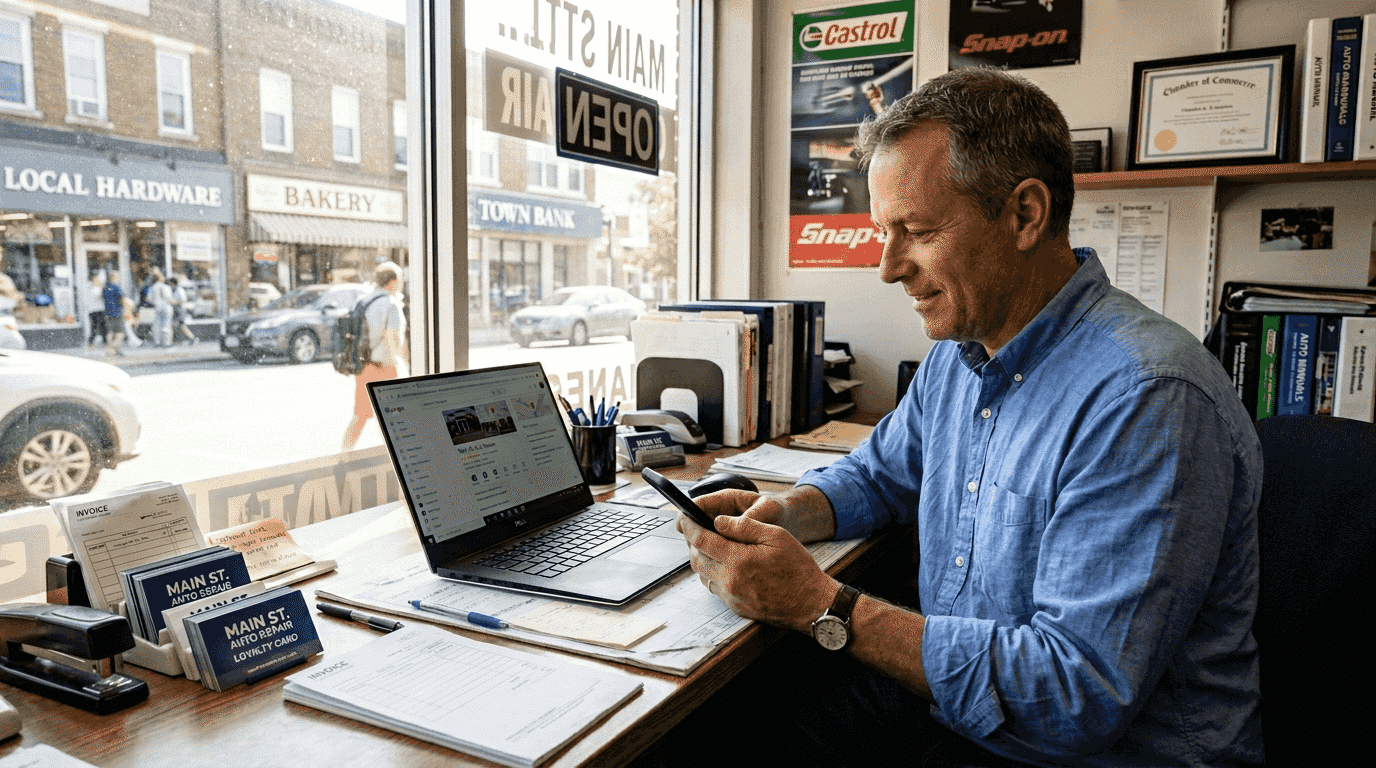
Pass Google Business verification with a video-first checklist. Film one continuous 30 second take, fix flagged issues, and know when to hire help.
What is Google My Business? A 2026 guide for local businesses
Many local business owners confuse Google My Business with Google Ads or think it’s just another social media platform. Google My Business, now called Google Business Profile, is actually Google’s free tool that puts your business directly on Search and Maps where customers are already looking. When someone searches for services near them, your profile can appear in the coveted Local 3-Pack, complete with your hours, reviews, and contact info. This guide walks you through exactly what Google My Business is, how it impacts your local rankings, and the practical steps to set up and optimize your profile for maximum visibility and customer engagement in 2026.
Table of Contents
Table of Contents
- Understanding Google My Business: What It Is And Why It Matters
- How Google My Business Influences Local Search Rankings In 2026
- Setting Up And Optimizing Your Google Business Profile For Maximum Impact
- Best Practices For Maintaining And Leveraging Your Google My Business Profile
- Boost Your Local Presence With Expert Help
Key takeaways
| Point | Details |
|---|---|
| Google Business Profile drives local discovery | Your profile appears on Google Search and Maps, helping nearby customers find and contact your business instantly. |
| Ranking depends on proximity and engagement | Google prioritizes businesses close to searchers with complete profiles, relevant keywords, and strong user engagement signals. |
| Verification unlocks full control | Claiming and verifying ownership lets you manage all profile details, respond to reviews, and post updates. |
| Active maintenance sustains visibility | Regular updates, fresh photos, review responses, and consistent business info keep your profile competitive. |
| User interactions boost prominence | Clicks, calls, direction requests, and time spent on your profile signal relevance to Google’s ranking algorithm. |
Understanding Google My Business: What it is and why it matters
Google Business Profile enables discovery, creation, and verification of business locations, crucial for public visibility in Google Search and Maps. Think of it as your digital storefront on the world’s most popular search engine. When potential customers search for services you offer, your profile can appear with essential details like your address, phone number, hours, photos, and customer reviews. This immediate access to information influences whether someone chooses to call, visit, or skip your business entirely.
Your Google Business Profile does more than list basic contact info. It showcases customer reviews, displays photos of your work or location, and lets you post updates about special offers or events. You can answer common questions, share business hours changes, and even see how customers find and interact with your listing. This real-time interaction builds trust and credibility before a customer ever contacts you.
The impact of a Google Business Profile on local SEO cannot be overstated. Businesses with optimized profiles appear in the Local 3-Pack, that prominent box of three businesses Google shows above regular search results. Getting into this prime real estate means more visibility, more clicks, and ultimately more customers walking through your door or calling your phone.
Here’s what makes Google Business Profile essential for local businesses:
- Free to create and manage with no advertising costs required
- Appears directly in search results and Google Maps where customers actively look for services
- Displays customer reviews and ratings that influence purchase decisions
- Provides insights into how customers find and interact with your business
- Allows direct communication through messages, posts, and Q&A features
Pro Tip: Verify your business within 24 hours of creating your profile and immediately fill in every available field with accurate, detailed information to maximize your initial visibility boost and establish trust with both Google and potential customers.
How Google My Business influences local search rankings in 2026
Proximity remains the dominant driver of Google Business Profile rankings. When someone searches for a plumber or dentist, Google prioritizes businesses physically closest to the searcher’s location. You can’t change your location, but you can optimize every other ranking factor to compete effectively within your service area.
Proximity remains the dominant driver of Google Business Profile rankings.
Keyword relevance in your business description, services list, and posts tells Google what you do. If you’re a family law attorney, using terms like “divorce lawyer,” “child custody,” and “family mediation” throughout your profile helps Google match you to relevant searches. Profile completeness matters too. Businesses with filled-out categories, verified hours, uploaded photos, and regular posts rank higher than sparse, neglected profiles.
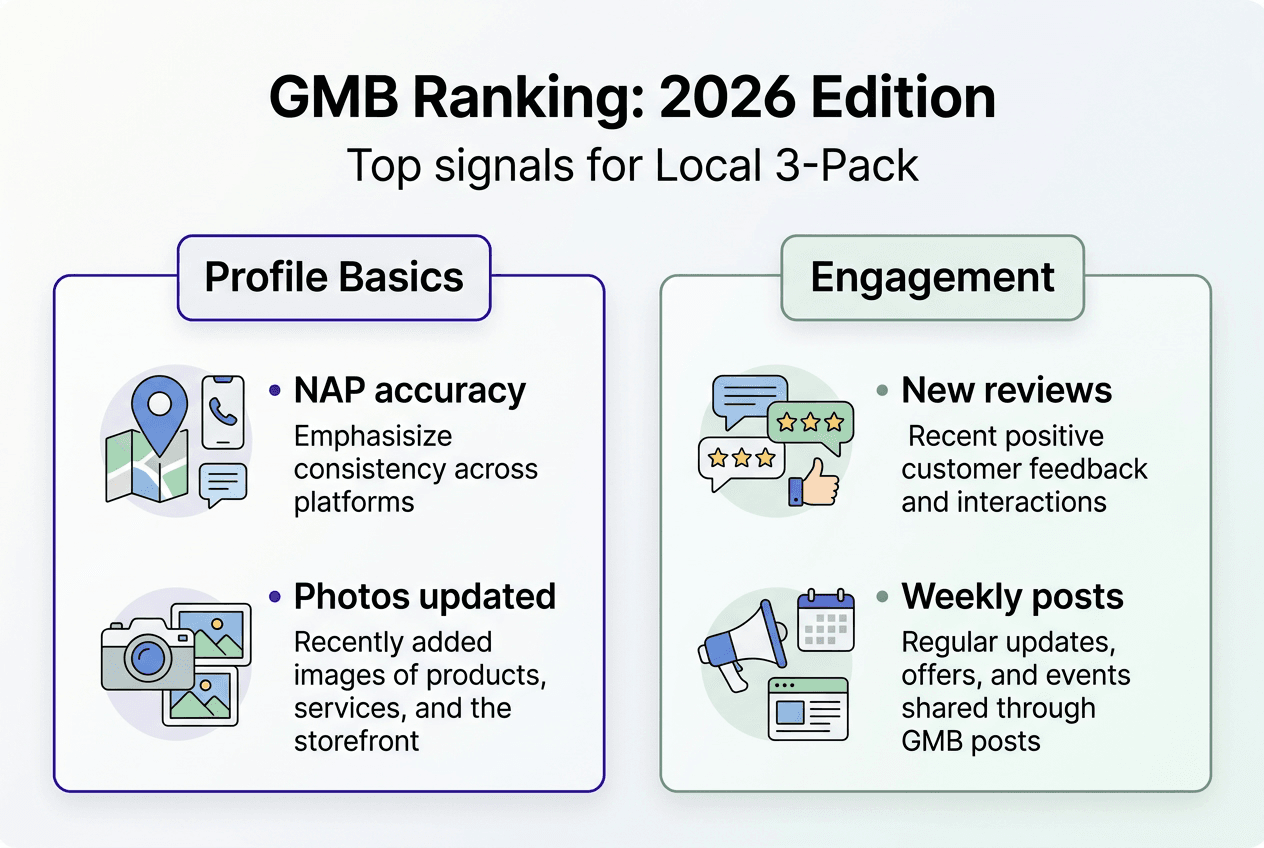
The Local Pack ranking is driven by traditional factors and new AI signals and behavioral data. Google now tracks how users interact with your profile after finding it. Clicks to your website, calls from your listing, requests for directions, and time spent viewing your photos all signal that your business is relevant and valuable. These engagement metrics increasingly influence whether you appear in the top three results or get buried further down.

Customer reviews carry enormous weight in 2026. The quantity, quality, recency, and your responses to reviews all factor into rankings. A business with 50 recent reviews and thoughtful owner responses will outrank a competitor with 10 old reviews and no engagement. Google sees active review management as a sign of a legitimate, customer-focused business.
Here are the critical ranking factors you can control:
- Complete and accurate business information across all fields
- Relevant keywords naturally integrated into your business description and services
- Regular customer reviews with owner responses showing engagement
- Fresh content through Google Posts about offers, events, and updates
- High-quality photos showing your business, team, and work
- Consistent NAP (name, address, phone) information matching your website and other directories
Understanding ranking secrets for Google’s Local 3-Pack helps you prioritize optimization efforts. Focus on factors within your control while recognizing that proximity and relevance work together. Google Business Profile optimization requires ongoing attention, not a one-time setup.

Setting up and optimizing your Google Business Profile for maximum impact
Before creating a new profile, search for existing business listings to check if someone already claimed your location. Previous owners, franchise systems, or even Google’s automated systems might have created a listing for your address. Finding an existing profile saves time and prevents duplicate listings that confuse customers and hurt rankings.
Follow these steps to claim and optimize your profile:
- Search Google for your exact business name and address to locate any existing listing
- Click “Claim this business” or “Own this business?” if you find an unclaimed profile
- Request ownership if someone else currently manages the listing, providing proof of business ownership
- Complete Google’s verification process using the method they offer for your business type
- Fill in every profile field with accurate, detailed information including categories, services, hours, and description
- Upload high-quality photos of your business exterior, interior, team, and work examples
- Enable messaging so customers can contact you directly through your profile
- Create your first Google Post to show your profile is active and managed
Ownership transfers can take up to seven days, requiring communication and tracking to ensure successful claims. Don’t abandon the process if you don’t hear back immediately. Follow up through your Google Business Profile dashboard and check for emails from Google requesting additional documentation.
Verification methods vary by business type and location. Most businesses receive a postcard with a verification code at their physical address. Some qualify for phone or email verification if Google has high confidence in the business legitimacy. Video verification is now available for certain business types, requiring you to record a walkthrough of your location.
| Verification Method | Estimated Time | Pros | Cons |
|---|---|---|---|
| Postcard mail | 5-14 days | Works for all business types, most reliable | Slowest method, requires physical mail access |
| Phone verification | Immediate | Instant verification if available | Only offered to select businesses |
| Email verification | Minutes to hours | Fast and convenient | Rarely available, limited eligibility |
| Video verification | 1-3 days | Proves physical location clearly | Requires quality video, manual review |
Pro Tip: Track ownership requests through your Google Business Profile dashboard and set calendar reminders to follow up every three days until verification completes, preventing requests from expiring due to inactivity or missed communications.
Your business description should clearly explain what you do, who you serve, and what makes you different. Use natural language that includes your services and location, but avoid keyword stuffing. Google penalizes profiles that cram unnatural keyword lists into descriptions. Focus on writing for humans first, search engines second.
Select the most specific primary category available for your business type. A “personal injury attorney” category is better than generic “lawyer.” Add secondary categories for additional services, but only choose categories that accurately represent what you offer. Misleading categories can result in profile suspension. Understanding the search engine ranking guide for local service businesses helps you choose categories strategically.
Best practices for maintaining and leveraging your Google My Business profile
Your profile needs regular attention to maintain and improve rankings. Set a recurring calendar reminder to update your profile at least weekly. Add new photos every month showing recent projects, team members, or seasonal decorations. Update your business hours immediately when they change for holidays or special events. Stale profiles with outdated information frustrate customers and signal to Google that your business might be inactive.
NAP consistency, Google Map embeds and schema markup are crucial for local organic and Maps ranking. Your business name, address, and phone number must match exactly across your website, Google Business Profile, and all online directories. Even small variations like “St.” versus “Street” or including a suite number inconsistently can confuse Google and dilute your local SEO strength. Maintaining consistent NAP citations across the web reinforces your legitimacy.
Respond to every customer review within 24-48 hours. Thank customers for positive reviews and address concerns raised in negative reviews professionally. Your responses show future customers how you handle feedback and demonstrate to Google that you actively manage your profile. Never argue with reviewers or post defensive responses. Acknowledge their experience, apologize if appropriate, and offer to resolve issues offline.
Google Posts let you share timely updates directly on your profile. Create posts for:
- Special offers or seasonal promotions with specific dates
- Upcoming events or workshops you’re hosting
- New services or products you’ve added
- Company news like awards, certifications, or community involvement
- Blog articles or helpful resources for customers
Posts expire after seven days, so maintain a regular posting schedule. Aim for at least one post per week to keep your profile fresh and engaging.
| Feature | Engagement Benefit | Ranking Impact | Best Practice |
|---|---|---|---|
| Google Posts | Showcases offers and updates directly in search results | Signals active management and fresh content | Post weekly with clear calls to action |
| Review responses | Builds trust and shows customer care | Increases review velocity and quality | Respond to all reviews within 48 hours |
| Q&A section | Answers common questions proactively | Provides keyword-rich content Google indexes | Seed questions yourself and monitor for new ones |
| Messaging | Enables direct customer communication | Increases engagement signals from profile | Enable and respond within one hour during business hours |
Avoid these common maintenance mistakes that hurt profile performance:
- Ignoring negative reviews or responding defensively
- Using different business names across platforms
- Uploading low-quality or irrelevant photos
- Setting incorrect business hours or forgetting holiday updates
- Selecting too many or irrelevant business categories
- Letting your profile go months without new posts or photos
- Failing to monitor and answer questions in the Q&A section
- Using your profile primarily for promotional content instead of helpful information
Monitor your Google Business Profile insights weekly. Check which search queries bring up your profile, how customers find you (direct search versus discovery search), and what actions they take. This data reveals optimization opportunities. If customers frequently ask for directions but rarely call, maybe your phone number isn’t prominent enough. If discovery searches are low, you might need more relevant keywords in your description.
Boost your local presence with expert help
Optimizing your Google Business Profile takes time, expertise, and consistent effort. Many local business owners struggle to keep up with best practices while running their daily operations. Professional local SEO services for small businesses can accelerate your visibility and ensure you’re maximizing every ranking factor.
City Web Company specializes in Google Business Profile optimization that gets local businesses into the Local 3-Pack and keeps them there. Our team handles verification, ongoing optimization, review management, and strategic posting so you can focus on serving customers.

We integrate your Google Business Profile with a comprehensive digital marketing strategy including website optimization, local citations, and paid advertising to dominate your local market. Partnering with experts who understand the nuances of local search saves you time and delivers measurable results faster than trial and error.
FAQ
How do I verify my Google My Business listing?
Google offers several verification methods depending on your business type and location. Most businesses receive a postcard with a verification code mailed to their physical address within 5-14 days. Some qualify for instant phone or email verification if Google has high confidence in your business legitimacy. Follow the instructions in your Google Business Profile dashboard and enter the code promptly when it arrives to complete verification.
Can I edit my Google My Business profile after verification?
Yes, you can update your business information, hours, photos, services, and posts anytime through your Google Business Profile dashboard. Regular updates keep your profile accurate and signal to Google that your business is active and well-managed. Make changes immediately when your hours shift, you add services, or you want to share news with customers searching for your business.
What impacts my Google My Business ranking the most?
Proximity to the searcher’s location is the strongest ranking factor you cannot control. Focus on factors you can influence like keyword relevance in your description, profile completeness, customer review quantity and quality, and user engagement signals from clicks and calls. Consistent NAP information across the web and regular profile updates also significantly improve your local search visibility and ranking position.
How can I get more customer reviews on my profile?
Ask satisfied customers directly after completing a service or transaction when their positive experience is fresh. Send follow-up emails with a direct link to your Google review form to make leaving feedback easy. Respond promptly and thoughtfully to all reviews you receive to encourage more customers to share their experiences. Never offer incentives for reviews, as this violates Google’s policies and can result in review removal or profile suspension.
Recommended
- How to Advertise Locally on Google: A Complete Guide for Businesses – City Web Company | Digital Marketing Agency
- The Secret to Ranking in Google’s Local 3-Pack – City Web Company | Digital Marketing Agency
- How to launch Google Ads in 2026: Boost local leads 30%
- How Google’s Helpful Content Update Affects Local Businesses – City Web Company | Digital Marketing Agency
These articles were popular with other readers too: