
Follow a proven website design process built for HVAC, plumbing, and landscaping businesses to generate more local leads and convert more visitors into customers.
Website design tips to boost local service leads
Your website is your most powerful lead generation tool, but only if it’s designed to convert visitors into customers. Many local service business owners struggle to create sites that actually drive calls, form submissions, and revenue. This article provides proven, actionable website design tips specifically for home services, legal, healthcare, and other local industries. You’ll learn how to optimize mobile experience, craft compelling calls-to-action, maintain SEO value, and improve speed to turn more visitors into paying clients.
Table of Contents
Table of Contents
- Key takeaways
- Why mobile-first design matters for local service websites
- Optimizing calls-to-action to convert website visitors into leads
- Maintaining your website for consistent SEO and performance
- Improving website speed and usability for higher conversions
- Enhance your website with expert design and SEO services
- Frequently asked questions
Key Takeaways
| Point | Details |
|---|---|
| Mobile first design | Most local service traffic comes from mobile devices, so design for mobile first to preserve visibility and conversions. |
| Clear CTAs boost conversions | Visible specific calls to action guide visitors to call, request quotes, or book services. |
| Speed and SEO upkeep | Ongoing optimization keeps search rankings strong and pages fast for better user experience. |
| Test and optimize CTAs | A/B testing button color wording and placement reveals what works for your audience. |
Why mobile-first design matters for local service websites
Your potential customers are searching for your services on their phones right now. Between 63-75% of local service traffic comes from mobile devices, making mobile optimization non-negotiable for small business success. If your site doesn’t load properly on smartphones, you’re losing three out of every four visitors before they even see your services.
Google’s mobile-first indexing means the search engine evaluates your mobile site first when determining rankings. Sites that aren’t optimized for mobile devices get pushed down in search results, regardless of how good their desktop version looks. This directly impacts your visibility when homeowners search for plumbers, patients look for dentists, or clients need legal services.
Mobile-first web design improves both speed and user experience simultaneously. Responsive layouts adapt to any screen size, ensuring buttons are tappable, text is readable without zooming, and forms are easy to complete on small screens. These improvements keep visitors engaged longer and guide them toward contacting your business.
Consider these mobile-first design priorities:
- Touch-friendly buttons at least 44×44 pixels for easy tapping
- Readable font sizes of 16px minimum without zooming
- Simplified navigation menus that work on small screens
- Click-to-call phone numbers prominently displayed
- Fast-loading images optimized for mobile bandwidth
Pro Tip: Test your website on actual mobile devices, not just desktop browser simulators. Real-world testing reveals usability issues that emulators miss, like awkward thumb reach or difficult form fields.
The performance benefits extend beyond user experience. Mobile-optimized sites typically load 2-3 seconds faster than non-responsive designs, directly reducing bounce rates. When visitors can quickly find your services, read reviews, and contact you without frustration, conversion rates naturally increase.
Optimizing calls-to-action to convert website visitors into leads
Your website might attract hundreds of visitors monthly, but without clear calls-to-action, those visitors leave without contacting you. Effective CTAs guide potential customers toward the specific actions you want them to take, whether that’s calling your office, requesting a quote, or scheduling a consultation.
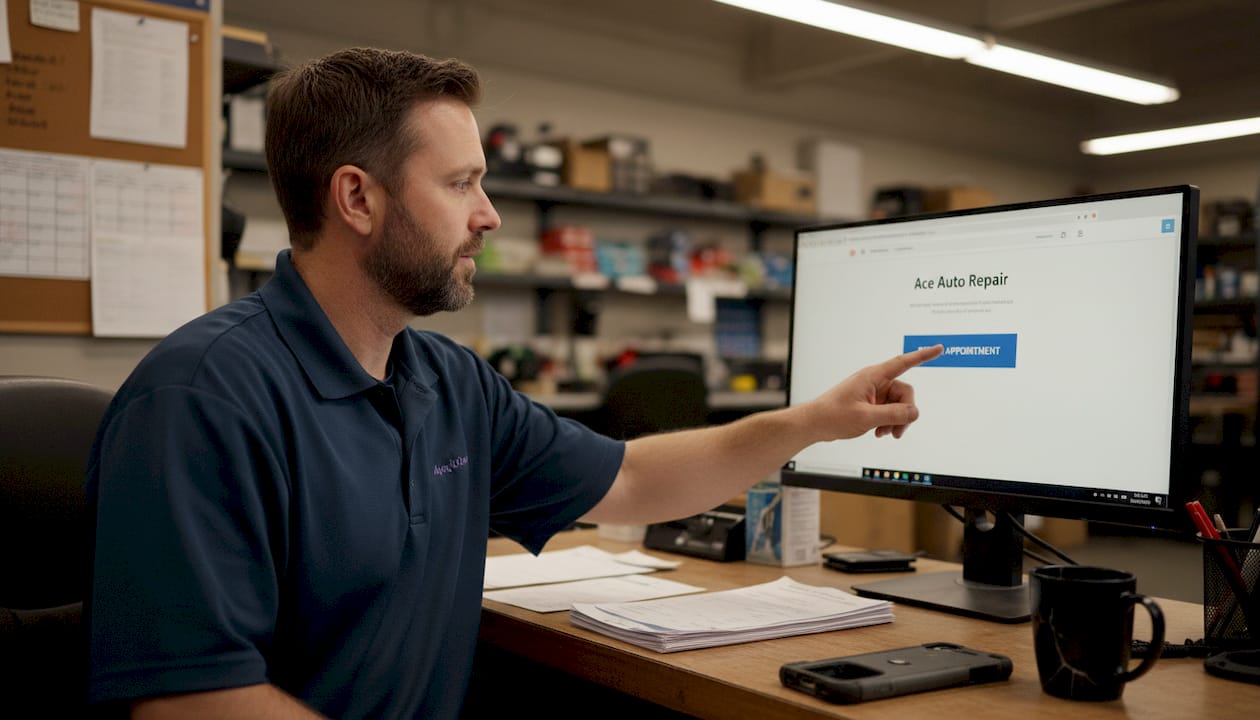
The most successful CTAs share three characteristics: visibility, clarity, and action-oriented language. Place primary CTAs above the fold on every page so visitors see them immediately. Use contrasting colors that stand out from your site’s design without clashing. Write specific action phrases like “Schedule Your Free Estimate” instead of generic “Learn More” buttons.
A/B testing different CTA variations can dramatically increase conversions by revealing what resonates with your specific audience. Test button colors, text phrasing, placement, and size to identify winning combinations. Even small changes like switching from “Contact Us” to “Get Your Free Quote Today” can boost click-through rates by 20-30%.
Avoid these common CTA mistakes:
- Burying contact buttons at the bottom of long pages
- Using vague language that doesn’t specify the benefit
- Creating too many competing CTAs that confuse visitors
- Failing to optimize CTA buttons for mobile tapping
- Neglecting to test and refine based on actual performance data
Implement this proven CTA optimization process:
- Identify your primary conversion goal for each page
- Create a prominent CTA that directly supports that goal
- Design the button to stand out visually from surrounding content
- Write action-oriented text that emphasizes customer benefit
- Test variations and measure which drives more conversions
- Refine based on data and repeat testing quarterly
Pro Tip: Add secondary CTAs for visitors not ready to commit. While your primary button might say “Schedule Service Today,” a secondary option like “View Our Service Areas” keeps hesitant visitors engaged without pressure.
The importance of strong CTAs extends beyond initial clicks. Well-designed CTAs set proper expectations for what happens next, reducing confusion and building trust. When visitors know exactly what they’ll get by clicking, they’re more likely to follow through and become actual customers rather than abandoned leads.
Position CTAs strategically throughout your content. Place one immediately after explaining a key service benefit, another following customer testimonials, and always include one in your header and footer. This repetition without redundancy keeps conversion opportunities available as visitors scroll and read. Optimizing CTAs based on UX impact on conversions creates a seamless path from interest to action.
Maintaining your website for consistent SEO and performance
Launching a great website is just the beginning. Without ongoing maintenance, even the best-designed sites deteriorate, losing search rankings, speed, and security over time. Regular updates protect your investment and ensure your site continues generating leads months and years after launch.
Website maintenance encompasses security patches, software updates, content refreshes, and performance monitoring. Outdated plugins and themes create vulnerabilities that hackers exploit, potentially taking your site offline when customers need you most. Regular backups ensure you can recover quickly if problems occur, minimizing business disruption.
The most critical maintenance task is SEO migration during redesigns. Without proper SEO migration, redesigns risk 20-40% traffic drops that directly reduce lead generation. Preserve existing page URLs, maintain title tags and meta descriptions, set up proper redirects, and monitor rankings closely during transitions.
Essential maintenance activities include:
- Monthly security and software updates
- Quarterly content audits and refreshes
- Weekly backup verification
- Ongoing performance monitoring
- Regular broken link checks and fixes
| Maintenance Task | Frequency | Impact on Leads |
|---|---|---|
| Security updates | Weekly | Prevents downtime |
| Content refresh | Monthly | Maintains rankings |
| Speed optimization | Quarterly | Reduces bounce rate |
| Backup verification | Weekly | Enables quick recovery |
| SEO monitoring | Ongoing | Protects traffic |
Pro Tip: Schedule maintenance during off-peak hours to minimize impact on visitors. Most local service businesses see lowest traffic between 2-5 AM, making this ideal for updates that might briefly affect site availability.
Treat your website as a business asset requiring regular investment, not a one-time expense. Website maintenance steps that align with Google SEO website criteria ensure your site remains competitive as algorithms and user expectations evolve. Businesses that maintain their sites consistently see 30-50% better long-term lead generation compared to those that launch and neglect.
Monitor key performance indicators monthly to catch issues early. Track organic traffic trends, conversion rates, page load speeds, and search rankings for your most important keywords. Sudden drops signal problems requiring immediate attention, while gradual declines indicate needed optimizations.
Improving website speed and usability for higher conversions
Every second your website takes to load costs you potential customers. Visitors expect pages to appear in under three seconds, and most abandon sites that take longer. For local service businesses competing in crowded markets, speed directly impacts whether prospects contact you or your competitor.
Mobile-first design improves speed and UX, creating a foundation for better conversion rates. Fast sites signal professionalism and reliability, building trust before visitors even read your content. Slow sites frustrate users and create negative first impressions that are difficult to overcome.
Implement these speed optimization tactics:
- Compress images to reduce file sizes without quality loss
- Enable browser caching so repeat visitors load pages faster
- Minimize HTTP requests by combining files where possible
- Use content delivery networks for faster global access
- Remove unnecessary plugins that slow page rendering
Usability extends beyond speed to encompass how easily visitors find information and complete desired actions. Intuitive navigation lets customers locate services, pricing, and contact information within seconds. Clear visual hierarchy guides eyes toward important elements like phone numbers and service descriptions.
“Website speed and usability aren’t just technical metrics. They’re the digital equivalent of a clean, organized storefront that welcomes customers and makes doing business easy. Local service providers who prioritize these elements consistently outperform competitors in lead generation.”
| Speed Factor | Impact Level | Usability Element | Impact Level |
|---|---|---|---|
| Page load time | Critical | Clear navigation | High |
| Image optimization | High | Mobile responsiveness | Critical |
| Server response | Medium | Contact accessibility | Critical |
| Code efficiency | Medium | Visual hierarchy | High |
| Caching strategy | High | Form simplicity | High |
Accessibility features improve usability for all visitors while expanding your potential customer base. Proper heading structure helps screen readers and improves SEO. Alt text on images aids visually impaired users and provides context when images fail to load. Keyboard navigation ensures visitors can use your site regardless of input device.
High-converting local websites balance aesthetic appeal with functional performance. Beautiful design attracts attention, but speed and usability convert visitors into customers. Focus on eliminating friction points where visitors might abandon their journey toward contacting your business.
Test your site’s speed using free tools like Google PageSpeed Insights, which provide specific recommendations for improvement. Address the highest-impact issues first, typically image optimization and caching configuration. Even modest speed improvements of 1-2 seconds can increase conversion rates by 10-20%.
Apply website speed and usability tips consistently across all pages, not just your homepage. Service pages, location pages, and blog posts all need the same attention to speed and usability. Visitors might land on any page through search results, so every page must perform well.
Enhance your website with expert design and SEO services
Implementing these website design tips requires time, technical knowledge, and ongoing attention that many local service business owners simply don’t have. You’re focused on serving customers, managing teams, and growing your business. That’s where professional web design and SEO services create real value.

City Web Company specializes in creating websites that boost trust and generate local leads for home services, legal practices, healthcare providers, and other service industries. Our team handles mobile optimization, CTA testing, ongoing maintenance, and speed improvements so you can focus on what you do best. We combine local SEO services for small businesses with innovative web design and development to deliver measurable results. Let us transform your website into a lead-generating asset that works for your business 24/7.
Frequently asked questions
What is mobile-first website design and why is it important?
Mobile-first design means creating your website primarily for mobile devices, then adapting it for larger screens. This approach is critical because most local service searches happen on smartphones, and Google ranks mobile-optimized sites higher in search results. Sites designed mobile-first typically load faster and provide better user experiences across all devices.
How often should I update and maintain my business website?
Perform security and software updates weekly to protect against vulnerabilities. Refresh content and check performance at least monthly to maintain search rankings. Major reviews and optimization should happen quarterly, with comprehensive audits annually. Consistent maintenance prevents the gradual decline that causes many business websites to lose effectiveness over time.
What are the best practices for making calls-to-action effective?
Use clear, action-oriented language that specifies the benefit visitors receive, like “Get Your Free Estimate” instead of generic “Submit” buttons. Place CTAs prominently above the fold with contrasting colors that grab attention. Test different versions through A/B testing to identify what resonates with your specific audience, and optimize button size and placement for mobile users.
Can website redesign affect my search engine rankings?
Yes, redesigns can cause significant traffic drops if not handled properly. Without careful SEO migration, businesses commonly lose 20-40% of their organic search traffic after launching new sites. Protect your rankings by maintaining URL structures, preserving optimized content, implementing proper redirects, and monitoring performance closely during and after the transition. Professional SEO guidance during redesigns prevents costly ranking losses.
Recommended
These articles were popular with other readers too: