
Discover 15 effective ways to improve online visibility in 2026. Boost your SEO, social media, and ads for rapid growth!
Unlock Leads: How to Create a Lead Generation Website
Most local businesses don’t have a traffic problem first. They have a website structure problem.
A contractor runs Google Ads, gets clicks, and still hears silence. A dentist ranks for a few local terms, but appointment requests stay thin. A plumber gets referrals, sends people to the site, and the prospect leaves without calling. In each case, the website exists, but it doesn’t do the job the business owner needs.
If you’re trying to learn how to create a lead generation website, the key shift is this: stop treating the site like a digital brochure and start building it like a system. A lead generation website should attract the right local visitors, help them trust what they’re seeing, and move them toward a clear next step without friction.
That sounds simple. In practice, most sites fail because they were designed around pages and branding, not around buyer behavior, local search intent, and follow-up.
Table of Contents
Your Website Is a Tool Not a Brochure
A polished website can still underperform for one basic reason. It was built to describe the business, not to move a prospect toward action.
That gap matters because websites are the primary lead generation channel for 90.7% of marketers, yet the average website converts only 3.65% of visitors according to Email Vendor Selection’s lead generation statistics. The message is straightforward. A website only becomes valuable when it’s engineered to capture intent.
What most local websites get wrong
Local business owners often invest in design first. They choose colors, pick photos, approve copy, and launch something that looks credible.
Then the market responds with indifference.
The issue usually isn’t effort. It’s structure.
A brochure-style site often has these problems:
- Weak entry points because service pages aren’t aligned with what people search for
- Generic messaging because the copy talks about the company rather than the customer’s problem
- Dead-end pages because visitors don’t see a logical next step
- Low trust at the moment of decision because proof is buried or missing
- No handoff after conversion because form submissions go nowhere useful
A homeowner searching for urgent AC repair doesn’t want to decode your brand story. They want to know whether you handle their issue, serve their area, and can respond quickly.
A website should answer the visitor’s next concern before they have to go looking for it.
A better frame for how a lead generation website works
The useful way to think about a lead generation website is as a working sales tool. It needs to do three jobs well.
First, it has to attract the right people through search visibility, local relevance, and service-specific pages.
Second, it has to engage them with language that matches why they came. A leaking water heater, a cracked molar, and a storm-damaged roof create very different buying mindsets.
Third, it has to convert with clear calls to action, low-friction forms, and visible trust signals.
That’s why businesses in service categories often need more than a homepage and contact page. They need a website architecture that mirrors how prospects think. If you want a practical niche example, this guide on a website for cleaning business shows how service-specific structure can support quoting and lead capture.
The cost of getting this wrong
When the site acts like a brochure, every other marketing channel becomes less efficient.
Your paid traffic gets more expensive because fewer clicks turn into leads. Your SEO work produces less revenue because rankings land on pages that don’t convert. Your referrals stall because prospects can’t validate what they need fast enough.
A website that generates leads isn’t just better designed. It’s better aligned with buying intent.
The Strategic Blueprint Before You Build
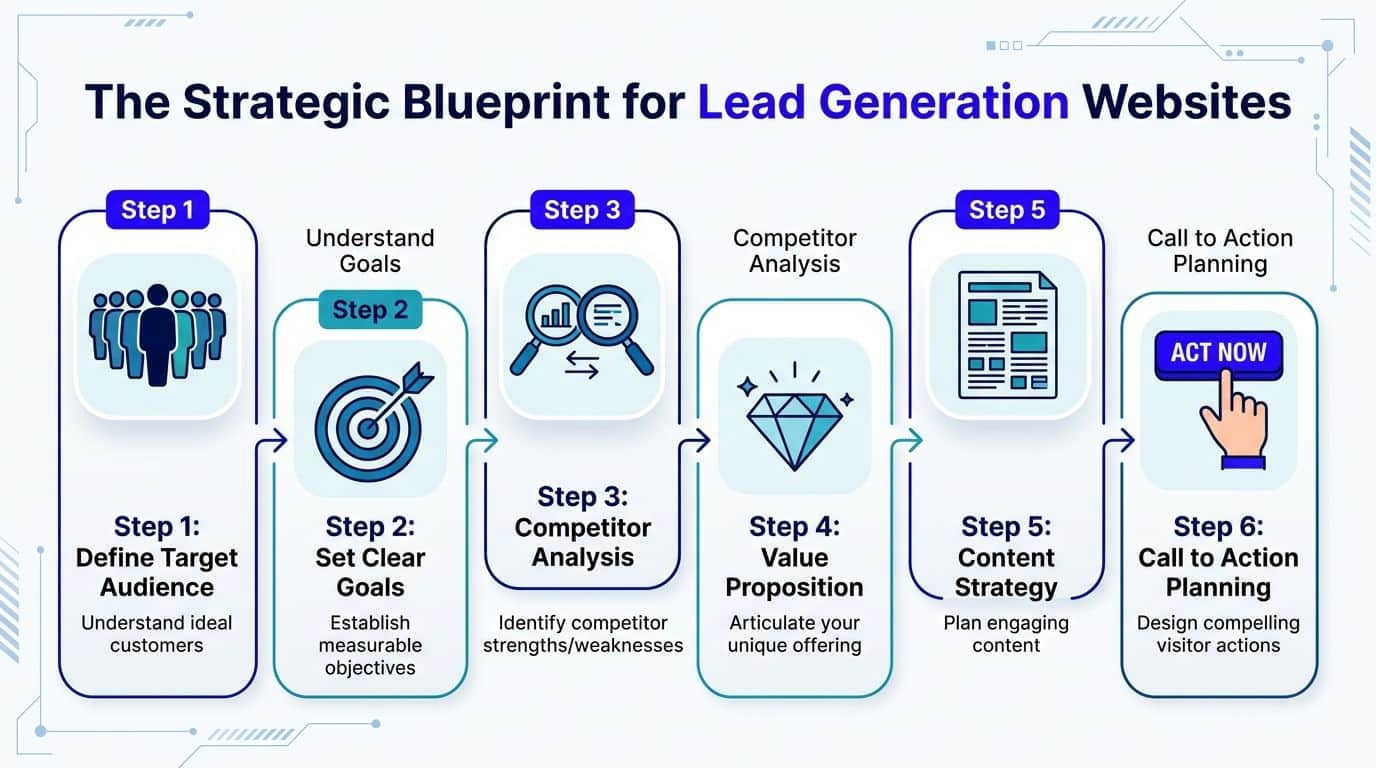
Before design mockups, there’s a more important job. You need to decide what the website is supposed to make happen.
Without that blueprint, businesses end up with nice-looking pages and vague results. With it, every page has a role, every call to action has a purpose, and the site starts working like a system instead of a collection of tabs.
Use the Attract Engage Convert model
A practical starting point is the Attract-Engage-Convert model. According to Red Evolution, using the Attract-Engage-Convert methodology can achieve 3-5x higher lead volumes, beginning with local keyword targeting, then persona-based messaging, then optimized calls to action on the pages that matter most, as described in their guide to how to build a lead generation website.
That framework is useful because it keeps business owners from skipping straight to design.
Here’s what each stage looks like in a local service context.
Attract the right traffic, not just more traffic
A roofing company doesn’t need broad attention from people outside its service area. It needs visibility for the searches that signal intent.
That means planning pages around services and geography. “Roof repair” is broad. “Hail damage roof repair in Colorado Springs” is closer to the buying moment.
A strong attract strategy usually includes:
- Core service pages for each money-making service
- Location pages for priority cities or service areas
- Supporting content that answers the concerns people have before they call
- Search-focused page titles and headings that align with local intent
Many websites drift here. Owners write from the inside out. They describe what they offer in company language rather than publishing pages that match how buyers search.
Engage with messaging that reflects urgency
The next mistake is assuming a visitor will connect the dots on their own.
They usually won’t.
A local business website has to make the offer obvious. If someone lands on an emergency electrician page, the copy should reflect urgency, availability, safety, and what happens next. If someone lands on a med spa service page, the tone should reduce uncertainty and increase confidence.
A useful planning exercise is to define each audience by practical buying signals, not vague demographics.
| Buyer type | What they care about first | What the page should do |
|---|---|---|
| Emergency caller | Speed, availability, trust | Surface phone number, fast response expectations, service area |
| Comparison shopper | Proof, pricing clarity, options | Show reviews, process, FAQs, clear CTA |
| Research-first buyer | Education, reassurance, next steps | Offer useful content, explain process, capture contact softly |

That’s the difference between a page that gets read and a page that gets action.
Practical rule: Build pages around the visitor’s problem state, not your internal service categories.
Convert with one clear path forward
Many sites lose leads at the exact moment a prospect is ready because they present too many options or too little clarity.
A service page should usually guide toward one primary action. Call now. Request an estimate. Book a consultation. Submit a service request.
That doesn’t mean every page has to be aggressive. It means every page should be clear.
Good conversion planning usually answers four things before the site is built:
- What action matters most on this page
- Who should take it
- What information the form or button needs
- What happens immediately after submission
If the user can’t tell what to do next, the website is unfinished no matter how polished it looks.
Plan the page journey before the design
Most owners think in terms of pages. Better-performing sites are planned in terms of paths.
A homeowner might enter through a local search, land on a specific service page, review trust signals, then submit a quote request. A referred prospect might start on the homepage, check reviews, read the about page, and then call.
Those journeys should influence site architecture.
A simple blueprint often includes:
- Homepage for broad trust and navigation
- Service pages for high-intent traffic
- Location pages for local relevance
- About and proof pages for reassurance
- Contact and conversion pages for action
- Educational content for early-stage search intent
When that structure is mapped before design, the website starts with a strategy instead of trying to fix performance later.
Designing for Conversion Not Just Compliments
Design matters. It just doesn’t matter in the way most businesses think.
The goal isn’t to impress another business owner or collect compliments from friends. The goal is to help a prospective customer move from uncertainty to action with as little friction as possible.
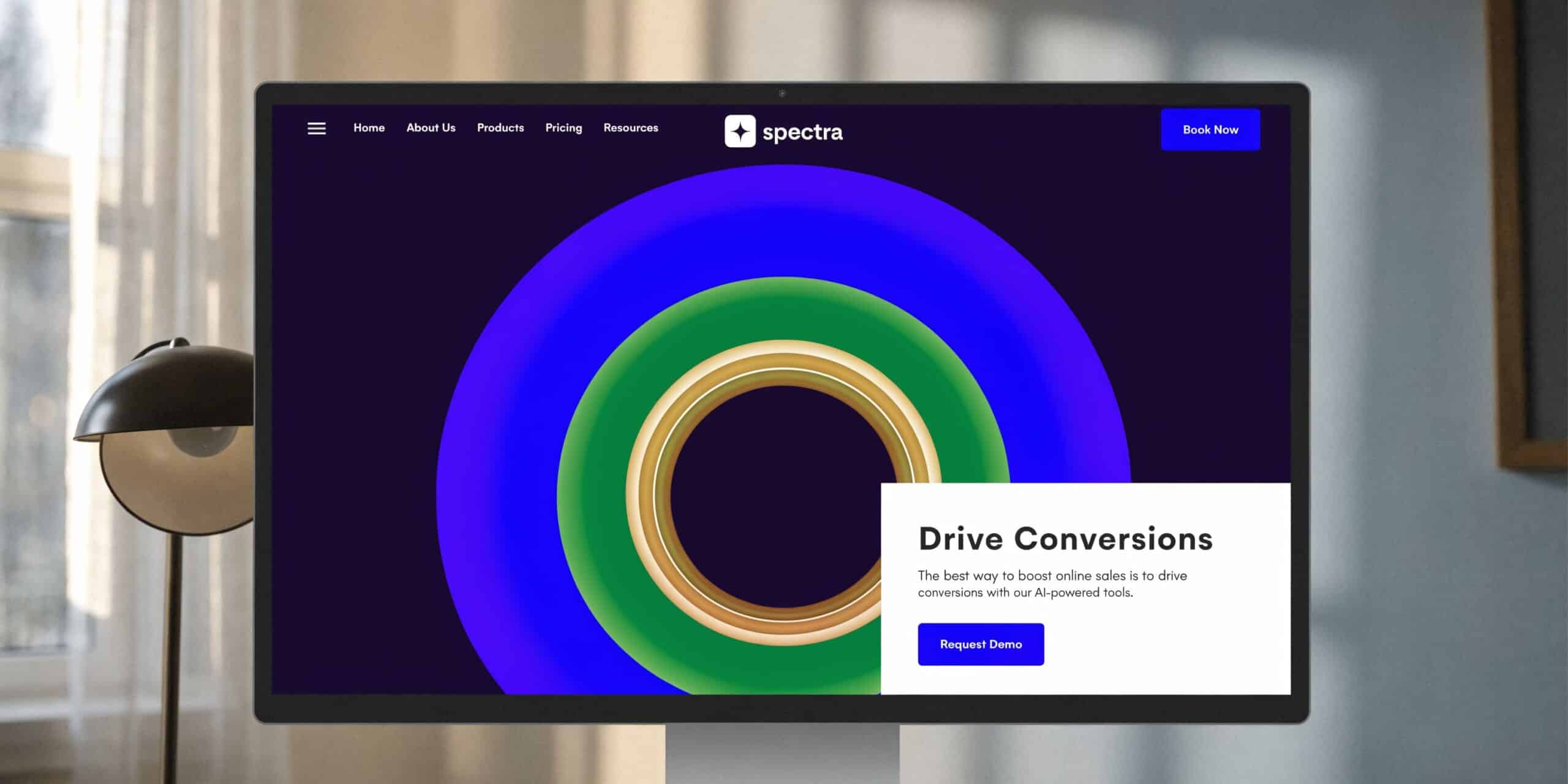
Lean Labs notes that a proven conversion page framework can deliver 4-7% conversion rates when pages use a strong hero section, forms with 3-5 fields, compelling CTAs, and technical elements such as schema markup. They also note that schema markup can boost click-through rates by 20-30% in the right context, as outlined in their lead generation website framework.
Start with a hero section that removes confusion
The top of the page has one job. It should tell the visitor they’re in the right place.
That usually means a headline built around the service and the outcome, not a vague slogan. “Trusted Solutions for Modern Homes” sounds polished but says very little. “Emergency Water Heater Repair in Fort Collins” is far more useful.
A high-performing hero section often includes:
- A direct headline tied to the service
- A few benefit-driven bullets that answer immediate concerns
- One primary CTA above the fold
- Supportive proof such as review snippets, certifications, or service area cues
The strongest pages don’t ask visitors to think too hard. They reduce interpretation.
Trust signals should appear before doubt grows
Business owners sometimes treat trust-building elements like decoration. They’re not. They are decision aids.
For a local service business, trust usually comes from familiar proof:
- Google reviews and review excerpts
- Licenses, certifications, and association badges
- Before-and-after examples where relevant
- Clear service area references
- Photos of staff, vehicles, or completed work
- Short testimonials connected to specific services
A prospect deciding between two roofers or two dentists isn’t comparing websites in a vacuum. They’re comparing risk. The site that feels clearer and more credible often wins.
If proof is buried below weak copy, the page still feels risky.
Keep forms short and next steps obvious
Forms fail when they ask for too much, too early.
For most local businesses, a short form works better because it lowers commitment. Name, contact information, service need, and maybe location are often enough to start the conversation.
Then there’s the part many sites ignore. The form should explain what happens next.
A simple line such as “We’ll review your request and follow up” can reduce hesitation because it gives shape to the process. Silence creates uncertainty. Uncertainty lowers conversions.
Mobile design isn’t a feature
Many local prospects aren’t researching from a desk. They’re on a phone, often while juggling an actual problem.
That changes design priorities.
Buttons need enough spacing to tap easily. Phone numbers should be actionable. Text should be readable without zooming. Important trust signals and calls to action should appear early, not hidden after long scrolling.
If you want to improve mobile lead flow, practical tools like Click to Call functionality are worth evaluating because they reduce the gap between interest and contact.
Technical quality shapes conversion more than many owners realize
A page can have the right copy and still underperform because the technical setup is unstable.
Slow hosting, bloated templates, plugin conflicts, intrusive pop-ups, and broken forms create friction that visitors rarely explain. They just leave.
That’s why technical quality isn’t a developer-only concern. It directly affects revenue.
A simple comparison makes the trade-off clear:
| Website choice | Short-term appeal | Business consequence |
|---|---|---|
| Cheap theme with heavy plugins | Fast launch, lower upfront cost | Slower pages, more break points, weaker user experience |
| Minimal conversion-first build | More planning required | Cleaner paths, better speed, easier optimization |
| Design-first page layout | Visually impressive | Visitors admire it but don’t know what to do |
| Conversion-first page layout | Less flashy | More clarity, stronger lead flow |
A strong local website usually feels simpler than expected. That’s not because less work went into it. It’s because the work went into removing friction.
For a deeper breakdown of the page elements that influence local performance, this guide on the anatomy of a high-converting local website is useful: https://citywebcompany.com/anatomy-of-a-high-converting-local-website/
The Technical Foundation for a High-Performance Site
Website performance feels invisible until it starts costing you leads.
A slow page, a broken form, a plugin conflict, or a site outage usually doesn’t announce itself in a dramatic way. The business owner just sees lower inquiry volume, inconsistent ad performance, or rankings that don’t convert as expected.
Cheap hosting is rarely cheap
Many local businesses start with low-cost shared hosting because it seems interchangeable. On paper, it keeps expenses down.
In practice, it often introduces instability at the worst time. A site can become sluggish under routine traffic, updates can behave unpredictably, and support can be limited when something breaks.
That matters because local buyers are often making fast decisions. If a service page drags, a mobile menu sticks, or a form hangs, the visitor doesn’t file a complaint. They go back to Google and call the next company.
WordPress is strong when it’s set up with discipline
WordPress remains one of the best platforms for a lead generation website because it’s flexible, widely supported, and well-suited for local SEO, service pages, landing pages, and content growth.
The issue isn't WordPress itself. The problem lies in how many sites are assembled.
A site built with too many overlapping plugins, an overloaded theme, and little governance becomes hard to trust. Every future change carries risk.
A more stable approach is to keep the stack lean and choose plugins by category, not by novelty.
The plugin categories that matter
Most service businesses don’t need a long plugin list. They need the right functions working reliably.
Focus on these categories:
- Form builder that submits cleanly, routes leads properly, and supports conditional logic where needed
- SEO plugin that helps manage metadata, indexing controls, and page-level optimization
- Caching and performance tools that improve delivery speed
- Security and backup coverage so updates don’t become a gamble
- Schema support for local business and service information
- CRM or lead-routing integration so inquiries don’t get stranded
The best technical setup is often the one that feels unremarkable day to day because it keeps doing its job.
Not all SEO work serves a local business equally
Many generic website guides go off track here. They talk about SEO as if it’s one broad discipline.
For a local service business, that’s too vague to be useful.
A national content strategy might bring visibility, but local lead generation usually depends on tighter signals. Google needs to connect your business with a place, a service, and a nearby searcher who needs help now.
That’s why your site should support local intent with things like:
- Clean location architecture
- Consistent business information across important pages
- Service-area relevance in page copy
- Local schema markup
- A direct relationship between the website and your Google Business Profile
- Fast mobile usability
Generic SEO can increase impressions. Local SEO is what helps a nearby buyer decide that you are the relevant option.
That distinction changes build decisions. It affects page templates, navigation, internal linking, metadata, schema, review handling, and conversion paths.
If you want a practical overview of the structural factors that support visibility, this resource on what makes a website search engine friendly is a solid reference: https://citywebcompany.com/what-makes-a-website-search-engine-friendly/
Build for maintenance, not just launch
A website isn’t finished when it goes live. It enters a maintenance cycle.
Themes update. Plugins update. Forms need testing. Pages need refinement. Tracking can break. Content expands. New service areas get added.
If the website wasn’t built for that reality, small changes become expensive and risky.
A durable setup usually has these traits:
| Technical priority | What good looks like |
|---|---|
| Hosting environment | Stable, monitored, appropriate for business use |
| Theme choice | Lightweight and flexible |
| Plugin stack | Limited to necessary tools |
| Lead capture | Forms tested and routed correctly |
| Performance | Pages load smoothly on mobile and desktop |
| Local SEO support | Schema, location structure, and GBP alignment baked in |
A high-performing site doesn’t need to feel complicated. It needs to feel dependable.
Winning the Local Search Battle on Google
A local business doesn’t win online by being generally visible. It wins by being visible in the right place, at the right time, for the right service.
That’s a different challenge from broad SEO. It requires tighter alignment between your website, your service area signals, and your Google Business Profile.
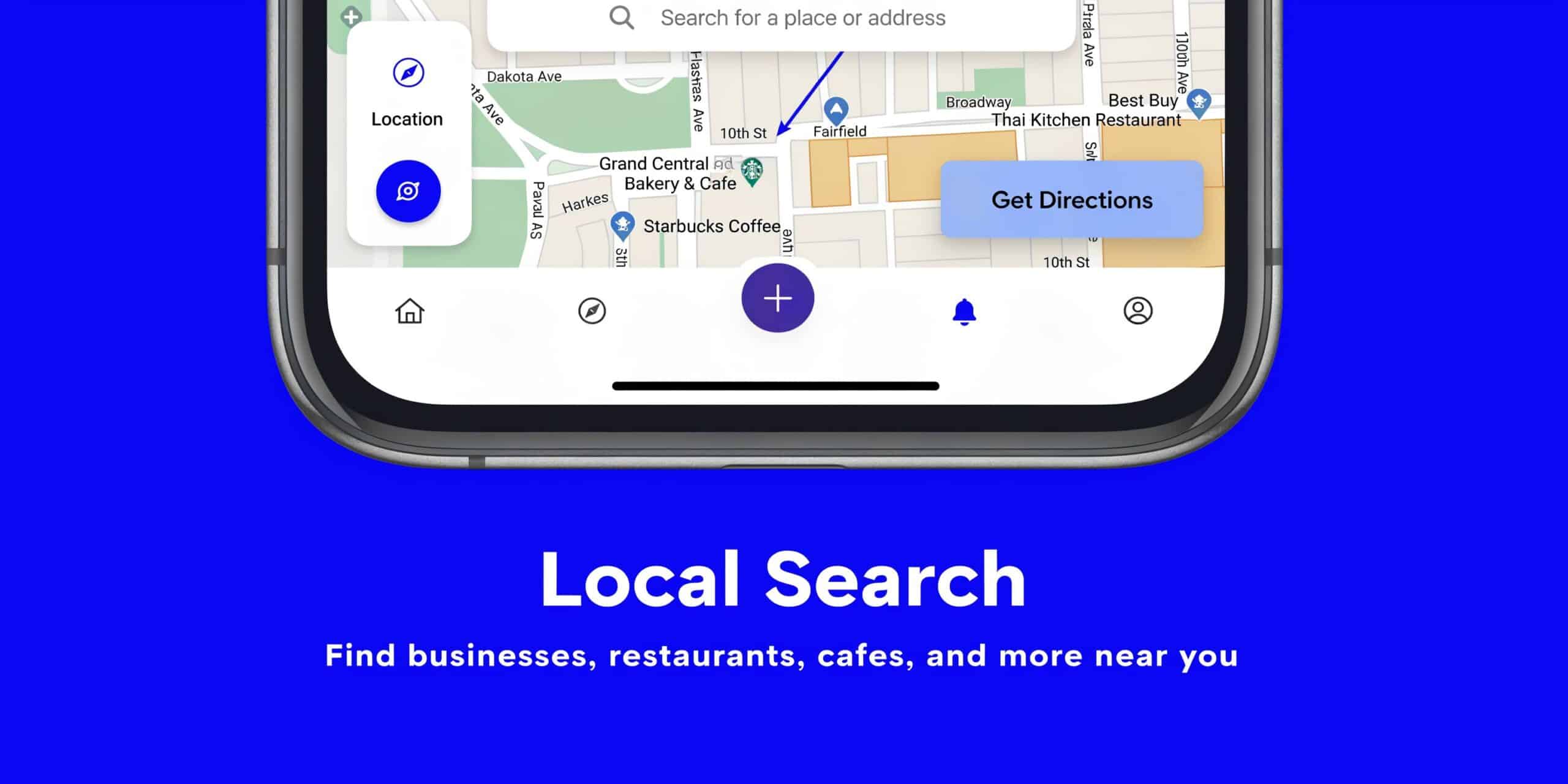
According to Smart Acre, 46% of all Google searches are for local information, and 78% of local mobile searches result in a purchase within 24 hours. Their guidance also notes that integrating your Google Business Profile with your website is critical for capturing this kind of high-intent traffic in a lead generation website guide.
Your Google Business Profile and website should work together
Many businesses treat their Google Business Profile as a listing and their website as a separate asset.
That split usually weakens both.
When the two are aligned, Google gets clearer signals about what you do, where you do it, and which visitors should see you. Prospects also move more smoothly from maps to service pages to contact.
That alignment often includes:
- Matching service language between GBP and key website pages
- Clear links from GBP to the most relevant landing pages
- Consistent business details across both properties
- Review visibility on the website so trust carries over
- Location cues in headings, page copy, and metadata
A plumber serving multiple cities shouldn’t send every visitor to a generic homepage. A searcher looking for sewer line repair in a specific city should land on the most relevant page available.
Location pages need substance
Many local companies create city pages that barely differ from one another. Google often sees through that, and users do too.
A useful location page should reflect a real service footprint. It should mention the services offered in that area, what problems are common there, what the process looks like, and how to contact the business.
For example, an HVAC company might need separate pages for:
- AC repair in one city
- Heating service in another
- Maintenance plans across a broader region
- Emergency service where response radius matters
The key is relevance. A location page should help a nearby customer feel, “Yes, they serve this area and understand what I need.”
Reviews are part of the search strategy
Reviews influence both trust and local visibility. But many businesses handle them casually.
The better approach is a repeatable review process tied to the customer experience. Ask after a completed job. Make it easy. Direct people to the right profile. Then use strong review content inside the website where it helps the next buyer make a decision.
This is especially important for businesses in categories where the buyer feels risk. Roofing, dental, plumbing, chiropractic care, and home services all fall into that category.
A local search result earns the click. The website and review experience earn the lead.
The lead journey after submission is where many local sites break
A lot of websites do a decent job getting the form fill. Then the process falls apart.
The prospect submits a request. No confirmation appears. No immediate email arrives. No text follows. The office doesn’t see the lead until later. By then, the buyer may already be talking to someone else.
That’s why local search strategy can’t stop at rankings or map visibility. It has to consider what happens after the click and after the form.
A better setup usually includes:
- A relevant local landing page
- A fast and simple conversion path
- An immediate confirmation
- Routing to the right team or location
- Consistent follow-up
When businesses miss this, they blame SEO quality when the underlying issue is operational lag between inquiry and response.
Connecting Your Website to Your Sales Process
A form submission is not revenue. It’s an opening.
Too many businesses treat website leads like inbox items. They wait for someone to notice them, forward them, sort them, and decide what to do next. That creates delays, and delays lower value.
New Breed points out that 61% of leads are not sales-ready when first captured, and nurturing them can increase conversions by 20%. Their guidance emphasizes that connecting website forms to a CRM for automated, segmented follow-up is essential, as explained in their article on creating your site for lead generation.
Why manual follow-up creates avoidable loss
Manual handling sounds manageable when lead volume is low. But even then, it introduces problems.
A receptionist writes down details incorrectly. A sales rep follows up without context. A location manager doesn’t know the source. A prospect asks for one service and gets a generic reply. No one records what happened.
Those aren’t dramatic failures. They’re common operational leaks.
A CRM closes those gaps by turning submissions into trackable records instead of loose messages.
What a useful CRM connection should do
For a local service business, CRM integration doesn’t need to be elaborate to be valuable. It needs to be reliable.
A practical setup often includes:
- Instant lead capture from every form
- Source tracking so you know whether the lead came from organic search, ads, GBP, or a referral page
- Automatic assignment to the right person, office, or territory
- Confirmation messages that reassure the prospect their request was received
- Segmented follow-up based on service type or location
- Pipeline visibility so leads don’t disappear after first contact
This becomes even more important for multi-location companies. A lead for a Florida office shouldn’t get handled the same way as one for Colorado if service teams, scheduling, or messaging differ.
Nurturing matters because many leads are early
Some prospects are ready to book now. Others are still comparing options, checking timing, or trying to understand cost and process.
That’s where nurturing does useful work.
A short follow-up sequence can reinforce professionalism without feeling pushy. It might confirm receipt, explain next steps, answer common concerns, and make it easy to reply or book.
That kind of structure improves the buyer experience because it replaces uncertainty with clarity.
Businesses often think they need more leads when what they really need is a cleaner handoff from inquiry to conversation.
Define what counts as a lead before launch
This gets missed often.
If your site offers phone calls, quote requests, consultation bookings, chat, and downloadable resources, those actions do not all mean the same thing. They should not enter the same sales process in the same way.
A better approach is to define lead types early:
| Lead type | Buyer intent | Best next action |
|---|---|---|
| Quote request | Active buying intent | Fast human follow-up |
| Booking request | High readiness | Scheduling confirmation |
| General inquiry | Mixed intent | Triage and route properly |
| Content download | Early research | Automated nurture sequence |
When a website is tied to a real sales process, the business starts responding with more consistency. That consistency builds trust before anyone picks up the phone.
Your Launch Checklist and Path Forward
A lead generation website should launch as a business asset, not as a finished piece of design.
Before going live, test every form. Check the site on mobile devices, not just a desktop preview. Confirm analytics and call tracking are installed correctly. Make sure service pages, location pages, and calls to action all connect to a real follow-up process. Review page speed and remove anything that creates unnecessary friction.
A strong website doesn’t need to do everything on day one. It needs to do the important things well. It should attract the right local traffic, make your value clear, support trust, and connect directly to your sales process.
That’s the practical answer to how to create a lead generation website. Start with strategy, build for conversion, support it with solid technical decisions, and connect it to local search and follow-up from the beginning.
If your current website looks fine but still isn’t producing enough qualified leads, the missing piece is usually structural, not cosmetic.
If you want help building a website that functions like a lead generation system instead of a digital brochure, City Web Company can help. Their team approaches web design, Local SEO, Google Business Profile optimization, and performance marketing as one connected growth system, so your site doesn’t just exist online. It helps your business get found, trusted, and chosen.
These articles were popular with other readers too: